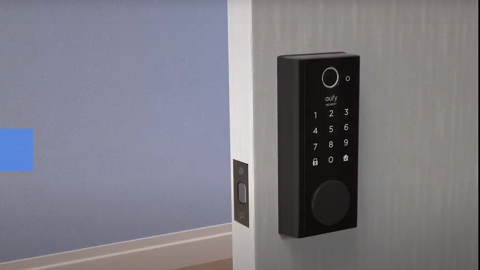
Step1:Enable mobile hotspot on your phone
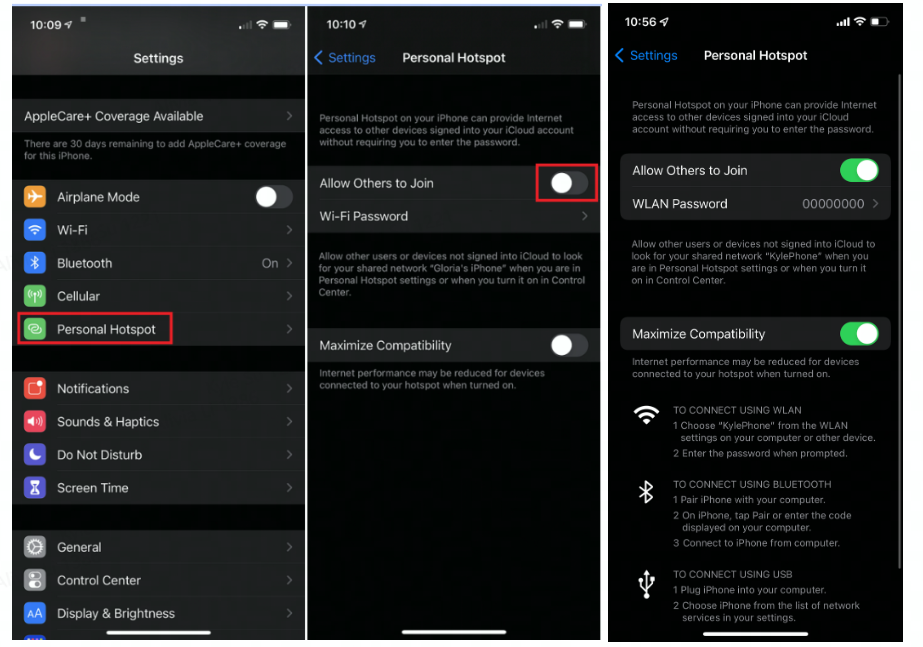
How to enable mobile hotspot on iPhone or iPad?
Please note your iPad will need to support both WiFi + Cellular with an activated SIM card inserted and not an iPad model that supports WiFi only.
1. Open the Settings app.
2. Select Personal Hotspot. (If you do not see Personal Hotspot in Settings, please select Cellular and then enable Personal Hotspot.)
3. Enable the Allow Others to Join feature.
4. Enable the Maximize Compatibility feature.
How to enable mobile hotspot on Android?
- Open the Settings app.
- Select Hotspot & tethering.
- Tap on Wi-Fi hotspot.
- Enable the "Extend compatibility" feature.
- This page has options for turning the hotspot feature on and off. Additionally, you can change the network name, security type, password, and more.

Step 2:Connect eufy device to the mobile hotspot
Device Tab > "..." icon > "Gear" icon > Doorbell Settings > General > Wi-Fi Connection > Change Wi-Fi.
Step 3:To verify the problem
If the connectivity issue is resolved after your eufy device is connected to your mobile hotspot but still exists when the device is connected to your 2.4GHz WiFi network, please check the settings and configurations on your router.
If the connectivity issue is not resolved after your eufy device is connected to your mobile hotspot, please contact us with the following information:
- Send us a video showing the steps taken when connecting your eufy device to the mobile hotspot.
- Upload App log via the eufy app by selecting the three-lined menu icon located at the top left corner of the app > About > Upload Log > App Logs and Device Logs. If the 'Upload Log' option is not visible, please select the three-lined menu > About > Tap the "eufy logo" for five times and choose "App log".