Recommended Third Party Hard Drives and How to Expand it on the S380 HomeBase (HomeBase 3)?
 

The S380 HomeBase comes with 16GB of built-in storage. If you want to expand the Local Storage, a hard drive would be helpful.


Prepare Your Hard Drive


Your hard drive must meet the following requirements:

Type

Hard disk drive (HDD) or solid-state drive (SSD) that uses the SATA interface

Size

2.5-inch

Capacity

Up to 16TB

Recommended

Western Digital, Seagate, SAMSUNG, Kingston, PNY, Crucial

Peak Power6W (5V 1.2A)
 

Note:

Usually 2.5-inch hard drive startup current is usually no more than 1.2A, that is, the peak power is around 6W, and the normal read/write power is around 2W, so we recommend using a hard drive with a maximum power of no more than 6W (5V/1.2A). Besides, we do not support hard disks that require 12V power supply. 


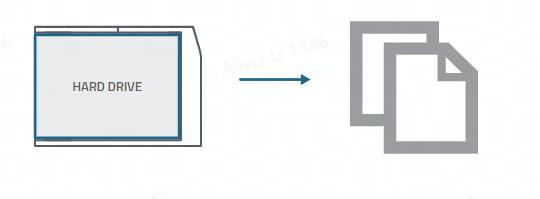
Transfer all the data in your hard drive to a secure location before adding it to S380 HomeBase.

Install Your Hard Drive


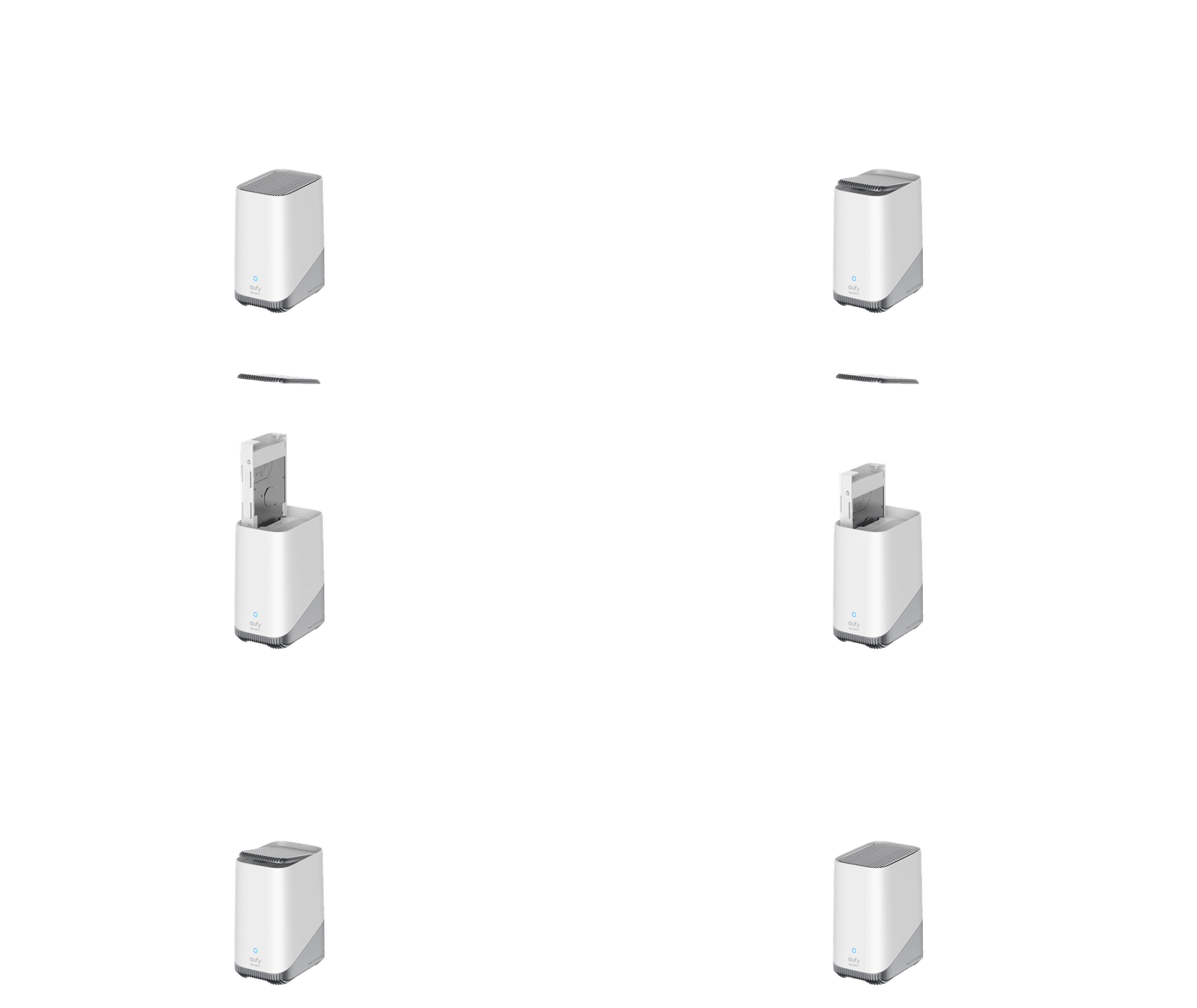
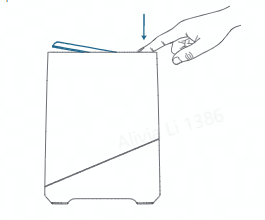
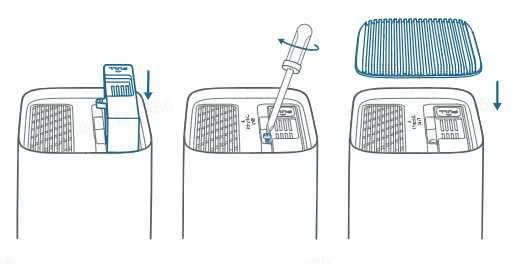
Step 1:Push down the top lid to remove it


Step 2: Loosen the screw, then pull out the hard drive brack
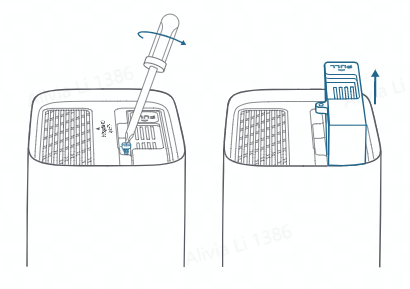


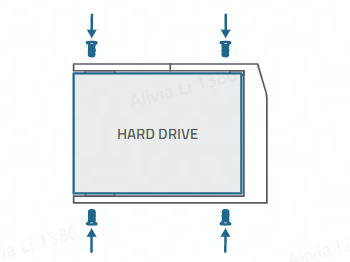
Step 3: Fix your hard drive to the bracket with the provided screws


Step 4:  Insert and screw the bracket back to S380 HomeBase, then put the top lid back into place


After The Installation


Installed the Hard Drive successfully, you will find the storage in the app. Steps: HomeBase> Storage Management> Storage> HD


image.png


Notes of Expansion Storage


1. This HD option will only be shown when HomeBase has a hard drive 

2. The user must power off HomeBase before plugging in the hard drive

3. The hard drive will begin to store video recordings after being formatted when first using

4. The video recordings are stored in the extended hard drive as a priority and will be stored in built-in storage after HDD is full.
5.
Usually 2.5-inch hard disk startup current is generally no more than 1.2A, that is, the peak power is about 6W, and the normal read/write power is about 2W, so it is recommended to use a hard disk with a maximum power of no more than 6W (5V/1.2A).
 

If there is any confusion, please contact us for assistance.


Recommended Third Party Hard Drives and How to Expand it on the S380 HomeBase (HomeBase 3)?
106 undefined
S380 HomeBase (HomeBase 3) Compatibility
200327 views/36 likes/2024-12-25 14:45:40
Differences Between All eufyCams
7719 views/1 likes/2025-11-05 10:27:38
Introducing eufy S380 HomeBase (HomeBase 3)
12276 views/1 likes/2025-04-07 18:06:40
What is the S380 HomeBase(HomeBase 3) storage type?
12466 views/1 likes/2025-04-07 18:03:13
eufyCams Cannot Be Charged
11197 views/1 likes/2025-04-08 13:37:23
S380 HomeBase (HomeBase 3) Goes Offline
10230 views/1 likes/2025-04-07 18:03:14
Issues of the Hard Drive in S380 HomeBase (HomeBase 3)
8493 views/1 likes/2025-04-07 18:06:16
eufyCam_E330 (Professsional)_4-Cam_Kit_QSG_EU
eufyCam_E330 (Professsional)_Add_On_QSG_EU
T8600 eufyCam E330 (Professional) EU Declaration of Conformity
eufyCam E330 (Professional) User Guide (T8600)
V1_T8160C_QSG_CS
V1_T8160C_QSG_FI
View More
eufyCam E330 Installation Guide - adjust the angle vertically
eufyCam E330 Installation Guide - adjust the angle horizontally
How to Schedule Your eufySecurity Devices
eufy Security App Functions
How to Turn On / Off the Snooze Feature
How to Schedule Your eufySecurity Devices
View More

