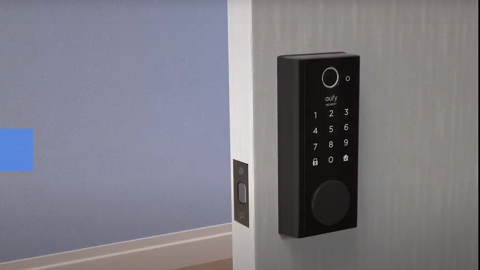
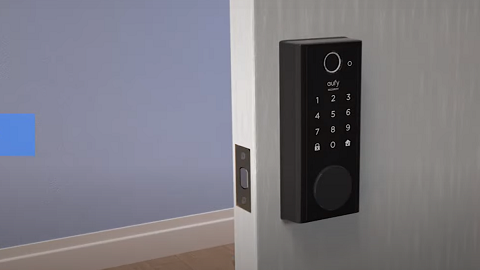
A Guide to Accessing Lock&Unlock Events of the Smart Lock in the eufy Security App

The eufy Security app is a user-friendly platform designed to manage your eufy security devices with ease. One of the functions of this app is the ability to access your Smart Lock's lock&unlock events. This function allows you to track the locking and unlocking records of your eufy Smart Lock. Please refer to the following instructions for a step-by-step guide on how to use this specific function:


Step 1: Access the Device Main Menu

Start by launching the eufy Security app on your device and navigating to the device main menu. This is the primary interface where you can manage all your eufy devices.


Step 2: Select the Lock Device Tab

On the device main menu, you will find various device tabs for different eufy devices. Look for the 'Lock' device tab and click on it. This will take you to the specific interface for managing your eufy Smart Lock.


Step 3: Navigate to Lock Events

Once you're on the Smart Lock interface, look towards the bottom left corner of the screen to find an option labeled 'Lock Events'. This is where all the locking and unlocking records of your Smart Lock are stored.


Step 4: Access Lock's Events

Click on the 'Lock Events' option. This will show a list of all the events related to your lock, including when it was locked and unlocked. You can scroll through this list to view the past records.


Remember, the eufy Security app is designed to make managing your security devices as easy as possible. By following these steps, you can quickly and easily access your Smart Lock's lock&unlock events. This function can help you keep track of your Smart Lock’s access records to provide an additional layer of security for your home or office.


If you have any further questions, please don't hesitate to reach out to us for assistance.

A Guide to Accessing Lock&Unlock Events of the Smart Lock in the eufy Security App
278 undefined
S380 HomeBase (HomeBase 3) Compatibility
195253 views/34 likes/2024-12-25 14:45:40
Compatibility Between eufySecurity Devices
4861 views/1 likes/2025-11-17 15:19:54
Share Your eufySecurity Devices With Your Family
33612 views/6 likes/2025-04-07 18:27:23
Two-Step Verification for eufySecurity App
40880 views/10 likes/2025-04-07 18:27:11
How to Find Out if You Have 2.4 GHz or 5 GHz WiFi Network
24870 views/1 likes/2025-04-07 18:05:46
How to Change the Wi-Fi Details for eufySecurity Devices
23248 views/2 likes/2025-04-15 15:48:16
Alexa Setup Guide for eufySecurity Devices
91317 views/5 likes/2023-08-16 16:08:07
Sign up for A eufySecurity Account
16953 views/1 likes/2025-04-08 13:37:24
Using Google Assistant for eufySecurity Devices
9253 views/1 likes/2025-04-07 18:27:24
Update Firmware for eufySecurity Devices via App
28658 views/5 likes/2024-12-23 20:48:42
‬⁡‌​⁢‬⁣‬‌⁢⁣‌⁣⁢⁢​⁤​⁣‬‬​‌​​⁣‌⁡‍‬​‬‍⁢⁤‍⁣​‍‌​‬⁢【T8010】【HomeBase 2】EU Declaration
T8113S_EU Declaration of Conformity
eufyCam_2C_Pro_Set_Manual_us
RoboVac 30C_Manual_EN
video_Doorbell_2K_(Wired)_Manual_us
Motion_Sensor_manual_us
View More
How to Connect RoboVac to iOS Devices
eufy 3-in-1 E20: Unboxing and Quick Start Guide Video
How to Install eufy Security Video Doorbell (Wired)
How to set up eufy Security Video Doorbell (Battery-Powered)
How to Install eufy Security Floodlight Camera
eufy Security App Functions
View More