Requirements for Using eufy Garage-Control Cam
Please note eufy Garage-Control Cam requires the following criteria in order to be compatible with your garage door:
- A wireless router with a dedicated 2.4GHz WiFi network to connect your eufy Garage-Control Cam.
- A strong and stable WiFi network connection with a minimum of 2Mbps upload speed.
- An Android or Apple smartphone with the eufy app installed and an active eufy account.
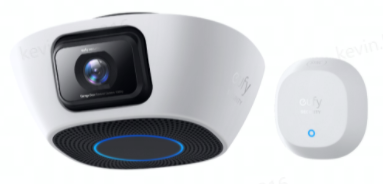
If you have further questions regarding the requirements for using eufy Garage-Control Cam, please contact us for assistance.


20 undefined
eufy Security / eufy Baby Devices Discharge Quickly


eufy Security / eufy Pet / eufy Baby Devices Go Offline
Image Quality Issues on eufy Security / eufy Baby / eufy Pet Devices
eufy Security / eufy Pet / eufy Baby Devices Cannot Power On
eufy Security / eufy Pet Devices Fail to Record Videos
How to open specific router ports for eufy devices?
Failed to Scan the QR Code on the eufy Device
How to connect eufy devices to your phone using a mobile hotspot?

Garage_Control_Cam_Manual

eufy Security Garage-Control Cam: How to Install and Set Up Using the eufy App


