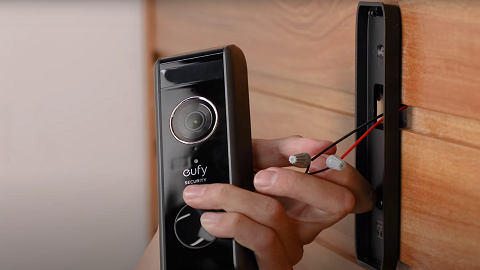
Delayed Notifications From the Video Doorbell Dual

If there is a delay when you receive notifications from the Video Doorbell Dual, please try the following troubleshooting steps.


1. Please choose the "Most Efficiency" mode for the type notification. Step: APP Side Bar > Settings  > Notification > Most Efficiency.

2. Make sure your phone is not in power-saving mode.

3. Try connecting your phone to a different WiFi network, or connecting the device to your phone's mobile hotspot to verify if the issue can be resolved.

4. Try to log in to the eufySecurity app on a different phone to check if the same issue happens.

5. Exit and close the app completely on your phone, and then press the doorbell button to test whether you can receive notifications without any delay.


If the issue persists, please contact us and provide us with the following information for further analysis.


1. The exact time when you noticed a notification was delayed, such as July 22nd 14:43.

2. Upload App log via Eufy app by selecting App Side Bar > Settings > Upload Log > Device Logs > select devices and Authorize. Please refer to the attached pictures for a step-by-step guide to authorize your device logs.


Unresolved icon
181 undefined
S380 HomeBase (HomeBase 3) Compatibility
215019 views37 likes/2024-12-25 14:45:40
How to View eufySecurity Cameras on a Computer
69310 views10 likes/2025-04-07 18:27:47
Compatibility Between eufySecurity Devices
18287 views1 likes/2025-11-17 15:19:54
What type of microSD card does eufySecurity device use?
49887 views4 likes/2025-04-07 18:27:10
Share Your eufySecurity Devices With Your Family
46699 views6 likes/2025-04-07 18:27:23
Two-Step Verification for eufySecurity App
49139 views10 likes/2025-04-07 18:27:11
Differences Between All eufy Doorbells
55372 views5 likes/2025-04-03 15:51:05
Alexa Setup Guide for eufySecurity Devices
97786 views5 likes/2023-08-16 16:08:07
Security Modes in eufySecurity App
28713 views1 likes/2025-04-07 18:05:40
Sign up for A eufySecurity Account
21262 views1 likes/2025-04-08 13:37:24
Download icon
Monitoring_sticker
Download icon
Add-on_Video_Doorbell_2K_(Battery-Powered)_manual_eu
Download icon
Video_Doorbell_Chime_with_USB_Dongle_manual_en
Download icon
Video_Doorbell_2K_(Battery-Powered)_Manual_eu
Download icon
Video_Doorbell_2K_(Battery-Powered)_Manual_us
Download icon
V01_T8210_QSG
View More
Play videoeufy Security Video Doorbell 2K (Battery-Powered) Setup Video
eufy Security Video Doorbell 2K (Battery-Powered) Setup Video
Play videoHow to set up eufy Security Video Doorbell (Battery-Powered)
How to set up eufy Security Video Doorbell (Battery-Powered)
Play videoHow to Use Geofencing on eufySecurity App
How to Use Geofencing on eufySecurity App
Play videoHow to Set the Automation Function
How to Set the Automation Function
Play videoIntroducing eufy Video Doorbell 2K (Battery-Powered)
Introducing eufy Video Doorbell 2K (Battery-Powered)
Play videoHow Do I Connect My eufy Cameras with Amazon Alexa
How Do I Connect My eufy Cameras with Amazon Alexa
View More
Contact Us
Buy on the eufy Store
Download the App
affirmamazonPayamexapplePaydinnersClubdiscovergooglePaymastercardpaypalshopPayvenmovisa