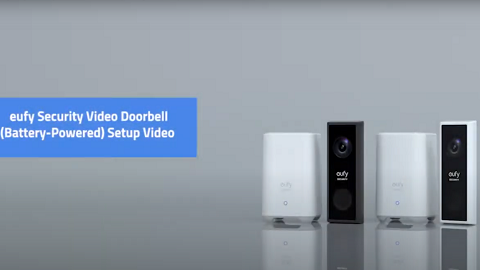
Does cold weather impact eufy Battery-Powered Video Doorbell?

Please note extreme cold weather may cause eufy battery-powered Video Doorbell to temporarily stop functioning since its operating temperature range is -4°F to 122°F / -20°C to 50°C due to the built-in lithium-ion battery. However, eufy battery-powered Video Doorbell will automatically resume working normally once temperature becomes warmer and falls within the device’s operating temperature range.


Note: Due to the working mechanism of Passive Infrared (PIR) sensor, eufy battery-powered Video Doorbell may not be functioning as sensitive when detecting motion in cold weather conditions. Therefore, it is highly recommended to increase eufy battery-powered Video Doorbell’s motion detection sensitivity level in the wintertime even if the current motion detection sensitivity setting works without issues in the summertime.


If you have further questions regarding how cold weather impacts eufy battery-powered Video Doorbell, please contact us for assistance.
Unresolved icon
263 undefined
S380 HomeBase (HomeBase 3) Compatibility
215065 views37 likes/2024-12-25 14:45:40
How to View eufySecurity Cameras on a Computer
69314 views10 likes/2025-04-07 18:27:47
Compatibility Between eufySecurity Devices
18291 views1 likes/2025-11-17 15:19:54
What type of microSD card does eufySecurity device use?
49892 views4 likes/2025-04-07 18:27:10
Share Your eufySecurity Devices With Your Family
46703 views6 likes/2025-04-07 18:27:23
Introducing Cloud Backup
30667 views1 likes/2025-04-15 14:12:20
Two-Step Verification for eufySecurity App
49140 views10 likes/2025-04-07 18:27:11
How to Find Out if You Have 2.4 GHz or 5 GHz WiFi Network
36966 views1 likes/2025-04-07 18:05:46
How to Change the Wi-Fi Details for eufySecurity Devices
32832 views3 likes/2025-04-15 15:48:16
Differences Between All eufy Doorbells
55375 views5 likes/2025-04-03 15:51:05
Download icon
Monitoring_sticker
Download icon
Video_Doorbell_Slim_manual_us
Download icon
Video_Doorbell_Slim_manual_eu
Download icon
V1_E8220_QSG_DA
Download icon
V1_E8220_QSG_NO
Download icon
V1_E8220_QSG_FI
View More
Play videoHow to set up eufy Security Video Doorbell (Battery-Powered)
How to set up eufy Security Video Doorbell (Battery-Powered)
Play videoHow to Use Geofencing on eufySecurity App
How to Use Geofencing on eufySecurity App
Play videoHow to Set the Automation Function
How to Set the Automation Function
Play videoHow Do I Connect My eufy Cameras with Amazon Alexa
How Do I Connect My eufy Cameras with Amazon Alexa
Play videoHow Do I Connect My eufy Cameras to the Google Assistant App
How Do I Connect My eufy Cameras to the Google Assistant App
Play videoHow to Share Account Access of eufySecurity Devices
How to Share Account Access of eufySecurity Devices
View More
Contact Us
Buy on the eufy Store
Download the App
affirmamazonPayamexapplePaydinnersClubdiscovergooglePaymastercardpaypalshopPayvenmovisa