If your eufy HomeBase 3 failed to add in the eufy Security app, please follow the troubleshooting steps listed below to resolve the issue.
Preparation Before Setting Up the HomeBase 3
1. Make sure the HomeBase 3 has power and its LED indicator light turns red. If not, please use the provided 12V/2A power adapter in the package to power on the HomeBase 3 and verify the wall outlet is not defective.
2. Make sure you have connected the HomeBase 3 to your WiFi router’s LAN port using the provided Ethernet cable. The Ethernet port’s indicator light on the back of the HomeBase 3 should be green if it is connected without issue. If not, please try using another Ethernet cable or WiFi router port to troubleshoot the issue.
Please check your firewall setting to see if there are any special restrictions for the device. You can check the firewall setting on your router's official website. Our audio & video communication uses P2P (Peer-to-Peer) technology. In order to improve the success rate of Hole Punching, we use port prediction mechanism (will try to connect on a certain port range), which triggers the firewall mechanism of the router. Our P2P Hole Punching server IP is: 34.235.4.153 , 18.223.127.200 , 54.153.101.7 . In order not to affect your use, you can set these three servers to allowlist.
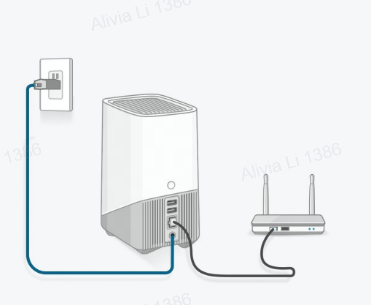
3. Make sure your smartphone is connected to the same WiFi router that the HomeBase 3 is connected to.

Add eufy HomeBase 3 in the eufy Security App
1. Please make sure you have downloaded the latest version of the eufy Security app. You can download it from the App Store (iOS) or Google Play (Android). Please note that the eufy Security app is compatible with Android OS (5.0+) and iOS (11+) phones and tablets. Visit eufy Security app to learn more about the app.
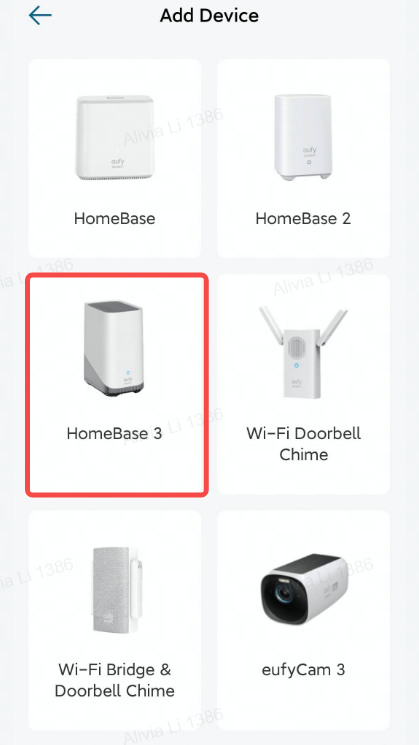
2. Please make sure to choose the correct device by selecting “HomeBase 3” when you add the device in the app. You can find the device model information at the bottom of the HomeBase 3.
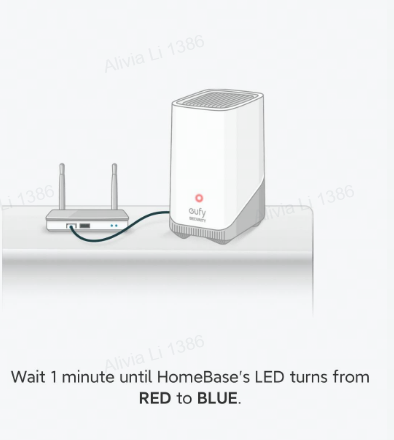
3. When the HomeBase’s LED indicator light failed to turn from red to blue, please try the following troubleshooting steps to resolve the issue:
- Make sure you have enabled DHCP on your router.
- Try to temporarily disable the firewall settings on your WiFi router.
- Restart / Reset the WiFi router.
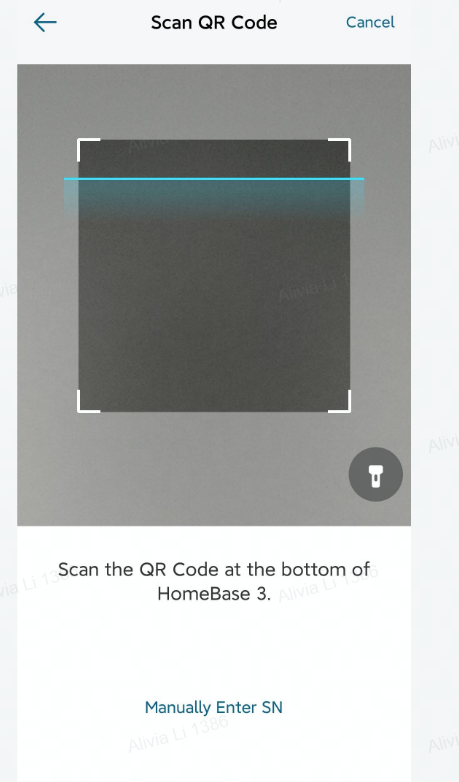
4. If the QR code failed to scan and it did not add your HomeBase 3, please try the following suggestions: Failed to Scan the QR Code on the eufy Security Device
Note: The QR code can be found at the bottom of the HomeBase 3. Please find the QR code location by visiting eufy Security Device QR Code Location and How to Scan QR Code for detailed information.

5. Please make sure you have pressed and held the SYNC/ALARM OFF button for two seconds and you should be able to hear a short beeping sound, then the HomeBase 3 should be added successfully.
If your HomeBase 3 does not emit a beeping sound, please try the following troubleshooting steps to resolve the issue: S380 HomeBase Does Not Emit a Beeping Sound When the SYNC Button Is Pressed
If the issue still persists, please contact us and provide us with the following information for further analysis.
- Send us a video showing the steps taken when setting up your HomeBase 3 in the app.
- Upload the “APP Logs” via the eufy Security app by selecting the three-lined menu icon located at the top left corner of the app > About > Upload Log > APP Logs and then select the “Upload Log” button. If “Upload Log” is not visible, please choose the three-lined menu > About > tap the "eufy logo" for five times and choose "APP Logs" to upload your logs.







