Given that your camera is installed in the yard and when you work in the yard (such as weeding, etc.), it will continue to trigger recording and notifications. If you need to temporarily stop the camera from recording and sending notifications during this period, there are three ways:
1. On the eufy app device page, click the "Snooze" icon on the camera card to enable the Snooze feature, which will disable camera notifications for a period of time set by the user. To find out more about how to use the Snooze feature, please refer to How Snooze in eufy App Works for You.

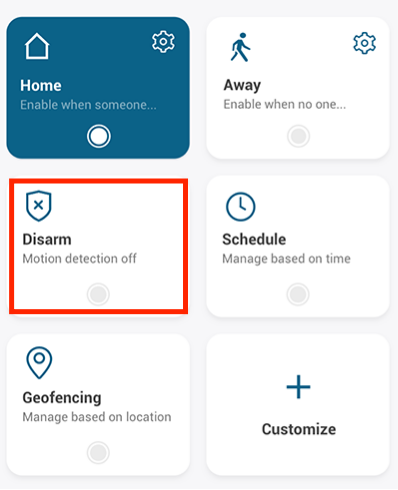
2. Disarm the camera in the security mode, and then set the security mode to Away or Home mode again after work is completed.
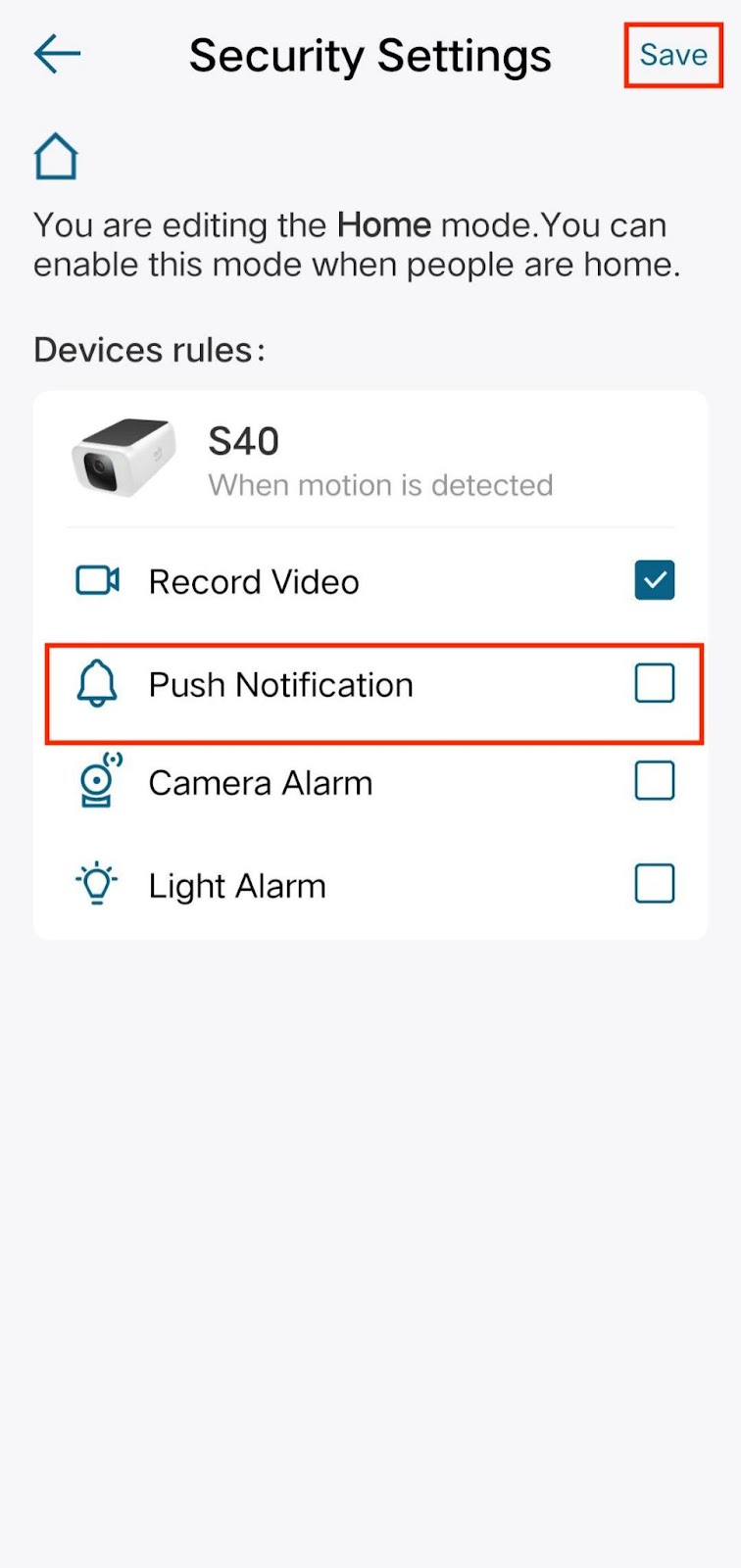
3. Set the security mode to Home mode, and disable the “Push Notification” button in the Home mode settings to mute notifications.
4. If you think it is unnecessary for the camera to detect motion, you can temporarily turn off the camera in the settings. Simply enable the “Camera On” feature once the work is completed.

If you still have questions regarding muting notifications on eufy devices, please contact us for further assistance.









