How to delete your eufyLife account?
 

Here are the instructions on how to delete your account/data:

  1. Click the top-left icon to open the side menu.
  2. Click "Privacy and Data" to enter the account settings.

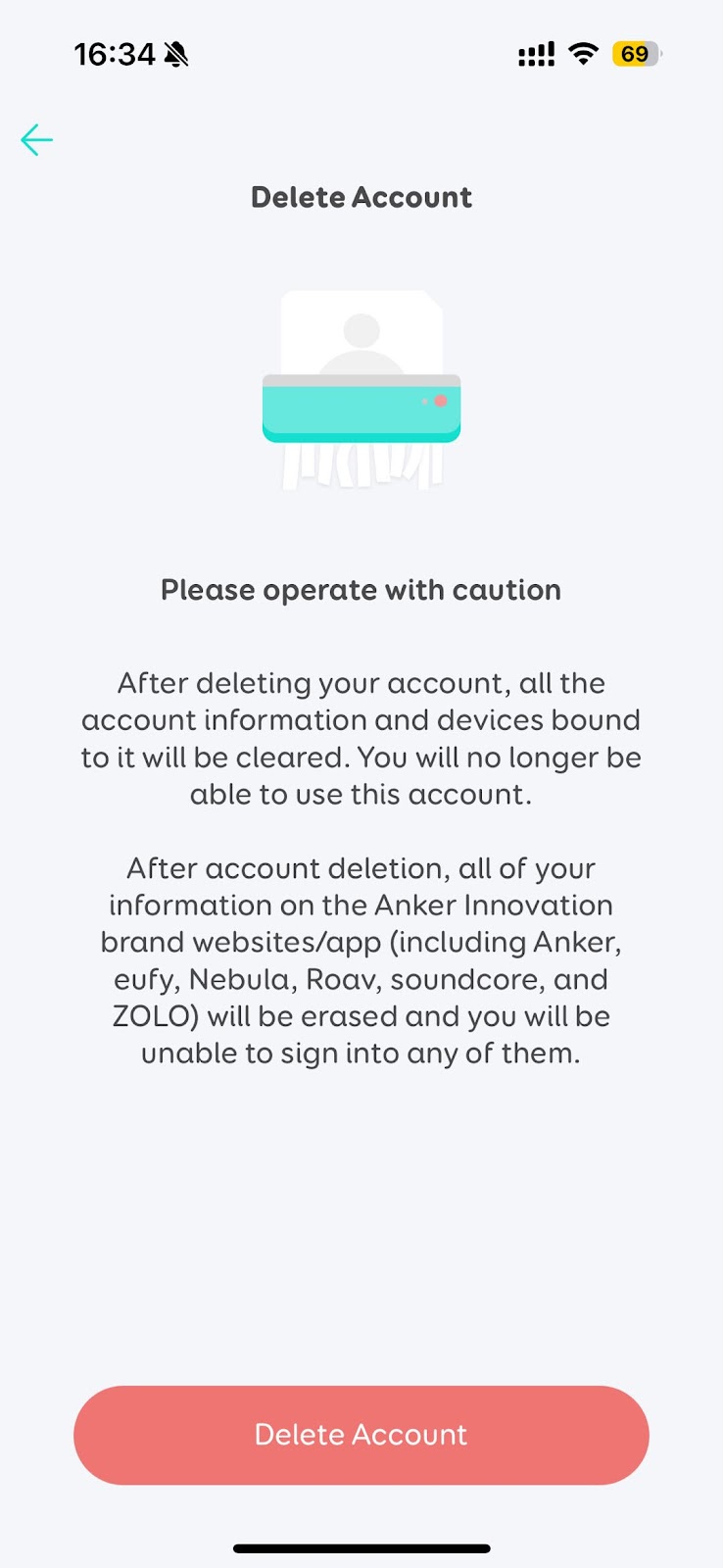
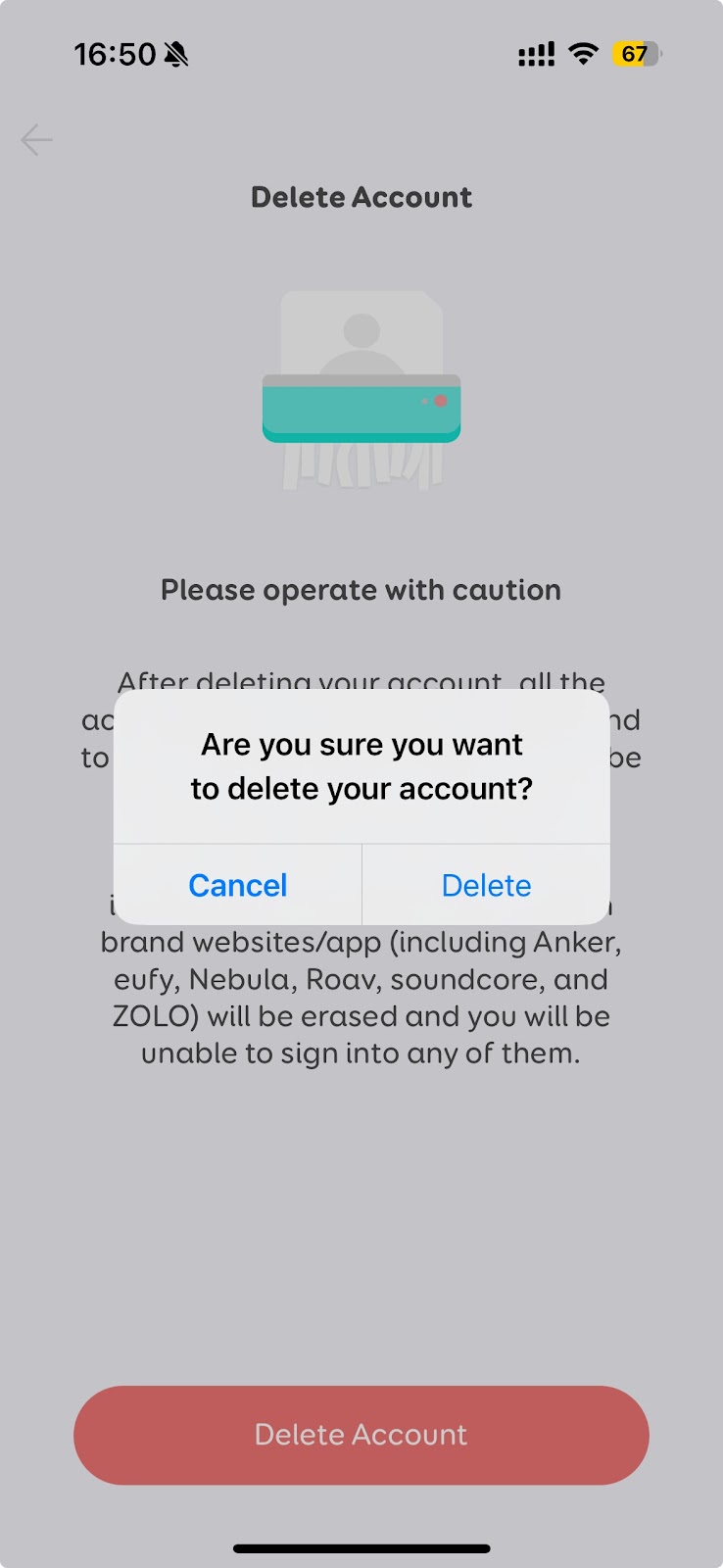
  1. Click "Delete Account"
  2. Please read the message carefully before clicking "Delete".

  1. If you select "Yes", then:
  • Your account information will be deleted immediately.
  • All devices which are connected to this account will be disconnected and reset.
  • All devices' information will be deleted from the server immediately.
  • If subscribed to eufy's newsletter, you will be unsubscribed.

  1. After the account is deleted, you will not be able to reactivate, restore any data, or regain access. If you want to use eufyLife again, you need to create a new account.
 

If you have further questions, please contact us for assistance.

Unresolved icon
20 undefined
Download icon
eufy Smart Scale C1 User Guide (T9146)
Download icon
Smart Scale P2 Pro_EN&AR_Manual
Download icon
Smart Scale C1_SA_Manual
Download icon
eufy Smart Scale P2 Pro User Guide (T9149)
Download icon
Smart Scale P2 Pro_EU_manual
Download icon
Smart Scale(T9140)_EU_Manual
View More
Play video
eufy Smart Scale P2 Series: How to Troubleshoot Inaccurate Weight Measurements
Play video
eufy Smart Scale P2 Series Unboxing Video
Play video
eufy Smart Scale P2 Series: How to Troubleshoot Inaccurate Body Measurements
Play video
eufy Smart Scale P2 Series: How to Connect Android Devices
Play video
eufy Smart Scale P2 Series: How to Connect iOS Devices
Play video
Eufy BodySense Smart Scale
Contact Us
Buy on the eufy Store
Download the App
affirmamazonPayamexapplePaydinnersClubdiscovergooglePaymastercardpaypalshopPayvenmovisa