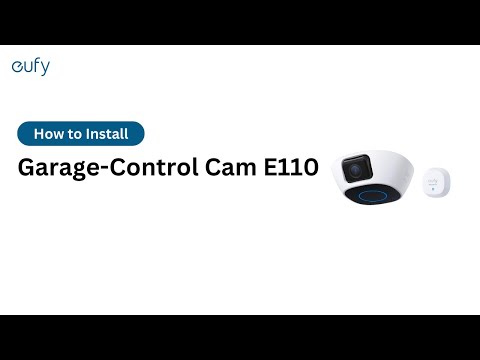
How to update the firmware of the eufy Garage-Control Cam?

Generally, the eufy Garage-Control Cam will automatically check and update its firmware when a new firmware version becomes available.


When you first install the Garage-Control Cam, the eufy Security app will automatically run a firmware version check to ensure the Garage-Control Cam is updated to the latest firmware version.


You can also manually update your eufy Garage-Control Cam’s firmware in the eufy Security app by going to My Devices > Select Devices > the “...” Icon > Gear Icon > Settings > General > About Device > Check for firmware update. 


If there are any other questions regarding the eufy Garage-Control Cam, please contact us for assistance.

Unresolved icon
81 undefined
Download icon
‬⁡‌​⁢‬⁣‬‌⁢⁣‌⁣⁢⁢​⁤​⁣‬‬​‌​​⁣‌⁡‍‬​‬‍⁢⁤‍⁣​‍‌​‬⁢【T8010】【HomeBase 2】EU Declaration
Download icon
T8113S_EU Declaration of Conformity
Download icon
eufyCam_2C_Pro_Set_Manual_us
Download icon
RoboVac 30C_Manual_EN
Download icon
video_Doorbell_2K_(Wired)_Manual_us
Download icon
Motion_Sensor_manual_us
View More
Play videoHow to Connect RoboVac to iOS Devices
How to Connect RoboVac to iOS Devices
Play videoeufy 3-in-1 E20: Unboxing and Quick Start Guide Video
eufy 3-in-1 E20: Unboxing and Quick Start Guide Video
Play videoHow to Install eufy Security Video Doorbell (Wired)
How to Install eufy Security Video Doorbell (Wired)
Play videoHow to set up eufy Security Video Doorbell (Battery-Powered)
How to set up eufy Security Video Doorbell (Battery-Powered)
Play videoHow to Install eufy Security Floodlight Camera
How to Install eufy Security Floodlight Camera
Play videoeufy Security App Functions
eufy Security App Functions
View More
Contact Us
Buy on the eufy Store
Download the App
affirmamazonPayamexapplePaydinnersClubdiscovergooglePaymastercardpaypalshopPayvenmovisa