eufy Pet Camera has a wide angle lens of 170° to easily detect when a movement occurs, please follow the steps below to learn how to enable the motion detection feature on your camera.
To enable motion detection, please launch the eufy Pet app > Profile > My Devices > Pet Camera > Motion Detection.
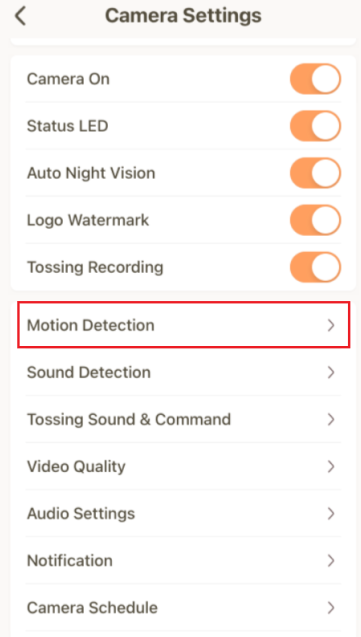
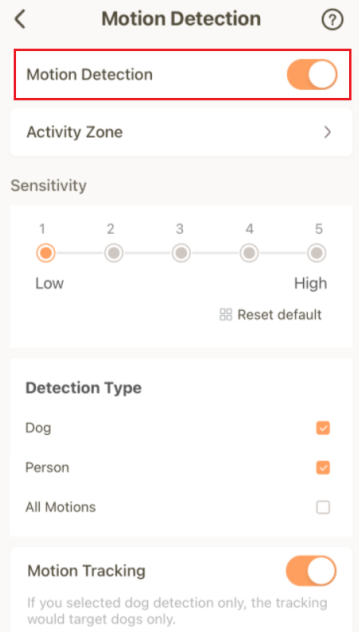
Motion detection has different sensitivity levels from one (the least sensitive) to five (the most sensitive), please test out each sensitivity level to find the best possible setting depending on the location of your eufy Pet Camera and also how active your dog is.
Additionally, eufy Pet Camera has three types of motion detection.
- Dog: The camera will only detect motion activities triggered by pets.
- Person: The camera will only detect motion activities triggered by people.
- All Motions: The camera will detect all motion activities regardless of the type of motion.
If you would like to learn more about the Motion Tracking feature, please visit How Does the Motion Tracking Feature Work on eufy Pet Dog Camera for detailed information.
If you have further questions regarding the Motion Detection settings on eufy Pet Camera, please contact us for assistance.







