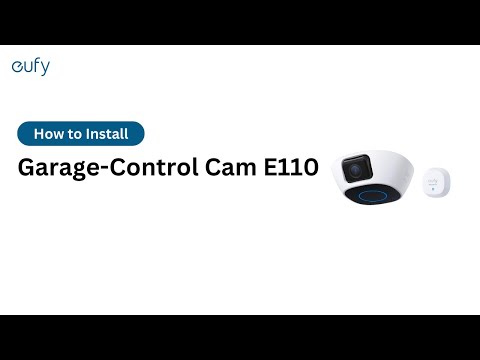
My eufy Garage-Control Cam Has a Weak WiFi Signal

The signal strength icon in the eufy Security app will show the current connection strength between the Garage-Control Cam and the router. If your eufy Garage-Control Cam has a weak WiFi signal, please try the following troubleshooting steps to verify if the issue can be resolved.

 
  • Please try moving the router closer to the Garage-Control Cam, if possible.
  • Please verify there are no obstacles or devices that could cause signal interferences nearby the router.
  • If the distance between the router and the garage exceeds 150ft, please consider adding a 2.4GHz WiFi extender to improve the WiFi signal strength. Please visit How far can I place the Garage-Control Cam from my router? for more information.

If you are still experiencing WiFi connectivity issues with your eufy Garage Door Sensor, please contact us for assistance.
Unresolved icon
81 undefined
Download icon
‬⁡‌​⁢‬⁣‬‌⁢⁣‌⁣⁢⁢​⁤​⁣‬‬​‌​​⁣‌⁡‍‬​‬‍⁢⁤‍⁣​‍‌​‬⁢【T8010】【HomeBase 2】EU Declaration
Download icon
T8113S_EU Declaration of Conformity
Download icon
eufyCam_2C_Pro_Set_Manual_us
Download icon
RoboVac 30C_Manual_EN
Download icon
video_Doorbell_2K_(Wired)_Manual_us
Download icon
Motion_Sensor_manual_us
View More
Play videoHow to Connect RoboVac to iOS Devices
How to Connect RoboVac to iOS Devices
Play videoeufy 3-in-1 E20: Unboxing and Quick Start Guide Video
eufy 3-in-1 E20: Unboxing and Quick Start Guide Video
Play videoHow to Install eufy Security Video Doorbell (Wired)
How to Install eufy Security Video Doorbell (Wired)
Play videoHow to set up eufy Security Video Doorbell (Battery-Powered)
How to set up eufy Security Video Doorbell (Battery-Powered)
Play videoHow to Install eufy Security Floodlight Camera
How to Install eufy Security Floodlight Camera
Play videoeufy Security App Functions
eufy Security App Functions
View More
Contact Us
Buy on the eufy Store
Download the App
affirmamazonPayamexapplePaydinnersClubdiscovergooglePaymastercardpaypalshopPayvenmovisa