The Virtual Boundary is a feature that allows you to set a specific boundary that the robot vacuum will not cross over. It's a useful feature to prevent the robot vacuum from entering certain areas of your home, while not having to place any physical objects in your home.
The No-go Zone is an area where the robot vacuum will not enter to clean under any circumstances. On the other hand, the No-mop Zone is an area where the robot vacuum will not enter to clean only when a mopping pad holder is installed. It is recommended to set one or multiple No-mop Zones to block off carpeted areas.
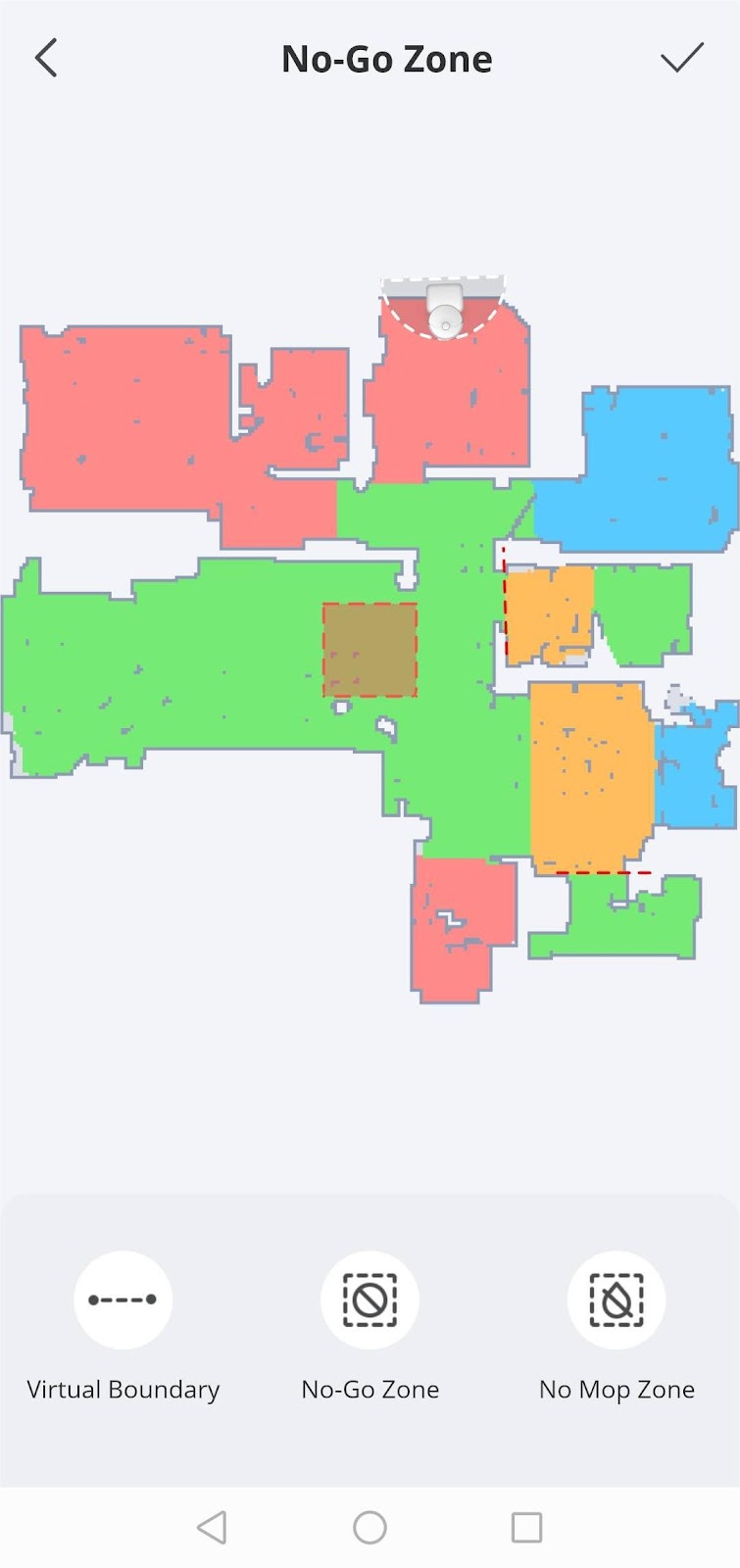
You can click the Edit Map icon on the top right corner to enter the Settings interface where you can set Virtual Boundary, No-go Zone, and No-mop Zone. Please note that a maximum of 10 boundaries/zones can be set for each boundary/zone on a map.
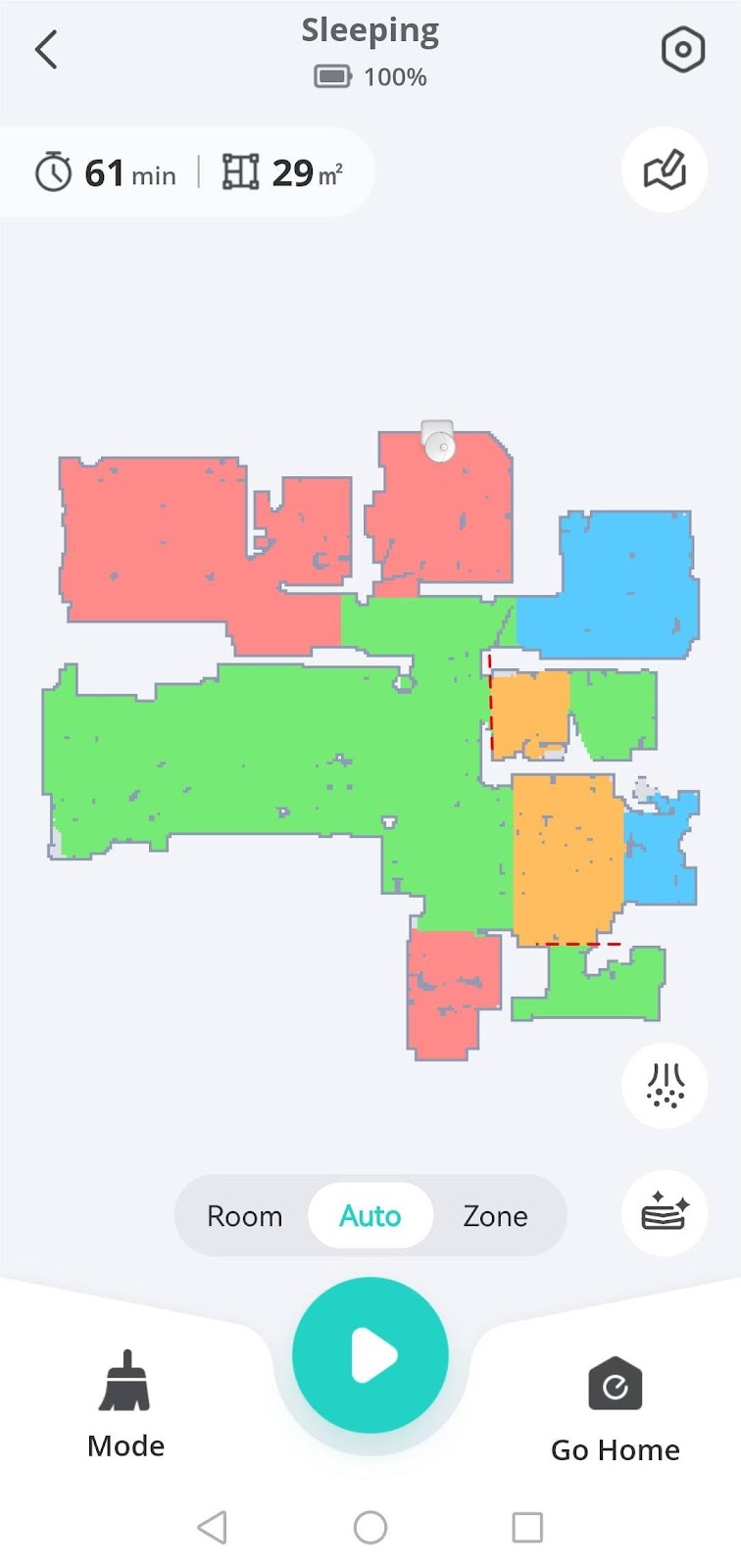

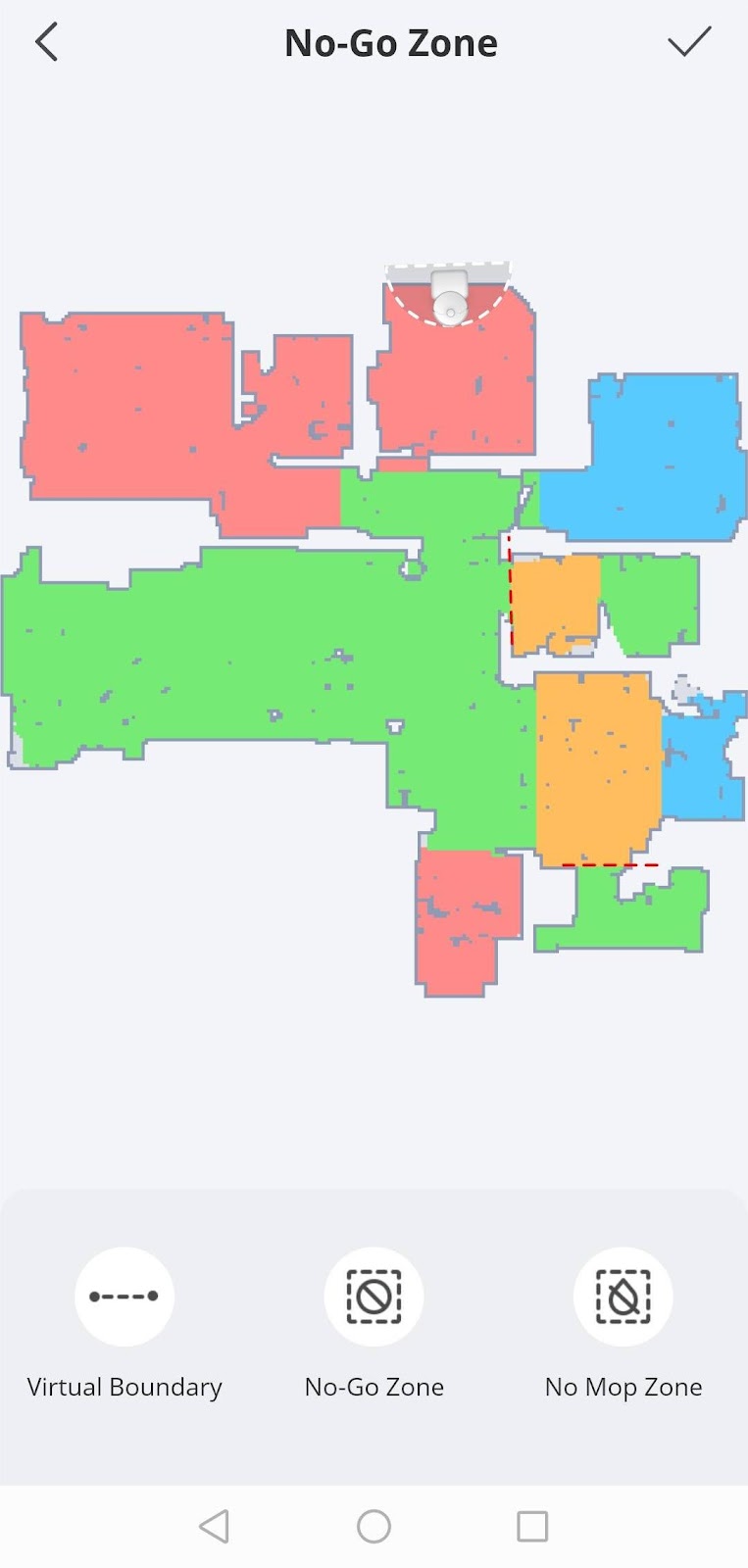
Please refer to the following images for Virtual Boundry, No-go Zone, and No-mop Zone examples:


If too many Virtual Boundaries, No-go Zones, and No-mop Zones are set up using the eufy Clean app, it may affect the cleaning efficiency of the robot vacuum. These settings limit the movement range of the robot vacuum, making it unable to cover all areas during its cleaning cycle. Moreover, if too many boundaries/zones are set, the robot vacuum may need to spend more time planning its path when performing cleaning tasks, thereby reducing its cleaning efficiency. It is highly recommended to set boundaries that are absolutely necessary, such as around delicate furniture or areas with lots of wires. As your home environment changes (e.g., furniture is moved or removed), please be sure to adjust the settings using the eufy Clean app accordingly.
If you have any further questions or concerns, please don't hesitate to contact us for assistance.