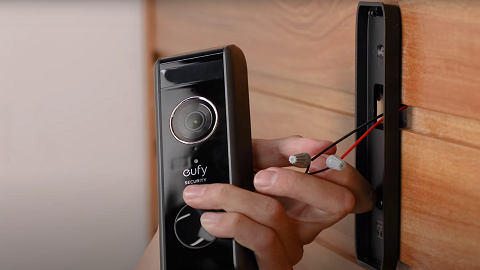
Video Doorbell Dual Is Unable to Pair With the Homebase

If the Video Doorbell Dual fails to pair with HomeBase 2, please try the following troubleshooting:


1. Press the SYNC button on the back of the doorbell for 2 seconds until you hear a beeping sound, and make sure there is an indicator light on the doorbell. If not, please charge the doorbell for 2 hours and try again.

2. Make sure the LED indicator on the Homebase is solid blue and the LED indicator on the doorbell is blue when pairing the doorbell with the Homebase.

3. Keep the distance between the doorbell and the Homebase within 1 meter when pairing the doorbell with the Homebase.

4. If you still cannot set up the doorbell in the Eufy App, please press the SYNC button on the back of the doorbell for 10 seconds, then release the SYNC button and press it again for 2 seconds to verify if you are able to hear a beeping sound to continue the setup process. To add the device in the Eufy App, navigate to Main Page > Smart > Add Device > Scan QR code.


If the issue persists, please contact us for further assistance.


Unresolved icon
181 undefined
S380 HomeBase (HomeBase 3) Compatibility
215129 views37 likes/2024-12-25 14:45:40
How to View eufySecurity Cameras on a Computer
69349 views10 likes/2025-04-07 18:27:47
Compatibility Between eufySecurity Devices
18328 views1 likes/2025-11-17 15:19:54
What type of microSD card does eufySecurity device use?
49940 views4 likes/2025-04-07 18:27:10
Share Your eufySecurity Devices With Your Family
46757 views6 likes/2025-04-07 18:27:23
Two-Step Verification for eufySecurity App
49163 views10 likes/2025-04-07 18:27:11
Differences Between All eufy Doorbells
55408 views5 likes/2025-04-03 15:51:05
Alexa Setup Guide for eufySecurity Devices
97806 views5 likes/2023-08-16 16:08:07
Security Modes in eufySecurity App
28731 views1 likes/2025-04-07 18:05:40
Sign up for A eufySecurity Account
21276 views1 likes/2025-04-08 13:37:24
Download icon
Monitoring_sticker
Download icon
Add-on_Video_Doorbell_2K_(Battery-Powered)_manual_eu
Download icon
Video_Doorbell_Chime_with_USB_Dongle_manual_en
Download icon
Video_Doorbell_2K_(Battery-Powered)_Manual_eu
Download icon
Video_Doorbell_2K_(Battery-Powered)_Manual_us
Download icon
V01_T8210_QSG
View More
Play videoeufy Security Video Doorbell 2K (Battery-Powered) Setup Video
eufy Security Video Doorbell 2K (Battery-Powered) Setup Video
Play videoHow to set up eufy Security Video Doorbell (Battery-Powered)
How to set up eufy Security Video Doorbell (Battery-Powered)
Play videoHow to Use Geofencing on eufySecurity App
How to Use Geofencing on eufySecurity App
Play videoHow to Set the Automation Function
How to Set the Automation Function
Play videoIntroducing eufy Video Doorbell 2K (Battery-Powered)
Introducing eufy Video Doorbell 2K (Battery-Powered)
Play videoHow Do I Connect My eufy Cameras with Amazon Alexa
How Do I Connect My eufy Cameras with Amazon Alexa
View More
Contact Us
Buy on the eufy Store
Download the App
affirmamazonPayamexapplePaydinnersClubdiscovergooglePaymastercardpaypalshopPayvenmovisa