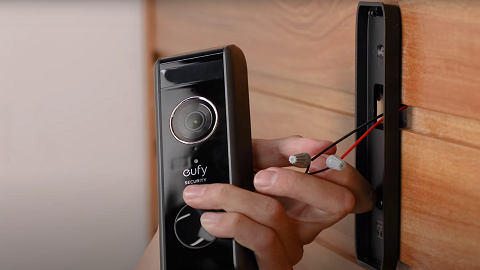
Video Doorbell Dual Records the Events Too Late

If your Video Doorbell Dual is recording the events too late or the videos recorded are incomplete, please try to adjust the following settings in the app.


1. If you have set an Activity Zone, please ensure that the zone you have drawn covers the entire area of interest to avoid setting an incomplete activity zone. The images below show the correct and incorrect ways to draw your Activity Zone.


2. Please extend the detection distance of both Motion Detection and Linger Detection. Steps: device tab> “...”icon> Settings > Dual Detection > Motion Detection/Linger Detection.

3. Please adjust the camera working mode to the Customize Recording mode with minimum retriggering intervals. Steps: device tab> “...”icon> Settings > Power manager > Camera working mode.

4. Adjust the doorbell's field of view: If there is a wall in the doorbell’s field of view, please use one or two 15° brackets (two brackets can be stacked).


If the problem persists, please contact us and provide us with the following information for further analysis.


1. A picture showing the activity zone if an activity zone is set up. On the other hand, if an activity zone has not been set up, please send us a video recorded by your doorbell. Steps: device tab> “...”icon> Settings > Dual Detection > Activity Zone.

2. A video showing the delayed recording.

Unresolved icon
181 undefined
S380 HomeBase (HomeBase 3) Compatibility
215099 views37 likes/2024-12-25 14:45:40
How to View eufySecurity Cameras on a Computer
69333 views10 likes/2025-04-07 18:27:47
Compatibility Between eufySecurity Devices
18315 views1 likes/2025-11-17 15:19:54
What type of microSD card does eufySecurity device use?
49916 views4 likes/2025-04-07 18:27:10
Share Your eufySecurity Devices With Your Family
46735 views6 likes/2025-04-07 18:27:23
Two-Step Verification for eufySecurity App
49154 views10 likes/2025-04-07 18:27:11
Differences Between All eufy Doorbells
55394 views5 likes/2025-04-03 15:51:05
Alexa Setup Guide for eufySecurity Devices
97799 views5 likes/2023-08-16 16:08:07
Security Modes in eufySecurity App
28723 views1 likes/2025-04-07 18:05:40
Sign up for A eufySecurity Account
21272 views1 likes/2025-04-08 13:37:24
Download icon
Monitoring_sticker
Download icon
Add-on_Video_Doorbell_2K_(Battery-Powered)_manual_eu
Download icon
Video_Doorbell_Chime_with_USB_Dongle_manual_en
Download icon
Video_Doorbell_2K_(Battery-Powered)_Manual_eu
Download icon
Video_Doorbell_2K_(Battery-Powered)_Manual_us
Download icon
V01_T8210_QSG
View More
Play videoeufy Security Video Doorbell 2K (Battery-Powered) Setup Video
eufy Security Video Doorbell 2K (Battery-Powered) Setup Video
Play videoHow to set up eufy Security Video Doorbell (Battery-Powered)
How to set up eufy Security Video Doorbell (Battery-Powered)
Play videoHow to Use Geofencing on eufySecurity App
How to Use Geofencing on eufySecurity App
Play videoHow to Set the Automation Function
How to Set the Automation Function
Play videoIntroducing eufy Video Doorbell 2K (Battery-Powered)
Introducing eufy Video Doorbell 2K (Battery-Powered)
Play videoHow Do I Connect My eufy Cameras with Amazon Alexa
How Do I Connect My eufy Cameras with Amazon Alexa
View More
Contact Us
Buy on the eufy Store
Download the App
affirmamazonPayamexapplePaydinnersClubdiscovergooglePaymastercardpaypalshopPayvenmovisa