What should I do if the EufyLife app only shows my weight?

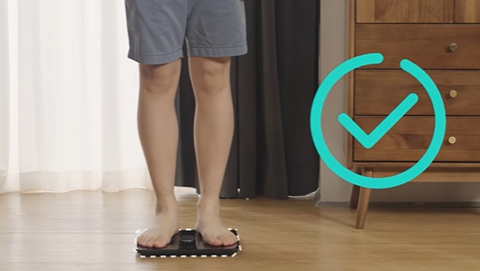
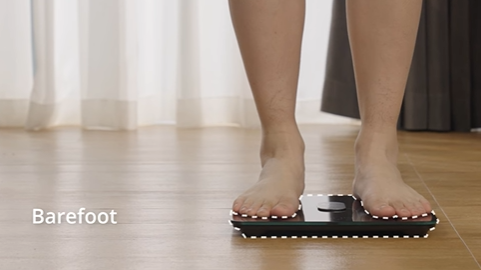
1. Stand barefoot on the Smart Scale and maintain full contact with the electrodes until the LED display locks.

2. Please update your phone to the latest iOS or Android version and reinstall the latest version of the EufyLife app from the Apple Store or the Google Play store. For Android devices, please turn on location services and restart your phone.

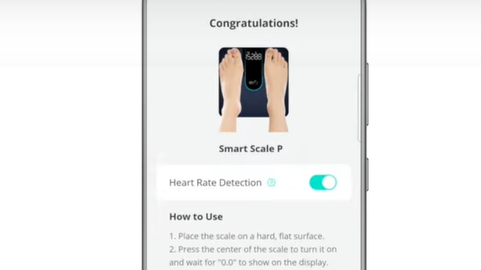
3. Please launch the EufyLife app, turn on Bluetooth on your phone, and then step barefoot on the Smart Scale.


Note: Wipe your feet with a damp cloth if they are very dry.


If these suggestions did not resolve your issue, please contact us for further assistance.

Unresolved icon
81 undefined
Download icon
eufy Smart Scale A1 User Guide (T9120)
Download icon
Smart Scale A1_T9120_EN+AR_Manual
Download icon
【T9120】 Smart Scale A1 EU Declaration
Download icon
Smart Scale C20 Benutzerhandbuch (T9130)
Download icon
Smart Scale C20 User Guide (T9130)
Download icon
eufy Smart Scale C20 دليل المستخدم (T9130)
View More
Play videoeufy Smart Scale C20 Unboxing and Quick Start Guide
eufy Smart Scale C20 Unboxing and Quick Start Guide
Play videoSmart Scale C20 Troubleshooting
Smart Scale C20 Troubleshooting
Play videoEufy BodySense Smart Scale
Eufy BodySense Smart Scale
Play videoeufy Smart Scale P2 Series: How to Troubleshoot Inaccurate Body Measurements
eufy Smart Scale P2 Series: How to Troubleshoot Inaccurate Body Measurements
Play videoeufy Smart Scale P2 Series: How to Troubleshoot Inaccurate Weight Measurements
eufy Smart Scale P2 Series: How to Troubleshoot Inaccurate Weight Measurements
Play videoeufy Smart Scale P2 Series Unboxing Video
eufy Smart Scale P2 Series Unboxing Video
View More
Contact Us
Buy on the eufy Store
Download the App
affirmamazonPayamexapplePaydinnersClubdiscovergooglePaymastercardpaypalshopPayvenmovisa