Map inaccuracies or boundary deviations on the Robot Lawn Mower C15 may occur due to sensor detection, environmental conditions, or mapping configuration. This article explains common causes and provides solutions to improve mapping accuracy.
Why Certain Areas (e.g., Yellow Grass or Bare Soil) Are Excluded From the Map
Cause
The mower’s visual sensors may identify yellow grass, dry patches, or bare soil as non-lawn or boundary areas. As a result, these areas may be excluded during mapping.
Solution
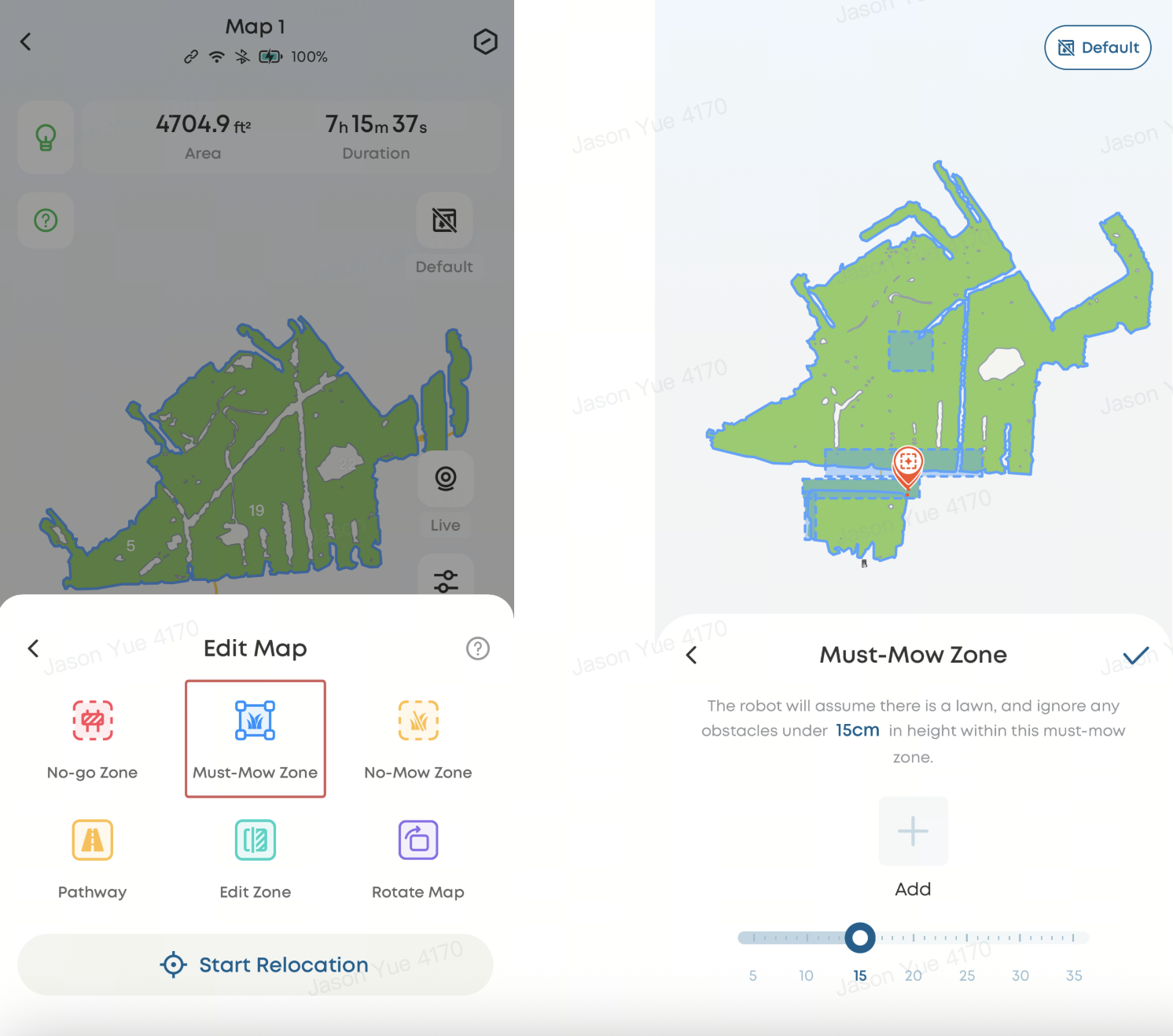
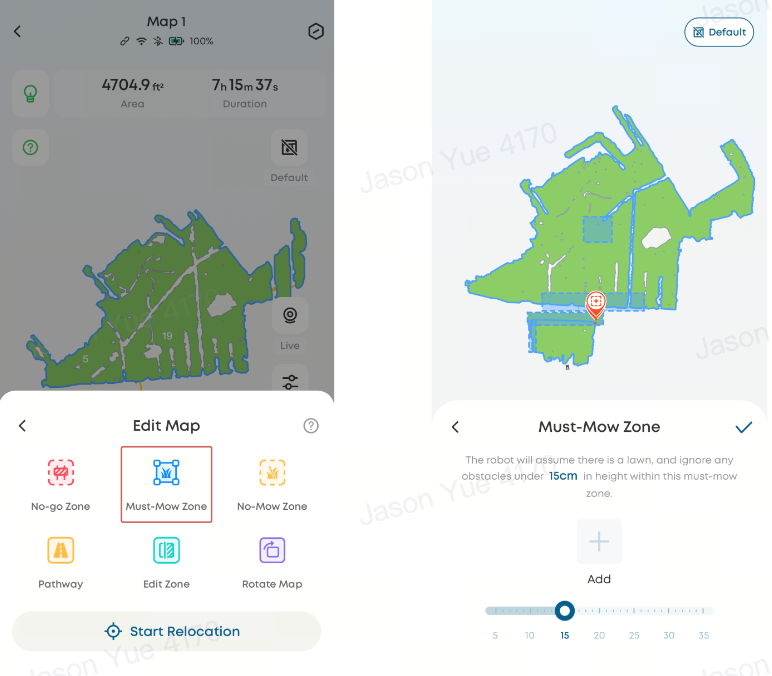
Use the "Must-Mow Zone" feature to manually include these areas:
-
Go to Edit Map → Add Must-Mow Zone
-
Mark the excluded area on the map
-
If needed, enable "Ignore Obstacle Height" at the bottom of the page to allow the mower to pass over low obstacles
Why Map Boundaries Deviate Significantly From Actual Lawn Boundaries
Boundary deviations may occur in different ways. Refer to the appropriate scenario below:
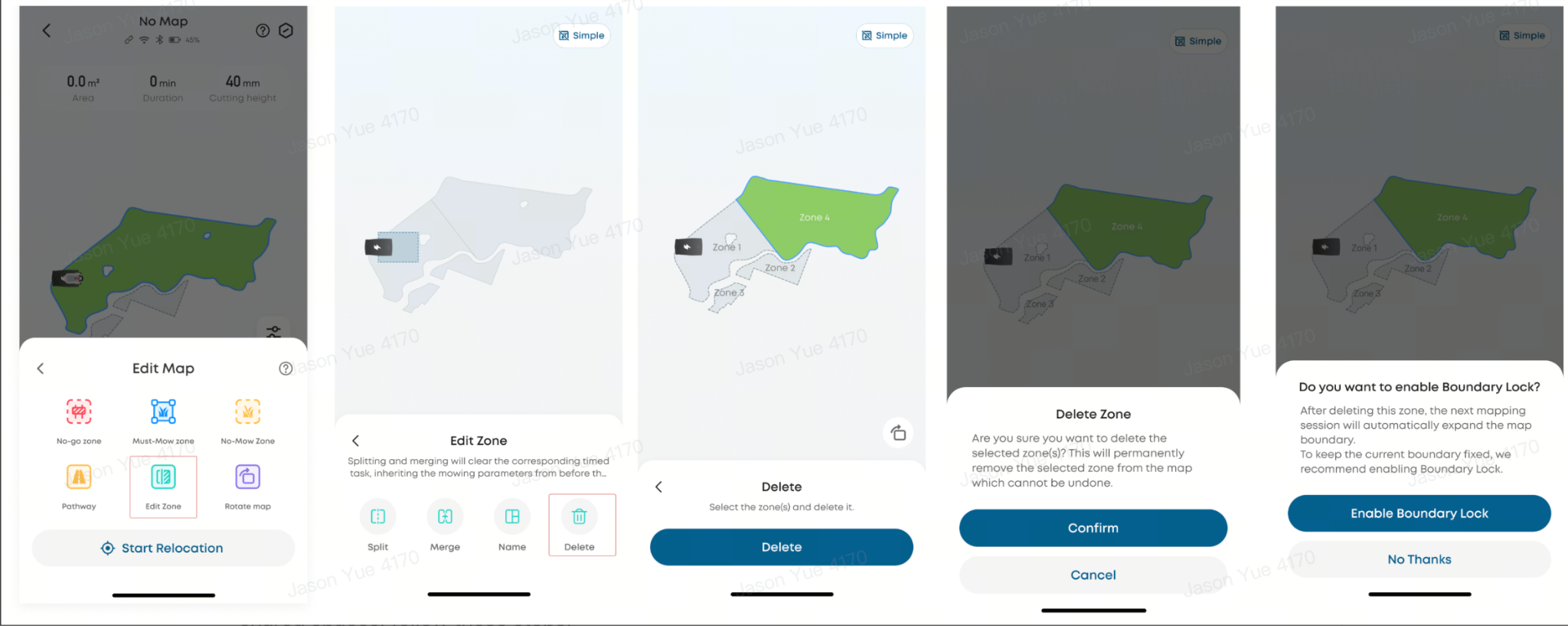
Why the Mower Crosses Boundaries in Shared Lawn Areas
To improve boundary recognition and prevent the mower from crossing into adjacent properties or shared spaces, follow these steps:
-
Ensure Wi-Fi coverage is stable along the boundary (or enable 4G connectivity if supported)
-
Start auto-mapping and tap Pause when approaching unclear boundary areas
-
Physically assist boundary recognition by standing at the edge or placing a visible obstacle at least 5 cm high
-
Monitor real-time positioning in the app to confirm boundary alignment
-
Use Edit Map → Add No-go Zone or Virtual Boundary to define restricted areas precisely
⚠️ Do not place the mower inside a no-go zone, directly on a boundary line, or outside the intended working area, as this may cause navigation errors.
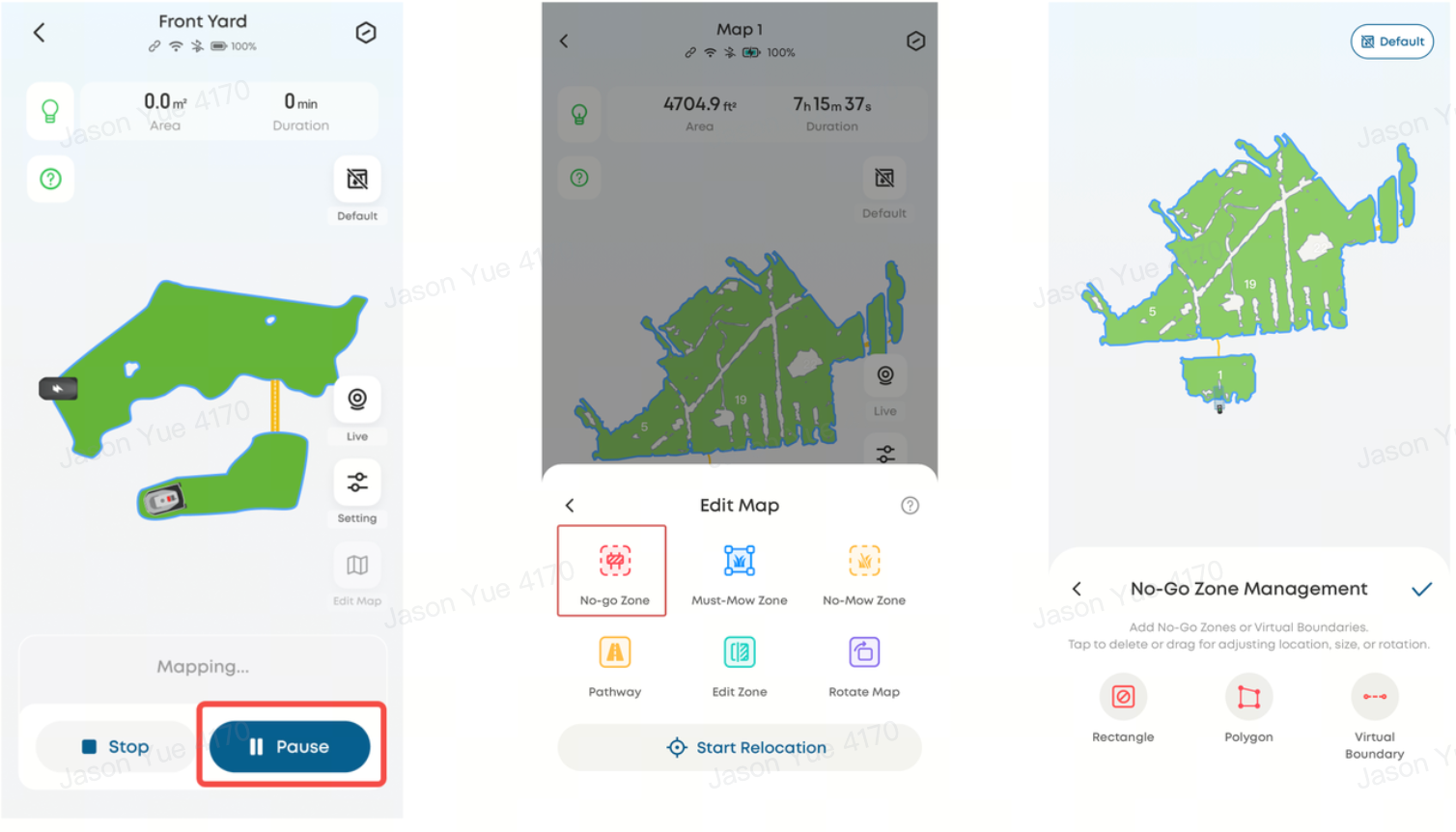
How to Connect Multiple Separate Lawn Areas on the Map
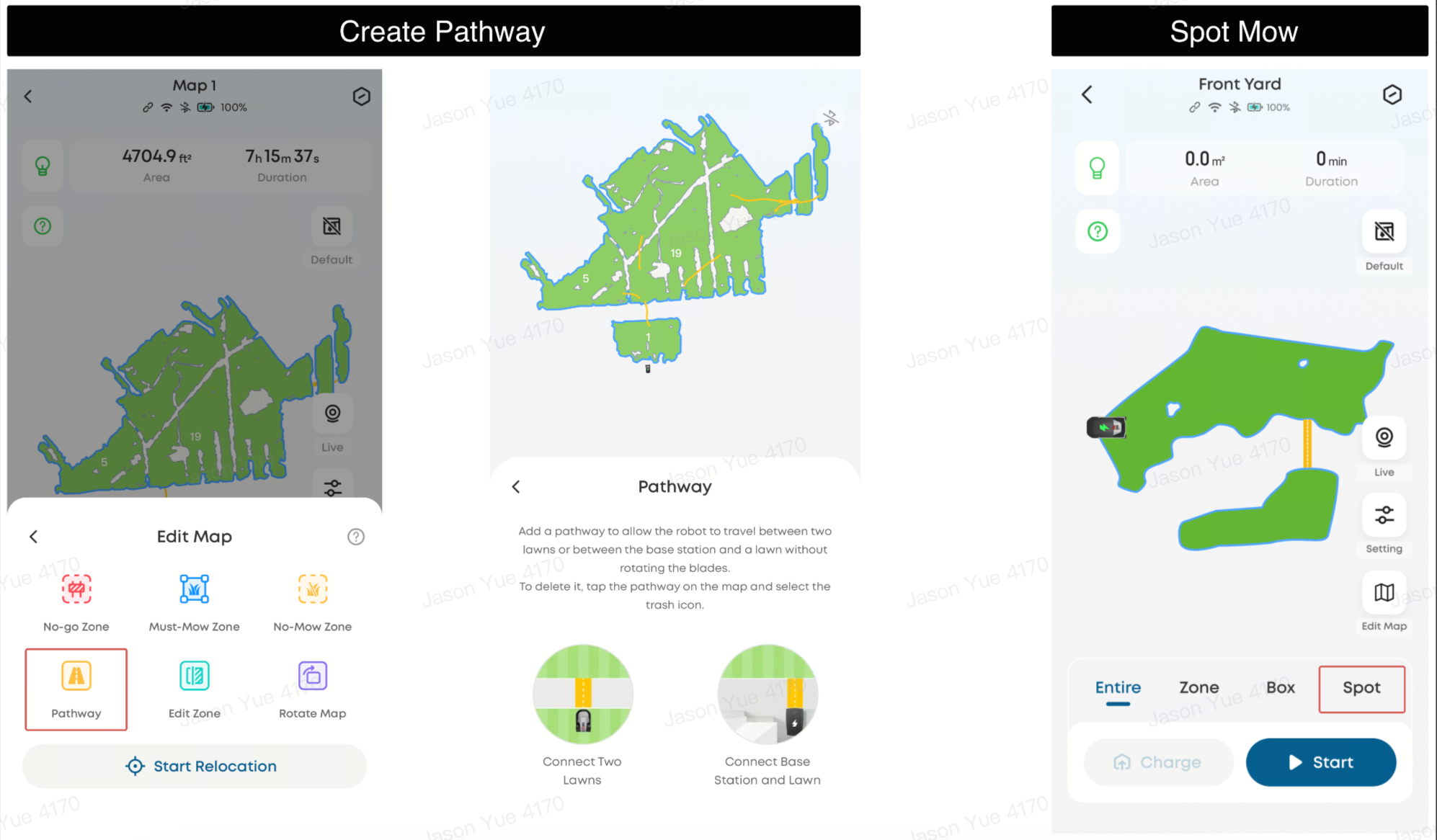
If your property includes multiple lawn areas, follow these steps to connect them:
-
Complete mapping of the first lawn area
-
Go to Edit Map → Pathway → Connect Two Lawns or Connect Base Station and Lawn
-
Connect to the mower via Bluetooth
-
Use the joystick control to guide the mower to the starting point of the first lawn and tap Start
-
Move the mower to the second lawn’s endpoint and tap Complete
-
The mower will automatically map the second lawn and return to the charging station upon completion
Path Requirements
-
Length: 1–60 meters
-
Must be flat and fully passable
Alternative Option
If lawn areas are separated by steps, fences, or other impassable barriers, use Spot Mode instead:
-
Home Page → Spot Mode
Map inaccuracies on the Robot Lawn Mower C15 are typically caused by sensor detection, incomplete boundary detection, or environmental obstacles. Using features such as Must-Mow Zones, Boundary Lock, and Virtual Boundaries, along with proper setup and connectivity, can significantly improve mapping accuracy and reliability.
If you have any other questions regarding the Robot Lawn Mower C15, please don't hesitate to contact eufy Support Center for further assistance.