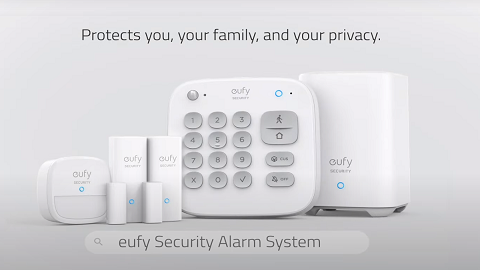
eufy Entry Sensor Offline

When your Entry Sensor is offline, the device screen on the eufySecurity app will display a warning sign showing the Entry Sensor’s status is currently offline.


Why Is My Entry Sensor Offline?

1. Entry Sensor’s battery has completely drained.

2. HomeBase is disconnected from the Internet or the WiFi router.

3. HomeBase is offline due to a power outage.

4. You have changed your router’s WiFi network name or password.

5. Your Entry Sensor is disconnected from the HomeBase.


If your Entry Sensor goes offline, please check the following details:

1. Press and hold the Entry Sensor’s SYNC button for at least 2 seconds until the LED indicator light flashes a white light. If the LED indicator light flashes a red light or the LED indicator light is not bright enough, please replace the CR123A battery.

2. Make sure your HomeBase is online and check if it is connected to the Internet. If the HomeBase is functioning properly, its LED indicator light will show a solid blue light.

3. Please check if you have recently changed a new router or updated the WiFi network name or password.

4. Please check if your router is disconnected from the Internet. If yes, the Entry Sensor’s LED indicator light will turn to solid red.

5. Restart the HomeBase by launching the eufySecurity app > HomeBase Settings > Restart Device.


Contact eufy Support for More Help

If the above instructions cannot resolve your issue, please email us for further assistance. It would be greatly appreciated if you could provide the following information for the eufy support team to resolve the issue you are experiencing in a timely manner.

  • The SN of the Entry Sensor. You can locate it in the eufySecurity app via the Entry Sensor Settings > About Device > Serial Number.
eufy Entry Sensor Offline
89 undefined
S380 HomeBase (HomeBase 3) Compatibility
196677 views/35 likes/2024-12-25 14:45:40
Compatibility Between eufySecurity Devices
5776 views/1 likes/2025-11-17 15:19:54
Share Your eufySecurity Devices With Your Family
34422 views/6 likes/2025-04-07 18:27:23
Two-Step Verification for eufySecurity App
41480 views/10 likes/2025-04-07 18:27:11
How to Find Out if You Have 2.4 GHz or 5 GHz WiFi Network
25686 views/1 likes/2025-04-07 18:05:46
How to Change the Wi-Fi Details for eufySecurity Devices
23902 views/2 likes/2025-04-15 15:48:16
Alexa Setup Guide for eufySecurity Devices
91781 views/5 likes/2023-08-16 16:08:07
Security Modes in eufySecurity App
21614 views/1 likes/2025-04-07 18:05:40
Sign up for A eufySecurity Account
17319 views/1 likes/2025-04-08 13:37:24
Using Google Assistant for eufySecurity Devices
9549 views/1 likes/2025-04-07 18:27:24
‬⁡‌​⁢‬⁣‬‌⁢⁣‌⁣⁢⁢​⁤​⁣‬‬​‌​​⁣‌⁡‍‬​‬‍⁢⁤‍⁣​‍‌​‬⁢【T8010】【HomeBase 2】EU Declaration
T8113S_EU Declaration of Conformity
eufyCam_2C_Pro_Set_Manual_us
RoboVac 30C_Manual_EN
video_Doorbell_2K_(Wired)_Manual_us
Motion_Sensor_manual_us
View More
How to Connect RoboVac to iOS Devices
eufy 3-in-1 E20: Unboxing and Quick Start Guide Video
How to Install eufy Security Video Doorbell (Wired)
How to set up eufy Security Video Doorbell (Battery-Powered)
How to Install eufy Security Floodlight Camera
eufy Security App Functions
View More