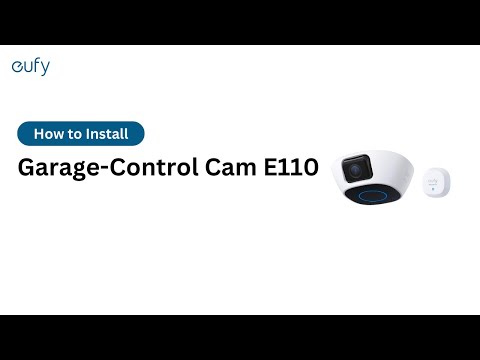
eufy Garage-Control Cam Does Not Emit a Beeping Sound When the SYNC Button Is Pressed

If your eufy Garage-Control Cam does not emit a beeping sound after the SYNC button is pressed during the setup process, please try the following troubleshooting steps to verify if the issue can be resolved.

 
  • Please press and hold the SYNC button for at least 2 seconds.
  • Please make sure you are using the included power adapter or another equivalent 12V/2A power adapter. If not, Garage-Control Cam may not be able to power on.
  • Please note Garage-Control Cam may take approximately one minute to power on. The LED indicator light on the camera should then automatically turn from flashing red to flashing blue.
 

If your eufy Garage-Control Cam still does not emit a beeping sound, please contact us for assistance.


Unresolved icon
81 undefined
Download icon
‬⁡‌​⁢‬⁣‬‌⁢⁣‌⁣⁢⁢​⁤​⁣‬‬​‌​​⁣‌⁡‍‬​‬‍⁢⁤‍⁣​‍‌​‬⁢【T8010】【HomeBase 2】EU Declaration
Download icon
T8113S_EU Declaration of Conformity
Download icon
eufyCam_2C_Pro_Set_Manual_us
Download icon
RoboVac 30C_Manual_EN
Download icon
video_Doorbell_2K_(Wired)_Manual_us
Download icon
Motion_Sensor_manual_us
View More
Play videoHow to Connect RoboVac to iOS Devices
How to Connect RoboVac to iOS Devices
Play videoeufy 3-in-1 E20: Unboxing and Quick Start Guide Video
eufy 3-in-1 E20: Unboxing and Quick Start Guide Video
Play videoHow to Install eufy Security Video Doorbell (Wired)
How to Install eufy Security Video Doorbell (Wired)
Play videoHow to set up eufy Security Video Doorbell (Battery-Powered)
How to set up eufy Security Video Doorbell (Battery-Powered)
Play videoHow to Install eufy Security Floodlight Camera
How to Install eufy Security Floodlight Camera
Play videoeufy Security App Functions
eufy Security App Functions
View More
Contact Us
Buy on the eufy Store
Download the App
affirmamazonPayamexapplePaydinnersClubdiscovergooglePaymastercardpaypalshopPayvenmovisa