Discover Effortless Home Cleaning with the eufy Robot Vacuum E25
Join the eufy family—where innovation meets your convenience. The E25, our latest all-in-one smart cleaning solution, redefines household hygiene with powerful features tailored for every surface:
-
20,000Pa Turbo Suction Power: Banishes stubborn stains on carpets, sofas, and fabrics.
-
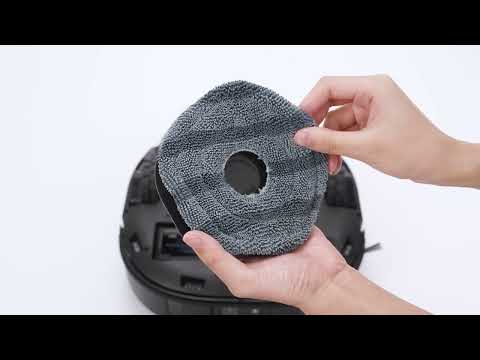
HydroJet Deep Cleaning: Equipped with a Dual Water Reservoir and a dual-scraper structure, E25 cleans the mop in real-time, ensuring it stays fresh throughout the cleaning session.
Smart Navigation:
-
AI.See 3.0 (via eufy Clean app): Advanced obstacle detection and avoidance.
-
CornerRover™ Edge-Cleaning Arm: 100% coverage in tight spaces.
Maintenance Made Simple:
-
Dual Spiral Brushes keep hair tangle-free.
Quick Start Guide
-
Before Use:
-
Enable AI.See 3.0 in the app for smarter navigation.
-
Clear floors of wires/small objects and secure loose carpets.
-
Set No-Go Zones for stairs, low furniture (<116mm), or thick rugs (>26mm).
-
First-Time Cleaning:
-
Use Vacuum-Only Mode to remove dust and debris before mopping.
Worry-Free Protection
Enjoy a 12-month warranty and access our New E-Warranty Card for instant service, returns, or exchanges.
https://support.eufy.com/s/article/Unlock-Our-New-Worry-Free-E-Warranty-Card
Smart Home, Smarter Clean
The eufy E25 isn’t just a robot—it’s your reliable partner in maintaining a spotless living space.
Additional Resources
For download the manual:
https://support.eufy.com/s/articlemanual?pn=T2353
For more guidance on using your eufy Robot Vacuum E25, including how-to videos and troubleshooting tips, please visit our support center:
To order more accessories, visit the following link:
US: https://www.eufy.com/collections/ap-accessory?ref=navimenu_2_1_2_2_viewMore&Product=E25
UK:https://www.eufy.com/uk/collections/ap-accessory?ref=navimenu_2_8_copy&Produkt=E25%20Omni
CA: https://www.eufy.com/ca/collections/ap-accessory?ref=navimenu_1_7_copy&Produkt=E25
For any assistance or inquiries, please be reminded that the eufy customer support team is always available to ensure you have the best experience. Should you have any comments, concerns, or questions requiring immediate attention, please do not hesitate to contact us. We will respond within 24 hours in working days.
|
Free Calls |
US & CA +1 (800)994 3056 Mon-Fri 6:00AM - 5:00PM (PT) Sat 7:00AM - 3:30PM (PT) Other countries: https://us.eufy.com/pages/contact?ref=footer |
|
|
Support@eufy.com |
|
Chat |
Click the chat box on the bottom right to chat with us https://us.eufy.com/pages/contact?ref=foote Mon-Fri 8:00AM-4:00PM (PT) |
Thank you for choosing eufy. Now sit back, relax, and enjoy your clean and cozy home while your Robot Vacuum E25 takes care of the floors, leaving every corner spotless and your living space refreshed.
Yours truly,
The eufy Customer Support Team