How to Set Up Schedules for eufy Devices

If you want the system to automatically switch security mode based on the time of the day, you can set a schedule security modes. 


The schedule will work with the "Home", "Away" and any of your customized modes if you set the specific time period for each mode. 


For example, if you often leave your home at 7:00 am for work and come back to your house at 6:00 pm, you could set Away mode from 7:00 am to 6:00 pm, Home mode from 6:00 pm to 10:00 pm, Customized mode from 10:00 pm to 6:00 am the next day to guard your house.


In the eufy app, go to the "smart" tab to schedule your device settings. 
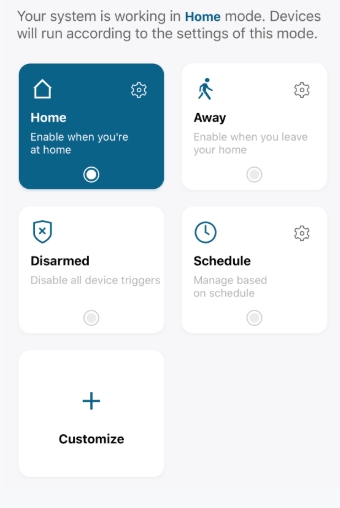
Setup Process

1. Click on the blank area of the schedule time table or click on the “+” in the upper right corner to add a new schedule time period.

2. Select mode from Home, Away, Customized mode. 

3. Customize your Activation time.

4. Choose if the Schedule mode will repeat in specific days.

5. Tap Save and edit another schedule.

Note: If there is a schedule with conflicting time periods, the new Schedule will directly overwrite the old schedule.
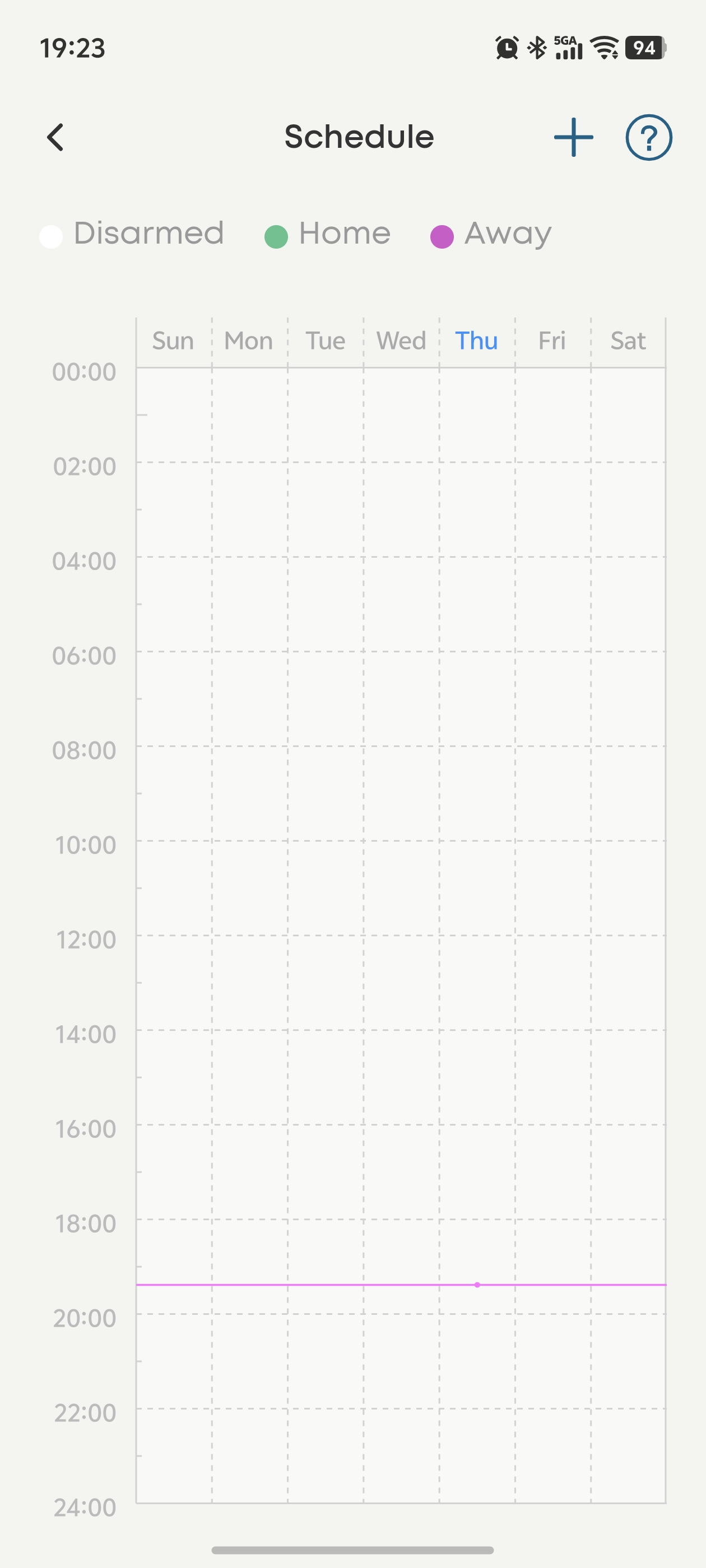
 

Default Disarmed Mode

For the new Schedule setting, the new Disarmed mode will be added, and you can disarm all devices with one click. The schedule background table will be set to Disarmed mode. You can add a mode to the background table, and the unset time periods will set to Disarmed mode.


If you have any questions, please contact us for further assistance.

Unresolved icon
743 undefined
FAQ
Security
S380 HomeBase (HomeBase 3) Compatibility
450 views1 likes/2026-07-08 11:59:23
HomeKit on eufy Devices
296 views1 likes/2026-08-13 18:40:15
How to View eufySecurity Cameras on a Computer
82479 views13 likes/2025-04-07 18:27:47
Compatibility Between eufy Devices
1053 views1 likes/2026-06-24 17:12:13
What type of microSD card does eufy device use?
482 views1 likes/2026-06-24 16:34:06
Share Your eufy Devices With Your Family
397 views1 likes/2026-08-13 18:45:09
Using NAS Storage Step by Step
663 views1 likes/2026-07-13 11:19:21
Introducing Cloud Backup
633 views1 likes/2026-07-13 14:55:14
Which eufy cameras work with HomeKit?
224394 views44 likes/2023-01-06 11:49:40
Two-Step Verification for eufy App
908 views1 likes/2026-06-24 17:55:48
Download icon
SoloCam_L40_manual_eu
Download icon
Floodlight Cam E340 User Guide (T8425)
Download icon
Floodlight Cam E340 User Guide
Download icon
eufy Security Indoor Cam C220 Gebruikersgids (T8W11C)
Download icon
eufy Security Indoor Cam C220 Guía del Usuario (T8W11C)
Download icon
eufy Security Indoor Cam C220 取扱説明書 (T8W11C)
View More
Play videoHow to Mount Your eufyCam E
How to Mount Your eufyCam E
Play videoHow to Mount Your eufyCam
How to Mount Your eufyCam
Play videoHow to Mount Your eufyCam
How to Mount Your eufyCam
Play videoHow to Mount Your eufyCam
How to Mount Your eufyCam
Play videoHow to Mount Your eufyCam
How to Mount Your eufyCam
Play videoHow to Mount Your eufyCam
How to Mount Your eufyCam
View More
Nous contacter
Achetez sur la boutique eufy
Télécharger l'application
amazonPayamexapplePaydinnersClubdiscovergooglePaymastercardpaypalshopPayvenmovisaklarna

