How to share RoboVac access with my family?
One eufy RoboVac can only be registered with one eufy account. In scenarios where your family or friends need to access the RoboVac, you can share access with them.
Ensure that your family or friends download & install the eufy Clean app, and register a eufy Clean account already.
Note: the sharer and sharee should be in the same country, otherwise, the device sharing feature will not work.
Now you can follow the steps below to share your RoboVac with your family or friends.
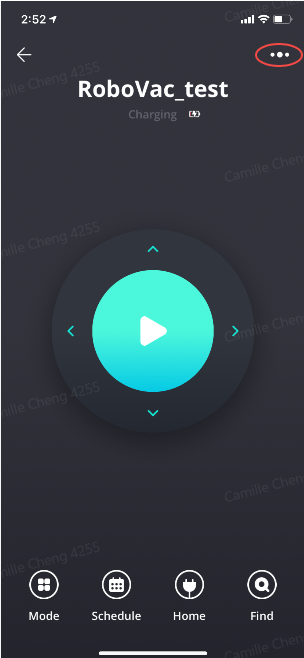
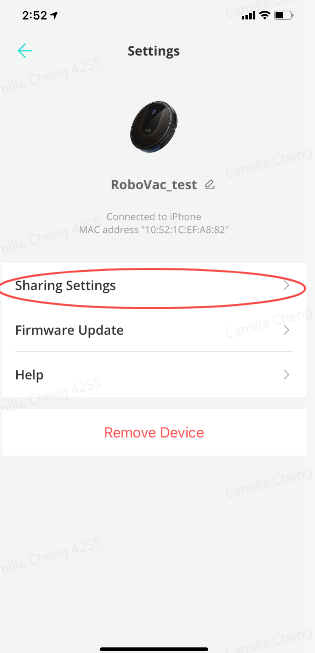
1. Open eufy Clean app, tap the vacuum that you would like to share with. Here we tap “RoboVac_test” for example.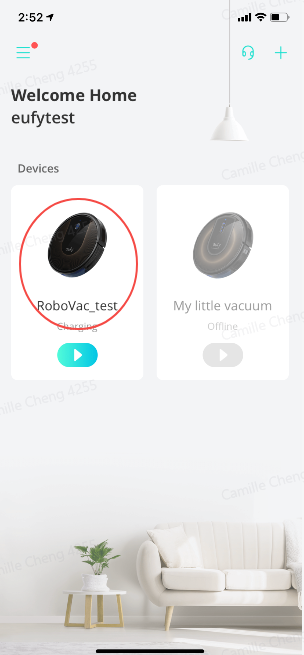 2. On the top right corner, tap the three dots, go to Sharing Settings.
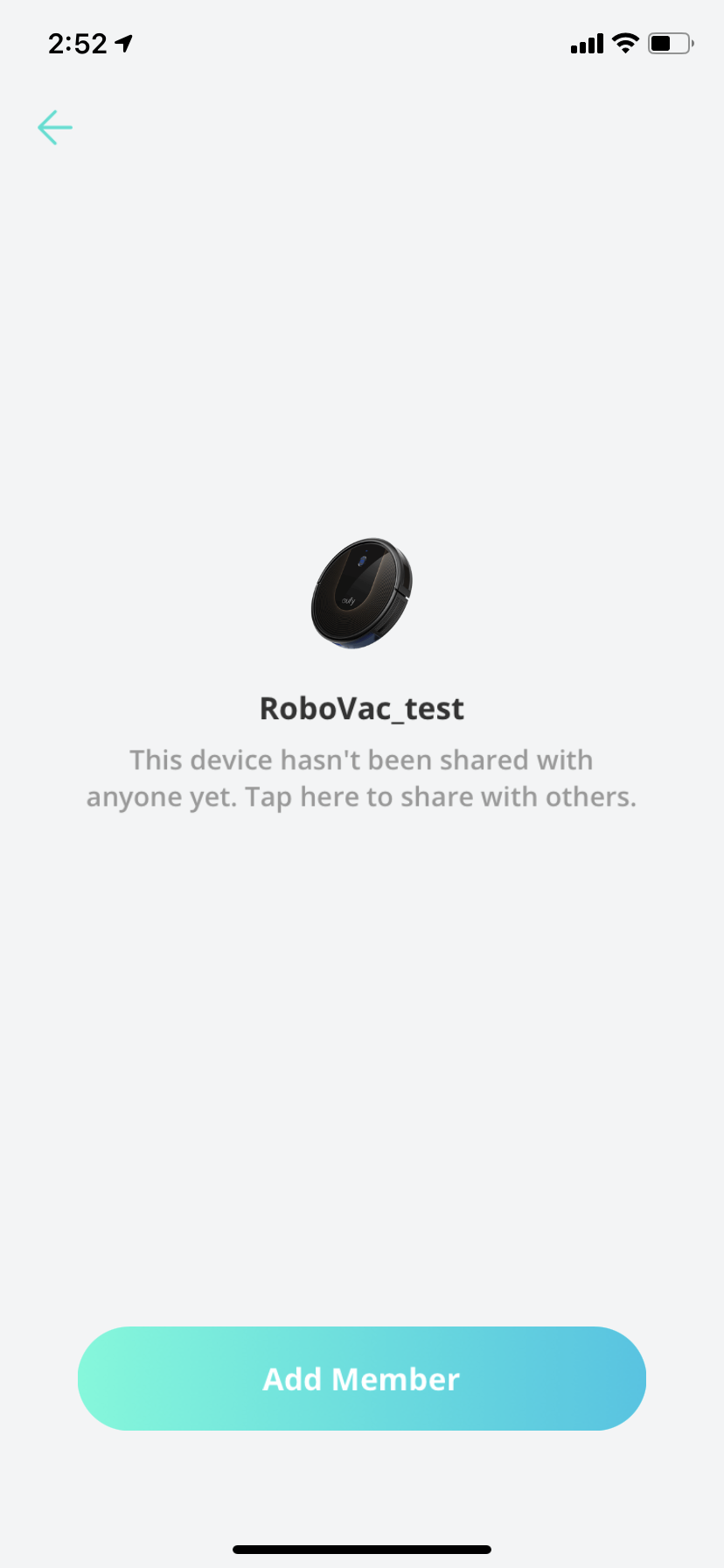
 3. Tap “Add Member” and put your family’s email address in and send an invitation.
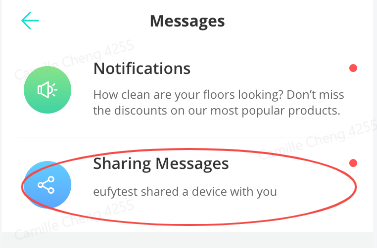
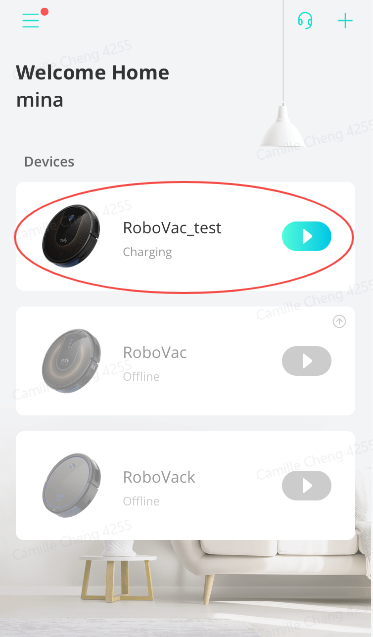
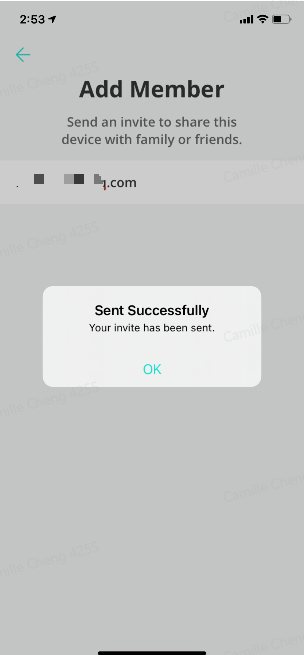 4. Your family will receive a notification on the eufy Clean app. Simply go to the Notification page and accept the invitation, then your family can view the vacuum on the home page.

If you failed to share access with your family or friend, please email eufy support.
Ensure that your family or friends download & install the eufy Clean app, and register a eufy Clean account already.
Note: the sharer and sharee should be in the same country, otherwise, the device sharing feature will not work.
Now you can follow the steps below to share your RoboVac with your family or friends.
1. Open eufy Clean app, tap the vacuum that you would like to share with. Here we tap “RoboVac_test” for example.


441 undefined

eufy Omni C20 Guide de l'utilisateur (T2280)
eufy Clean L60 Hybrid دليل المستخدم (T2268)
eufy Clean L60 SES Benutzerhandbuch (T2277)
eufy Clean L60 Hybrid SES دليل المستخدم (T2278)
T2108 EU DOC
RoboVac 11c_Manual_EN
View More


RoboVac X8 Series: How to Replace the Wheels
RoboVac X8 Series: How to Replace the Wheels

How to Replace Bumper of RoboVacs
How to Replace Bumper of RoboVacs
How to Replace Bumper of RoboVacs
How to Replace Bumper of RoboVacs
View More


