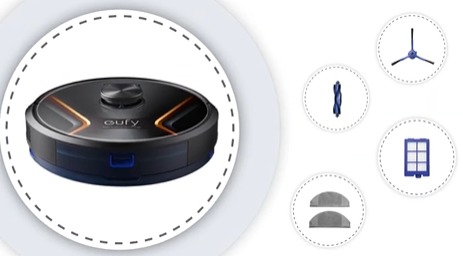
X8/X8 Hybrid supports map function and it also supports multi-floor maps.
Creating a map for the first time
Place RoboVac on the charging base and press the Start button to start Auto Clean. After it cleans the whole house and returns to the charging base automatically, a cleaning map will be saved and with the rooms divided accordingly.
Before creating a cleaning map, please make sure:
1. The doors of all rooms that you want RoboVac to clean have been opened;
2. Objects on the ground that may trap/entangle RoboVac have been removed;
3. RoboVac is not moved manually during the cleaning process.
What if it fails to create and save a map?
Please note that only the maps generated by the following two cleaning scenarios can be saved:
Scenario 1: In Auto Clean mode, the RoboVac starts from the charging base and returns to the charging base after completing a full cleaning cycle.
Scenario 2: In Auto Clean mode, the RoboVac starts from a ground point (origin) and returns to the charging base or the origin point after completing a full cleaning cycle.
(* Other scenarios such as manual recharging, low battery, recharging before cleaning is completed do not save maps)
When the Multi-map switch is turned off (OFF by default), it can only save one map. When it is on, up to 5 maps can be saved.
Please make sure:
- The RoboVac starts from the charging base or a ground point (origin) in Auto Clean mode and returns to its charging base or origin after completing the cleaning process.
- Do not pick up or control the RoboVac manually during its cleaning process, such as manually controlling it by pushing the Recharge button.
- Before starting the RoboVac, please ensure that you have removed all obstacles or tied up wires to prevent the RoboVac from being trapped.
- If the RoboVac is stuck somewhere and emits a voice alert, please check it in a timely manner.
If your house is multi-floor, please ensure that the multi-map switch is turned on. Otherwise, only one map can be saved. Please note X8/X8 Hybrid can save up to a maximum of 5 maps.
If your house is too large to clean at one time, the RoboVac will return to its charging base when the battery level is less than 18%. The map will not be saved since the clean process is not completed. You can enable “Auto-return cleaning”, the RoboVac will resume cleaning once its battery is charged to 80%. After the RoboVac completes a full cleaning cycle and returns to the charging base, a map will be saved automatically.
Note: If the RoboVac starts cleaning from a ground point (origin) in Auto Clean mode and returns to the charging base or the origin, the eufy Clean app will not save the map automatically. However, you will receive an app notification asking whether you would like to save the current map.