Entry Sensor's LED Not Blinking After Pressing the SYNC Button
If entry sensor does not blink after pressing the Sync button during the setup process, please check the following:
1. Please check if you have installed the battery with the correct +/- terminal.
2. If you have confirmed the battery +/- terminal is correct, the battery may have been depleted. Please install a new CR123A battery.

If you still have questions, please contact us for further assistance.


20 undefined
Why the shared account can’t view the Daily Security Report?


How to Unsubscribe Newsletter From Anker/Soundcore/eufy/Nebula?
Mounting Your eufy Keypad
A Quick Guide to eufy Protection Plan (Basic)
eufy Security / eufy Pet / eufy Baby Devices Go Offline
eufy Referral Program: Get $40 for Every Friend You Refer
Using Touch ID or Face ID to Automatically Log in eufy App
How to Delete Your eufy Account
Can I add second security devices to the same eufy account?
What if You Forget the Password of eufy App

5-Piece_Home_Alarm Kit_manual_us
Entry_Sensor_manual_us
5-Piece_Home_Alarm Kit_manual_eu
Entry_Sensor_manual_eu
T8900_EU_Declaration_of_Conformity
【T8900】【Entry Sensor】EU Declaration


How to Set the Automation Function
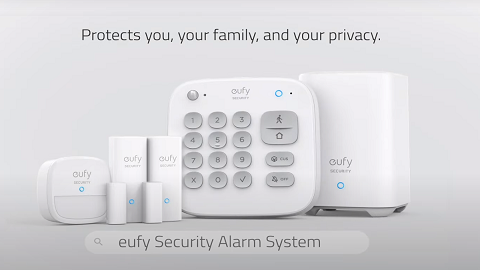
Introducing eufy Security Alarm System
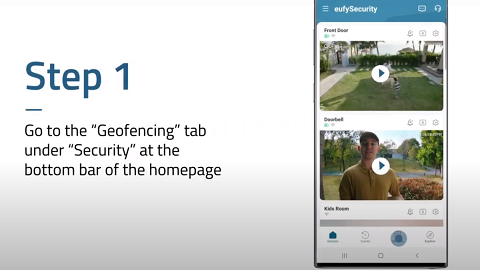
How to Use Geofencing on eufy App

eufy App Functions

How to Schedule Your eufy Devices
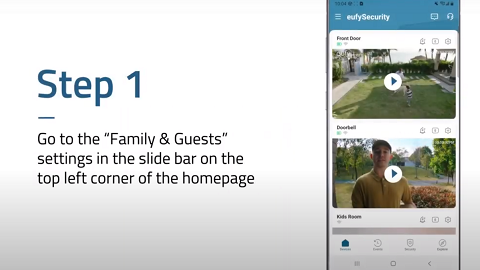
How to Share Account Access of eufySecurity Devices
View More


