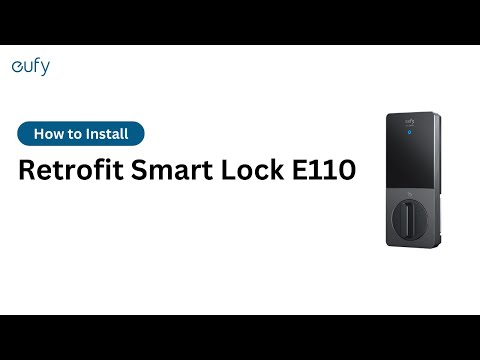
Fail/hard to manual unlock my smart lock

In the unlikely event the thumbturn on the inside section of your lock fails to work, an easy backup method exists to unlock your door. Simply double click the sync button and your door will unlock. You can also unlock with the eufy Security app, Alexa, and the Google Voice Assistant from inside your home.


Unresolved icon
110 undefined
Update Firmware for eufySecurity Devices via App
39249 views7 likes/2024-12-23 20:48:42
How to Charge eufy Smart Lock
50508 views6 likes/2023-08-07 11:24:52
Differences Between All eufy Smart Locks
23746 views1 likes/2024-12-23 20:04:49
How to contact a Human Customer Service Representative?
26324 views1 likes/2024-11-27 10:43:42
Cross-Camera Tracking Function Compatibility
13390 views1 likes/2025-04-07 18:26:50
Failed to Scan the QR Code on the eufy Security Device
13334 views1 likes/2025-04-07 18:26:49
How Does One-Touch Locking Work on eufy Smart Lock
10473 views1 likes/2025-04-07 18:26:57
Auto-Lock Function on eufy Smart Locks
6783 views1 likes/2025-04-07 18:26:58
Download icon
Smart_Lock_Front_Door_manual_us
Download icon
Smart_Lock_with_Wi-Fi_Bridge_manual_us
Download icon
Wi-Fi_Bridge_manual_en
Download icon
Solo_Smart_Lock_D20_manual_EN_ES_FR
Download icon
Smart_Lock_R20_manual_us
Download icon
Smart Lock C220 User Guide (T8506)
View More
Play videoHow to Install eufy Smart Lock Front Door
How to Install eufy Smart Lock Front Door
Play videoeufy Security App Functions
eufy Security App Functions
Play videoHow to Install eufy Smart Lock Front Door
How to Install eufy Smart Lock Front Door
Play videoeufy Security App Functions
eufy Security App Functions
Play videoHow to Install eufy Solo Smart Lock D20
How to Install eufy Solo Smart Lock D20
Play videoeufy Security App Functions
eufy Security App Functions
View More
Contact Us
Buy on the eufy Store
Download the App
affirmamazonPayamexapplePaydinnersClubdiscovergooglePaymastercardpaypalshopPayvenmovisa