HomeBase 2 Offline

The connection is that the HomeBase connects with the router via the Ethernet cable (first set-up) or WiFi connection, then doorbells or cameras can connect with the HomeBase via their own Wi-Fi.


Normally, the HomeBase can be 20-30ft from the doorbells or cameras. The actual range will vary depending on a number of factors such as the thickness of walls, obstacles inside the house, and the location of the router.


If HomeBase 2 goes offline, most likely this is the result of your HomeBase losing connection to the Internet. Here are some tips for you:


1. Please check if the ethernet cable and power adapter are inserted firmly; If yes, the HomeBase 2 status LED and the LED on the Ethernet port will both lit.


2. Please check if your router can access the Internet successfully.


3. Please try to restart the HomeBase 2 by unplugging the power adapter and plugging it in again.


4. If the above operations still cannot solve it, please try to remove the HomeBase 2 and add the battery doorbell or battery camera again.

If the issue persists, please
contact us for further assistance.

Unresolved icon
365 undefined
S380 HomeBase (HomeBase 3) Compatibility
214929 views37 likes/2024-12-25 14:45:40
HomeKit on eufySecurity Devices
153221 views7 likes/2025-04-07 18:37:55
How to View eufySecurity Cameras on a Computer
69253 views10 likes/2025-04-07 18:27:47
Compatibility Between eufySecurity Devices
18232 views1 likes/2025-11-17 15:19:54
What type of microSD card does eufySecurity device use?
49816 views4 likes/2025-04-07 18:27:10
Share Your eufySecurity Devices With Your Family
46630 views6 likes/2025-04-07 18:27:23
Using NAS Storage Step by Step
43748 views1 likes/2025-04-07 18:04:31
Introducing Cloud Backup
30615 views1 likes/2025-04-15 14:12:20
Which eufy cameras work with HomeKit?
214880 views44 likes/2023-01-06 11:49:40
Two-Step Verification for eufySecurity App
49096 views10 likes/2025-04-07 18:27:11
Download icon
eufyCam_2_Pro_Set_Manual_eu
Download icon
T8010_HomeBase 2_EN_QSG
Download icon
eufyCam_2_Pro_Set_Manual_us
Download icon
‬⁡‌​⁢‬⁣‬‌⁢⁣‌⁣⁢⁢​⁤​⁣‬‬​‌​​⁣‌⁡‍‬​‬‍⁢⁤‍⁣​‍‌​‬⁢【T8010】【HomeBase 2】EU Declaration
Download icon
Monitoring_sticker
Download icon
Add-on_Video_Doorbell_2K_(Battery-Powered)_manual_eu
View More
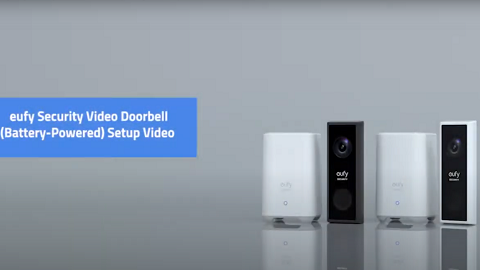
Play videoeufy Security Video Doorbell 2K (Battery-Powered) Setup Video
eufy Security Video Doorbell 2K (Battery-Powered) Setup Video
Play videoHow to set up eufy Security Video Doorbell (Battery-Powered)
How to set up eufy Security Video Doorbell (Battery-Powered)
Play videoHow to Use Geofencing on eufySecurity App
How to Use Geofencing on eufySecurity App
Play videoHow to Set the Automation Function
How to Set the Automation Function
Play videoIntroducing eufy Video Doorbell 2K (Battery-Powered)
Introducing eufy Video Doorbell 2K (Battery-Powered)
Play videoHow Do I Connect My eufy Cameras with Amazon Alexa
How Do I Connect My eufy Cameras with Amazon Alexa
View More
Contact Us
Buy on the eufy Store
Download the App
affirmamazonPayamexapplePaydinnersClubdiscovergooglePaymastercardpaypalshopPayvenmovisa