Step 1: Log in to Your eufy Account
Step 3: Connecting Keypad to HomeBase Professional S1
Step 4: Pair the Keypad and set the Access Code
Step 5: Install the Keypad in a suitable location
Step 6: Keypad Introduction and Customization
Tip: If you want to get more information about keypad, you can visit the following link:
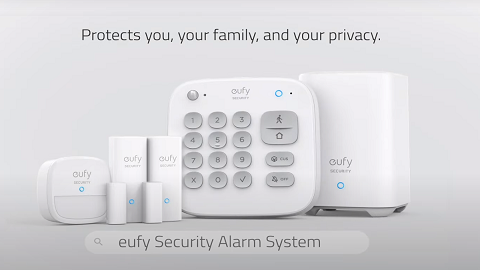
The keypad is a physical panel that provides convenient, in-home control to your eufy ExpertSecure System E10. Use it to arm or disarm your system whenever you leave or come home.
Before Getting Started
Before installing the keypad, you should register your eufy account and install HomeBase Professional according to the instructions.
Step 1: Log in to Your eufy Account
-
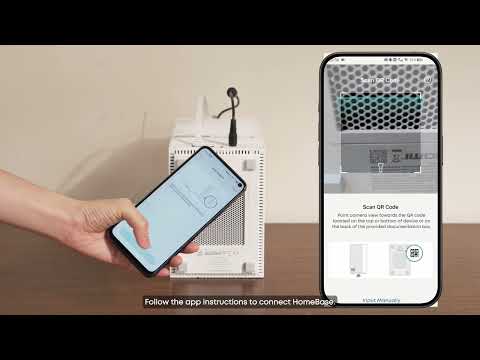
Open the eufy App on your phone.
-
Log in your eufy account. If you don’t have an account yet, create one by following the registration process.
Step 2: Add Keypad
-
On the app’s main screen, tap the “+” icon in the top-right corner.
-
Select “Alarm System” under the Security section, choose Keypad.
Step 3: Connecting Keypad to HomeBase Professional S1
-
Add the keypad under the designated home (where your HomeBase Professional S1 is at).
-
Select the HomeBase Professional S1 that was previously provisioned.
Step 4: Pair the Keypad and set the Access Code
-
Make sure the keypad is powered, then press the 'SYNC' button for 2 seconds until the LED blinks blue.
-
Setup your 4~8 digits access code (The access code ensures that only you and your family can use the keypad).
Step 5: Install the Keypad in a suitable location
-
We provide two ways to secure the keypad on a wall: adhesive (3M Sticker) or screws. You can check the installation tutorial in the installation guide on the app.
-
After doing these, congratulations on successfully installing the keypad!
Step 6: Keypad Introduction and Customization
In order to help you get started with Keypad faster, we have shown you the operation demonstration of Keypad after the installation tutorial.
Tip: If you want to get more information about keypad, you can visit the following link: