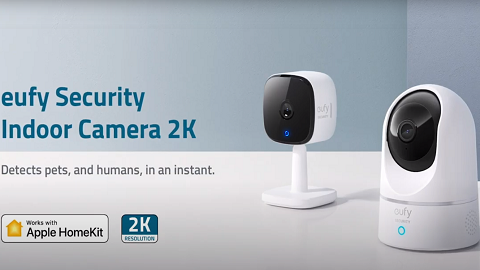
How do I use the Pan and Tilt function on eufy Indoor Cam Pan & Tilt?

If you would like to manually control your eufy Indoor Cam Pan & Tilt, please launch the eufySecurity app > start live view > use the four directional arrows to pan it horizontally and tilt it vertically. Please refer to the following images for details.


Portrait Mode

When you are watching a live view and controlling the camera with the phone/tablet in a vertical position.


Landscape Mode

When you are watching a live view and controlling the camera with the phone/tablet in a horizontal position.


If you have further questions regarding the pan and tilt function on eufy Indoor Cam Pan & Tilt, please contact us for assistance.

Unresolved icon
211 undefined
Download icon
Indoor_Cam_2K_Pan&Tilt_manual_eu
Download icon
Indoor_Cam_2K_Pan&Tilt_manual_us
Download icon
V01_T8410C_QSG
Download icon
T8410_Indoor Cam 2K Pan & Tilt_INT_QSG
Download icon
Indoor_Cam_1080p_Pan&Tilt_manual_us
Download icon
Indoor_Cam_1080p_Pan&Tilt_manual_eu
View More
Play videoHow to Use NAS to Control eufy Security Products
How to Use NAS to Control eufy Security Products
Play videoHow to Use Geofencing on eufySecurity App
How to Use Geofencing on eufySecurity App
Play videoIntroducing eufy Security Indoor Cam 2K Pan & Tilt
Introducing eufy Security Indoor Cam 2K Pan & Tilt
Play videoHow Do I Connect My eufy Cameras with Amazon Alexa
How Do I Connect My eufy Cameras with Amazon Alexa
Play videoHow Do I Connect My eufy Cameras to the Google Assistant App
How Do I Connect My eufy Cameras to the Google Assistant App
Play videoHow to Share Account Access of eufySecurity Devices
How to Share Account Access of eufySecurity Devices
View More
Contact Us
Buy on the eufy Store
Download the App
affirmamazonPayamexapplePaydinnersClubdiscovergooglePaymastercardpaypalshopPayvenmovisa