What Is Geofencing? How Does It Work?
Geofencing uses the GPS location of a smartphone to create a virtual geographic boundary and it enables the eufy app to automatically switch security modes when the user's smartphone enters or leaves a preset area.
For example, when the GPS location of the user's smartphone leaves the preset range, eufy app will automatically switch security mode from Home to Away, depending on how the user has it configured in the app.
Note: eufy app's Location Service permission must be set to “Always” to enable Geofencing.
How Do I Enable Geofencing?
To enable Geofencing feature, please first make sure eufy app already has Location Service permission set to “Always” on your smartphone.


Please then launch the eufy app > Security mode > Geofencing.
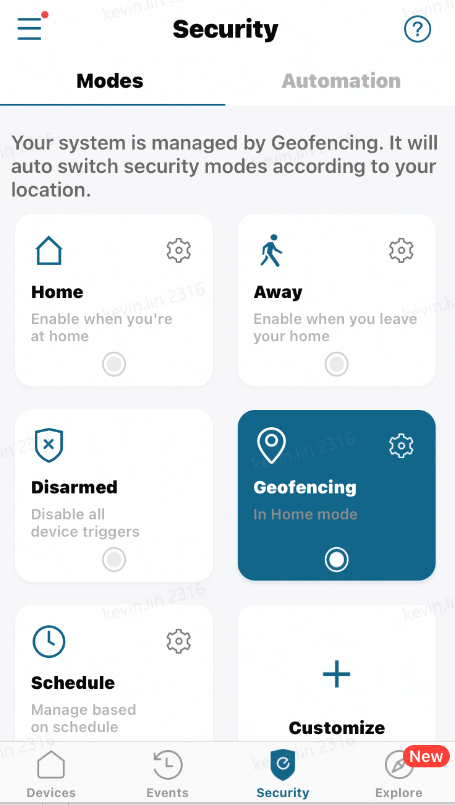
For how to use the geofencing function, please refer to How Does Geofencing Work for eufy Devices.
If you still need help with setting up Geofencing, please contact us for further assistance.