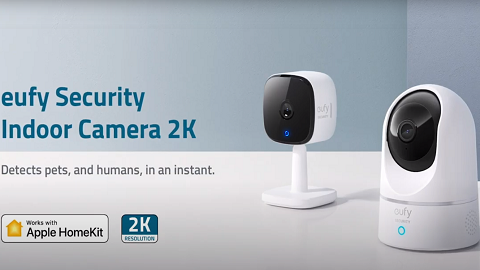
How to Make the Precise AI Detection of Indoor Cam

 Indoor Cam’s AI Work principle: all of the image and sound data collected by the camera is analyzed by a LOCAL AI deep learning neural network, different from the cloud AI processing of most products on the market.


This data is then cross-referenced with the algorithm feature database, which contains models of people and pets. Once it has compared the object with enough reference images, the AI will then be able to accurately judge what the object in front of it is.
 

This process is so thorough that Indoor Cam’s AI can accurately identify a human face 99.99% of the time! In fact, it can effortlessly distinguish between you and your pet, and can even tell the difference between someone crying and the ordinary voice of an adult.


How to Make the Most of AI Detection

The key is the location of your camera.

The installation location and height of your camera all depend on the sort of behavior you want to keep an eye on.

  • If keeping a handle on playful pets OR cheeky children is your goal, install your camera at a height of 60cm-120cm above the ground.
  • If detecting the comings and goings of adults is your priority, position your camera 100cm-150cm above the ground.


And here are some extra tips you can follow that might be helpful for extreme cases:


Sound Detection

Many users who buy our products consider the health and safety of children of the utmost importance. That’s why we’ve included a special function for the Indoor Cam that can detect the sound of a crying child.


Of course, the home can be a very noisy place. The drone of the TV or the sound of kids playing in next door’s yard can fill the air with disruptive noise. That’s why we recommend installing an Indoor Cam in your child’s room. That way, it can accurately detect when your child is distressed, allowing you to immediately go and comfort them.

Tell me more about AI Features for eufySecurity Devices.

Unresolved icon
211 undefined
S380 HomeBase (HomeBase 3) Compatibility
215110 views37 likes/2024-12-25 14:45:40
HomeKit on eufySecurity Devices
153353 views7 likes/2025-04-07 18:37:55
How to View eufySecurity Cameras on a Computer
69341 views10 likes/2025-04-07 18:27:47
Compatibility Between eufySecurity Devices
18319 views1 likes/2025-11-17 15:19:54
What type of microSD card does eufySecurity device use?
49924 views4 likes/2025-04-07 18:27:10
Share Your eufySecurity Devices With Your Family
46748 views6 likes/2025-04-07 18:27:23
Using NAS Storage Step by Step
43810 views1 likes/2025-04-07 18:04:31
Introducing Cloud Backup
30689 views1 likes/2025-04-15 14:12:20
Which eufy cameras work with HomeKit?
215015 views44 likes/2023-01-06 11:49:40
Two-Step Verification for eufySecurity App
49158 views10 likes/2025-04-07 18:27:11
Download icon
Indoor_Cam_2K_Pan&Tilt_manual_eu
Download icon
Indoor_Cam_2K_Pan&Tilt_manual_us
Download icon
V01_T8410C_QSG
Download icon
T8410_Indoor Cam 2K Pan & Tilt_INT_QSG
Download icon
Indoor_Cam_1080p_Pan&Tilt_manual_us
Download icon
Indoor_Cam_1080p_Pan&Tilt_manual_eu
View More
Play videoHow to Use NAS to Control eufy Security Products
How to Use NAS to Control eufy Security Products
Play videoHow to Use Geofencing on eufySecurity App
How to Use Geofencing on eufySecurity App
Play videoIntroducing eufy Security Indoor Cam 2K Pan & Tilt
Introducing eufy Security Indoor Cam 2K Pan & Tilt
Play videoHow Do I Connect My eufy Cameras with Amazon Alexa
How Do I Connect My eufy Cameras with Amazon Alexa
Play videoHow Do I Connect My eufy Cameras to the Google Assistant App
How Do I Connect My eufy Cameras to the Google Assistant App
Play videoHow to Share Account Access of eufySecurity Devices
How to Share Account Access of eufySecurity Devices
View More
Contact Us
Buy on the eufy Store
Download the App
affirmamazonPayamexapplePaydinnersClubdiscovergooglePaymastercardpaypalshopPayvenmovisa