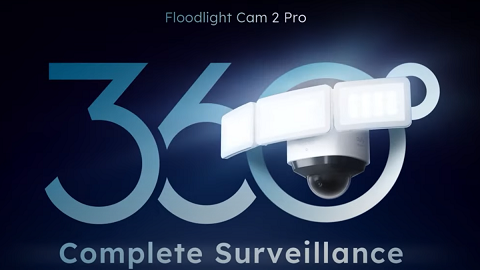
Introducing Motion Tracking Feature of eufy Floodlight Cam 2 Pro


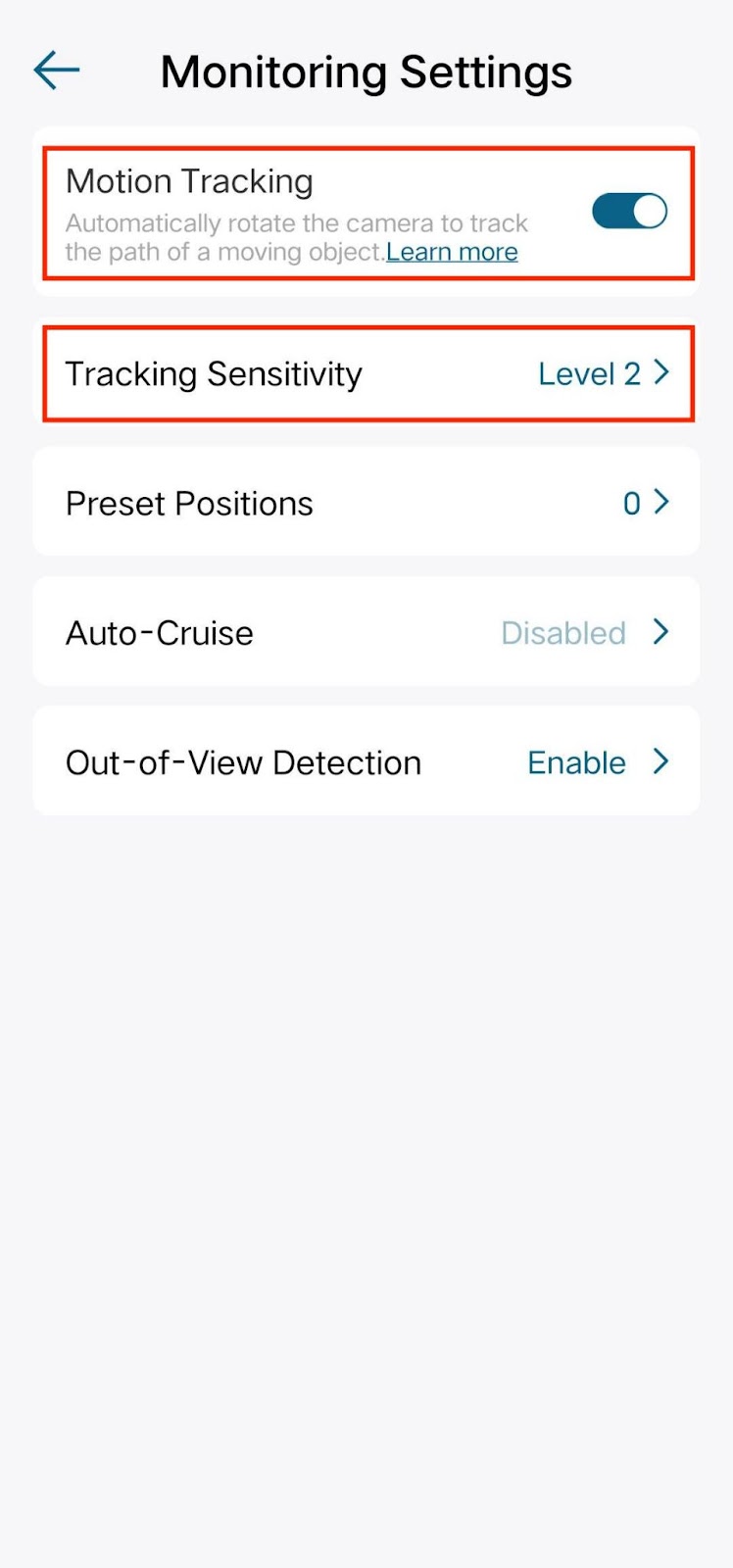
Floodlight Cam 2 Pro can actively track motion activity and capture images as motion moves across the camera's field of view. This feature is turned off by default and you can enable it in the eufy app. After enabling this feature, the camera will actively track a person's or an object's movement at the center of the camera's field of view when it detects motion.


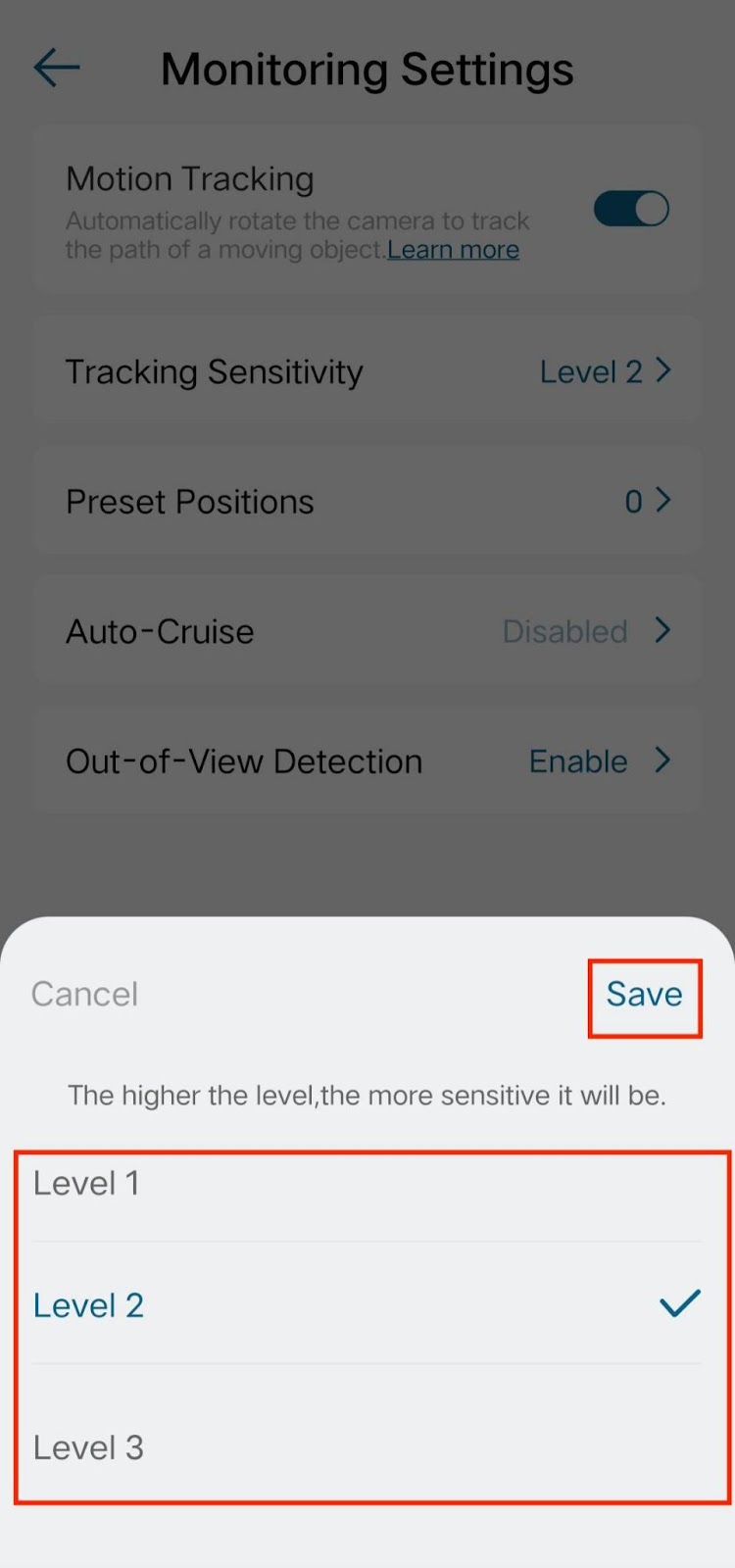
Steps in the eufy app: Camera Settings > Monitoring Settings > Turn on the Motion Tracking. You can also adjust the tracking sensitivity by choosing the sensitivity level from Level 1 to Level 3.
 

Note: The best experience on motion tracking for people or cars is beyond 3 meters. Tracking people or car motions within 3 meters may easily result in losing track of motion because of the fast-moving speed. It is recommended to install the camera at a distance of more than 3 meters from the main entrance and exit.


If you still have questions regarding the Motion Tracking feature of eufy Floodlight Cam 2 Pro, please contact us for further assistance.

Unresolved icon
208 undefined
S380 HomeBase (HomeBase 3) Compatibility
215072 views37 likes/2024-12-25 14:45:40
How to View eufySecurity Cameras on a Computer
69315 views10 likes/2025-04-07 18:27:47
Compatibility Between eufySecurity Devices
18295 views1 likes/2025-11-17 15:19:54
Share Your eufySecurity Devices With Your Family
46706 views6 likes/2025-04-07 18:27:23
Using NAS Storage Step by Step
43794 views1 likes/2025-04-07 18:04:31
Introducing Cloud Backup
30669 views1 likes/2025-04-15 14:12:20
Two-Step Verification for eufySecurity App
49142 views10 likes/2025-04-07 18:27:11
How to Find Out if You Have 2.4 GHz or 5 GHz WiFi Network
36970 views1 likes/2025-04-07 18:05:46
How to Change the Wi-Fi Details for eufySecurity Devices
32835 views3 likes/2025-04-15 15:48:16
Alexa Setup Guide for eufySecurity Devices
97790 views5 likes/2023-08-16 16:08:07
Download icon
Monitoring_sticker
Download icon
Floodlight_camera_manual_us
Download icon
Floodlight_camera_manual_eu
Download icon
Monitoring_sticker
Download icon
Floodlight_Cam_E_2K_manual_us
Download icon
Floodlight_Cam_E_2K_manual_eu
View More
Play videoHow to Install eufy Security Floodlight Camera
How to Install eufy Security Floodlight Camera
Play videoHow to Use Geofencing on eufySecurity App
How to Use Geofencing on eufySecurity App
Play videoHow Do I Connect My eufy Cameras with Amazon Alexa
How Do I Connect My eufy Cameras with Amazon Alexa
Play videoHow Do I Connect My eufy Cameras to the Google Assistant App
How Do I Connect My eufy Cameras to the Google Assistant App
Play videoHow to Share Account Access of eufySecurity Devices
How to Share Account Access of eufySecurity Devices
Play videoHow to Schedule Your eufySecurity Devices
How to Schedule Your eufySecurity Devices
View More
Contact Us
Buy on the eufy Store
Download the App
affirmamazonPayamexapplePaydinnersClubdiscovergooglePaymastercardpaypalshopPayvenmovisa