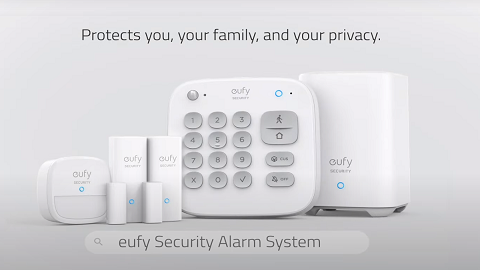
Keypad Failed to Add to HomeBase

If your eufy Keypad failed to add to HomeBase, please try the following troubleshooting steps:


1. Please make sure the Keypad has been at least partially charged before the pairing process.


2. Please make sure you have selected the correct device. When you are setting up a Keypad, please select “Keypad” when you add the device in the eufy app.


3. Please make sure you have pressed and held the SYNC button on the Keypad for at least 2 seconds until the LED indicator light is blinking blue. If the LED indicator light is flashing red or is not bright enough, please charge the Keypad using the included Micro USB cable until it is fully charged.


4. Check if your HomeBase 2 has Internet access. HomeBase 2’s LED indicator light should be solid blue. Learn more about HomeBase 2 Failed to Connect to the Internet.


5. Please keep the Keypad and the HomeBase 2 within 1m/3ft during the pairing process.


Contact eufy Support for More Help

If the above instructions cannot resolve your issue, please email us for further assistance. It would be greatly appreciated if you could provide the following information for the eufy support team to quickly resolve the issue.

  • Send us a video showing the steps taken when pairing the Keypad.
  • Upload App log via eufySecurity app by selecting the avatar located at the top left corner of the app > Settings > About > Upload Log > App Logs and Device Logs; If the 'Upload Log' is not visible, please follow: Avatar > Settings > About > Tap the "eufy logo" for five times and choose "App log".
Keypad Failed to Add to HomeBase
102 undefined
Compatibility Between eufySecurity Devices
5668 views/1 likes/2025-11-17 15:19:54
Share Your eufySecurity Devices With Your Family
34322 views/6 likes/2025-04-07 18:27:23
Two-Step Verification for eufySecurity App
41409 views/10 likes/2025-04-07 18:27:11
How to Find Out if You Have 2.4 GHz or 5 GHz WiFi Network
25586 views/1 likes/2025-04-07 18:05:46
How to Change the Wi-Fi Details for eufySecurity Devices
23819 views/2 likes/2025-04-15 15:48:16
Security Modes in eufySecurity App
21546 views/1 likes/2025-04-07 18:05:40
Sign up for A eufySecurity Account
17274 views/1 likes/2025-04-08 13:37:24
Update Firmware for eufySecurity Devices via App
29109 views/5 likes/2024-12-23 20:48:42
Storage Methods Compatibility for eufySecurity Device
32237 views/2 likes/2024-08-22 17:46:20
How to Set Up Schedules for eufySecurity Devices
17532 views/1 likes/2025-04-07 17:03:08
‬⁡‌​⁢‬⁣‬‌⁢⁣‌⁣⁢⁢​⁤​⁣‬‬​‌​​⁣‌⁡‍‬​‬‍⁢⁤‍⁣​‍‌​‬⁢【T8010】【HomeBase 2】EU Declaration
T8113S_EU Declaration of Conformity
eufyCam_2C_Pro_Set_Manual_us
RoboVac 30C_Manual_EN
video_Doorbell_2K_(Wired)_Manual_us
Motion_Sensor_manual_us
View More
How to Connect RoboVac to iOS Devices
eufy 3-in-1 E20: Unboxing and Quick Start Guide Video
How to Install eufy Security Video Doorbell (Wired)
How to set up eufy Security Video Doorbell (Battery-Powered)
How to Install eufy Security Floodlight Camera
eufy Security App Functions
View More