Learn About the LED Indicator Light Status on eufy Alarm System
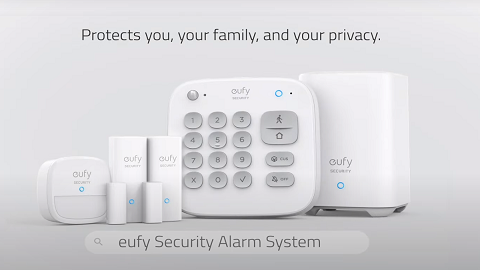
All eufy devices have a LED indicator light that helps determine what state the device is in. For the eufy alarm system, the HomeBase, keypad and sensor have their own LED indicator light respectively. The LED indicator light on the eufy alarm system is located in front of the device.
HomeBase 2 LED Indicator Light Status and Its Meaning
LED Indicator Light Status
Description
Blinking red
Ready for setup
Solid red
Failed to connect to the network
Blinking blue
Connected to the network successfully but has not been setup
Solid blue
Setup successfully
Blinking red and blue alternately
Upgrading firmware
KeypadLED Indicator Light Status and Its Meaning
LED Indicator Light Location
LED Indicator Light Status
Description
LED indicator at the upper right corner on the keypad
Blinking blue
Pairing to HomeBase
Solid blue
Pairing with HomeBase
Fully charged
Blinking red
Bot connected to HomeBase
Off
Standby or pairing failed
Solid red
Charging
Blinking red
Upgrading firmware
Keypad button
Keypad indicator blinking white 3 times
Access code error
Only X and √ buttons blinking white for 5 seconds
Device faults detected that must be dealt with to switch to a certain mode
Mode button (Away/Home/Cus/Alarm off)
Solid blue
The current mode is active
Blinking blue
The current mode is active and the countdown has started for you to leave the house
Solid white
Device faults detected that must be dealt with to switch to a certain mode
Blinking white
Failed to switch mode
Motion Sensor LED Indicator Light Status and Its Meaning
Device Status
LED Indicator Light Status
Description
Motion sensor is pairing with HomeBase
Blinking blue continuously
Waiting to connect
Solid blue for 5 seconds
Paired successfully
Off
Failed to connect to the HomeBase
Motion sensor is working
Blinking blue
Movement detected while the HomeBase is connected
Blinking red
Movement detected while the HomeBase is not connected
Motion sensor is in the test mode
Solid red
Enter the test mode successfully
Blinking red for 1 second
Movement detected when the motion sensor is in the test mode
Off
Failed to enter the test mode
Entry Sensor LED Indicator Light Status and Its Meaning
LED Indicator Light Status
Description
Blinking blue
Adding to HomeBase
Blinking blue (once)
Sensor detects an open/close activity
Blinking red (once)
Sensor battery is low or is disconnected from HomeBase
If you still have questions regarding the LED indicator light status on the eufy alarm system, please contactusfor further assistance.