My Motion-Activated Lights on eufy Floodlight Cam 2 Pro Aren't Turning On

The easiest solutions are everyone’s favorite, and when it comes to motion lights, there are a few really simple tips that can solve your frustrations in no time. When troubleshooting motion-activated lights on eufy Floodlight Cam 2 Pro, start with the following tips:


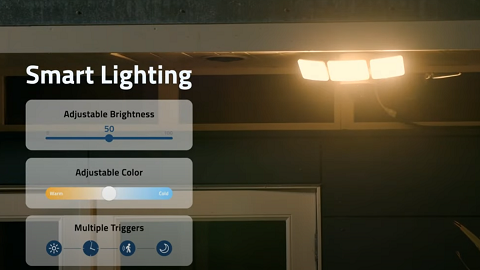
1. Turn on the Motion-Activated Light. Please make sure you have enabled the Motion-Activated Light in the app. You can edit the settings via Eufy App: Main Page > Smart > Light Settings > Enable Floodlights > Motion-Activated Light > Turn on the Motion-Activated Illumination.


2. Change the Light Mode to Fast Mode. If the light-on mode is smart, only humans can trigger the lights to turn on at night. As the AI detection distance at night is shorter than during the daytime and the accuracy rate is also lower at night, sometimes motion activity may need to be closer to turn on the lights. If you need a faster response time to turn on the lights, please change to Fast mode. Eufy App: Main Page > Smart > Light Settings > Enable Floodlights > Motion-Activated Light > Turn on the Motion-Activated Illumination> Light Activation Mode> Fast Mode.


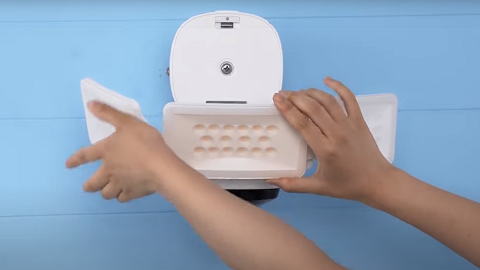
3. Clean the Motion Sensor. The outdoor camera tends to accumulate a considerable amount of dust and debris, and this could be your only real problem. Locate the sensor on your Floodlight Cam 2 Pro and check if it is dusty. Wipe the sensor with a clean, soft cloth that does not scratch glass and plastic surfaces.


If you still have questions regarding eufy Floodlight Cam 2 Pro’s motion-activated lights, please contact us for further assistance.

My Motion-Activated Lights on eufy Floodlight Cam 2 Pro Aren't Turning On
206 undefined
S380 HomeBase (HomeBase 3) Compatibility
196673 views/35 likes/2024-12-25 14:45:40
How to View eufySecurity Cameras on a Computer
56269 views/10 likes/2025-04-07 18:27:47
Compatibility Between eufySecurity Devices
5775 views/1 likes/2025-11-17 15:19:54
Share Your eufySecurity Devices With Your Family
34421 views/6 likes/2025-04-07 18:27:23
Using NAS Storage Step by Step
34460 views/1 likes/2025-04-07 18:04:31
Introducing Cloud Backup
22040 views/1 likes/2025-04-15 14:12:20
Two-Step Verification for eufySecurity App
41480 views/10 likes/2025-04-07 18:27:11
How to Find Out if You Have 2.4 GHz or 5 GHz WiFi Network
25684 views/1 likes/2025-04-07 18:05:46
How to Change the Wi-Fi Details for eufySecurity Devices
23900 views/2 likes/2025-04-15 15:48:16
Alexa Setup Guide for eufySecurity Devices
91780 views/5 likes/2023-08-16 16:08:07
‬⁡‌​⁢‬⁣‬‌⁢⁣‌⁣⁢⁢​⁤​⁣‬‬​‌​​⁣‌⁡‍‬​‬‍⁢⁤‍⁣​‍‌​‬⁢【T8010】【HomeBase 2】EU Declaration
T8113S_EU Declaration of Conformity
eufyCam_2C_Pro_Set_Manual_us
RoboVac 30C_Manual_EN
video_Doorbell_2K_(Wired)_Manual_us
Motion_Sensor_manual_us
View More
How to Connect RoboVac to iOS Devices
eufy 3-in-1 E20: Unboxing and Quick Start Guide Video
How to Install eufy Security Video Doorbell (Wired)
How to set up eufy Security Video Doorbell (Battery-Powered)
How to Install eufy Security Floodlight Camera
eufy Security App Functions
View More