S100 Wall Light Cam fails to pair

If your S100 Wall Light Cam fails to pair, please try the following troubleshooting steps to verify if the issue can be resolved:


  • Fully close the eufy app on your phone, and then press and hold the SYNC button on your S100 Wall Light Cam for eight seconds to reset the camera. After successfully resetting the camera, please launch the eufy app and try pairing the S100 Wall Light Cam again.
  • Restart the router, then bring your S100 Wall Light Cam closer to the router and try pairing the S100 Wall Light Cam again.
  • Please try using a mobile hotspot to pair your S100 Wall Light Cam. If the S100 Wall Light Cam is able to pair to a mobile hotspot, it indicates the issue may be due to the WiFi network or your router’s settings.


If you have any further questions, please contact us for assistance.

Unresolved icon
74 undefined
FAQ
Security
Update Firmware for eufy Devices via App
721 views1 likes/2026-06-24 17:37:06
Storage Methods Compatibility for eufy Device
814 views1 likes/2026-06-24 16:49:21
AI Features for eufy Devices
682 views1 likes/2026-06-24 17:27:38
Introduction to New eufy App
45128 views10 likes/2025-06-04 14:38:58
How to contact a Human Customer Service Representative?
30657 views1 likes/2024-11-27 10:43:42
Timestamp Incorrect in the Video
10061 views2 likes/2025-04-07 18:26:58
Failed to Download Videos via eufy App
81 views1 likes/2026-07-09 14:40:17
How to open specific router ports for eufy devices?
99 views1 likes/2026-06-24 16:57:38
Download icon
T84A1 S100 Wall Light Cam UK Declaration of Conformity
Download icon
T84A1 S100 Wall Light Cam EU Declaration of Conformity
Play videoHow Do I Connect My eufy Cameras with Amazon Alexa
How Do I Connect My eufy Cameras with Amazon Alexa
Play videoHow Do I Connect My eufy Cameras to the Google Assistant App
How Do I Connect My eufy Cameras to the Google Assistant App
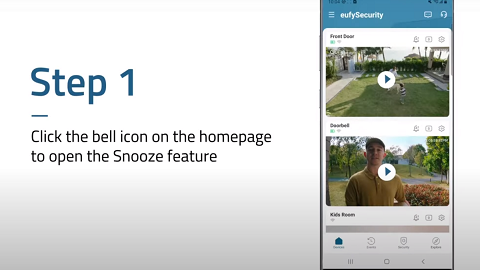
Play videoHow to Turn On / Off the Snooze Feature
How to Turn On / Off the Snooze Feature
Play videoeufy App Functions
eufy App Functions
Play videoHow to Schedule Your eufy Devices
How to Schedule Your eufy Devices
Contact Us
Buy on the eufy Store
Download the App
affirmamazonPayamexapplePaydinnersClubdiscovergooglePaymastercardpaypalshopPayvenmovisa