Setting Up eufy S380 HomeBase (HomeBase 3) in the eufy App
This article is designed to help you set up your eufy HomeBase 3 in the eufy app.
Download the eufy App
The eufy app is compatible with Android OS (8.0+) and iOS (11+) phones and tablets. Visit eufy app to learn more about the app.
Please make sure you have downloaded the latest version of the eufy app. You can download the eufy app from the App Store (iOS devices) or Google Play (Android devices). Or visit eufylife.com on your mobile device.
For a complete walkthrough of the eufy app functions, please visit eufy App Function Guide for details.
Create Your eufy Account
After downloading the app, simply create a new account or log in to your existing account. Learn more about Sign Up for a eufy Account.
Add eufy HomeBase 3 in the App
Device Page > ”+” icon > Add Device > HomeBase 3.
Choose an existing Home profile or create a new Home profile.
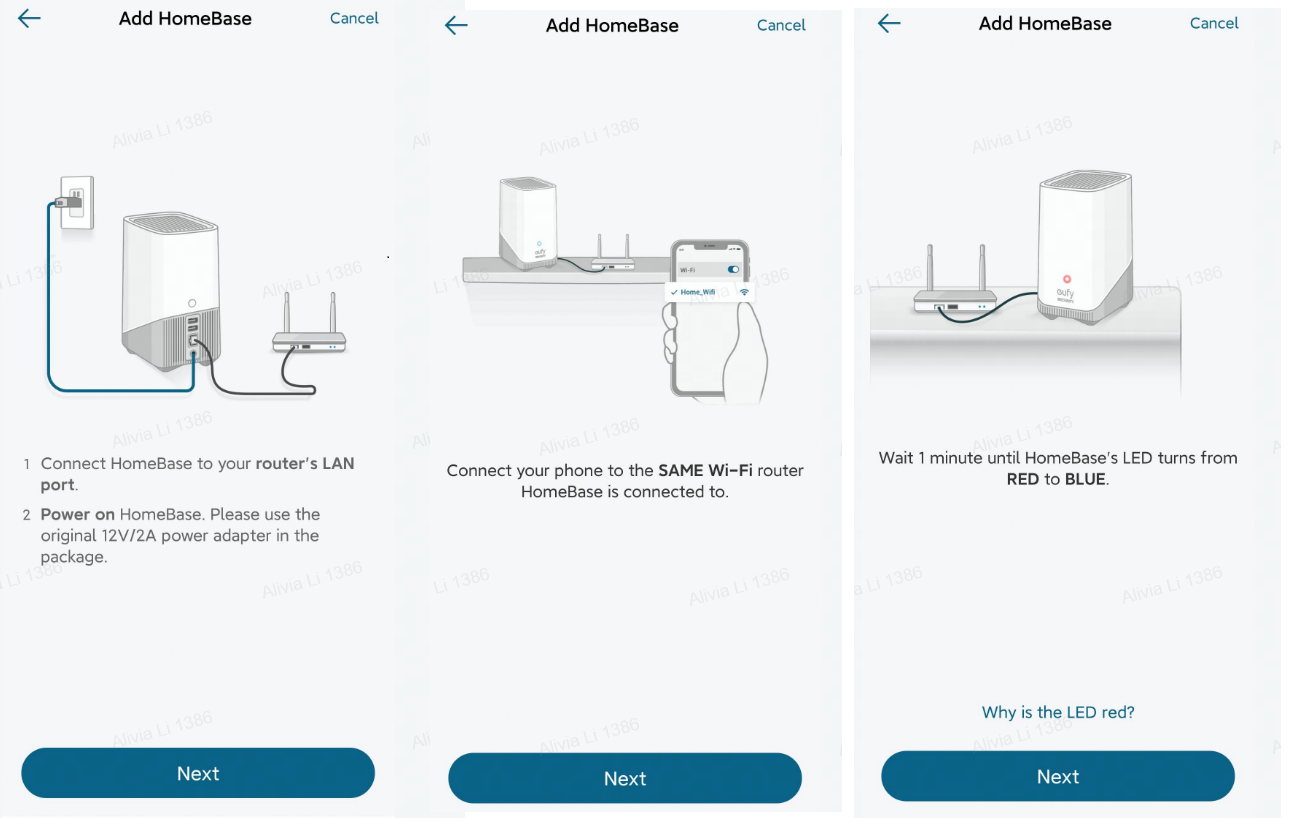
Follow the instructions on your mobile device’s screen to add your HomeBase3.
Connect the HomeBase 3 to your WiFi router’s LAN Port.
Power on the HomeBase 3. Please use the original 12V/2A power adapter included in the package.
Connect your phone to the Same WiFi router that the HomeBase 3 is connected to.
Wait one minute untilthe HomeBase’s LEDindicator light turns from Red to Blue.
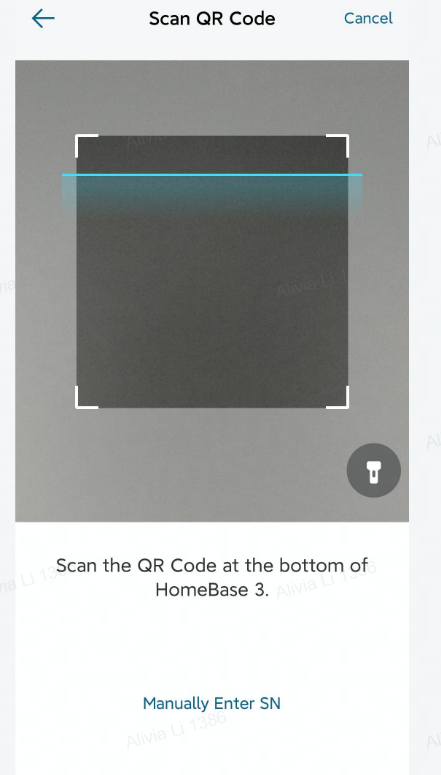
Tap Next and scan the QR code located at the bottom of the HomeBase 3. You can also manually enter the HomeBase’s serial number to proceed to the next step.
When the HomeBase 3 is emitting a sound, please press and hold the SYNC/ALARM OFF button located at the bottom of the HomeBase 3 for two seconds until you hear a short beeping sound.
Your HomeBase 3 will be successfully connected shortly, please create a name for the HomeBase 3 to complete the setup process.