I. The Working Mechanism of Laser Robot
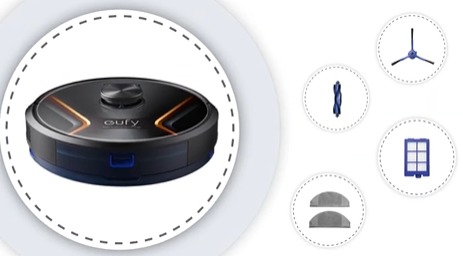
The working mechanism of a laser robot vacuum cleaner is mainly based on using lidar to scan the robot's surrounding environment. By utilizing the robot's lidar, the robot vacuum cleaner can obtain accurate information about its surrounding environment, the robot then uses its built-in algorithm to plan the cleaning route to maximize its cleaning efficiency. In this process, the robot vacuum cleaner can recognize and avoid large, stationary objects, such as furniture and home appliances.
II. Interaction Issues of Laser Robot With Mirrors
However, for objects like mirrors, the robot vacuum cleaner may encounter certain problems. Due to the reflective surface of mirrors, the robot's laser may be reflected, causing the robot vacuum cleaner to inaccurately identify its location and distance, which may result in the robot accidentally bumping into mirrors. Please note that it is not because the robot vacuum cleaner is defective, but it is rather due to the working mechanism of the robot's laser radar and the characteristics of mirrors.
III. Solutions
To prevent your robot vacuum cleaner from accidentally bumping into mirrors, it is highly recommended to adopt one of the two following solutions. The first solution is to avoid running the robot vacuum cleaner in places with mirrors. The second solution is to place objects in front of the mirror to block off the robot, which can prevent the robot from misjudging its current position and distance to the mirror, thus preventing the robot from accidentally bumping into the mirror.
In conclusion, eufy laser robot vacuum cleaner is a convenient home cleaning tool, and its working mechanism is based on using lidar to intelligently plan its cleaning route. However, due to the characteristics of mirrors, your laser robot vacuum cleaner may not be able to function properly. Therefore, it is highly recommended to adopt the solutions mentioned in this article when your robot is cleaning.
If you have any further questions or concerns, please don't hesitate to contact us for assistance.