Trouble Shooting When a Sensor is not responding

Related Products: 

Keypad E10, Entry Sensor E20, Motion Sensor E20, Glass Break Sensor E10, Smoke Sensor E10, Flood&Freeze Sensor E20, Key Fob E10, Panic Button E10, Indoor Siren E20, Outdoor Siren E20


Observing the LED status Light

Hold the SYNC button for 2 seconds to wake up the device. The LED status light should blink blue.


Check Battery
For new sensors, remember to peel off the battery barrier in the battery compartment before use.
For used sensors. Put in a new battery to ensure the power source is good.

Installation
Avoid too many walls or obstacles between HomeBase Professional and the sensor.


Firmware Upgrade

Always make sure the sensor is at the newest firmware version. If it is not, you can manually upgrade it on the app.


Contact us

If the LED light still doesn’t work. Contact eufy customer support  support.expert@eufy.com  to get help.

Unresolved icon
51 undefined
Download icon
eufy Indoor Siren E20 User Guide (T90R0)
Download icon
eufy Indoor Siren E20 Benutzerhandbuch (T90R0)
Download icon
T90S0_EN_User Guide_V1
Download icon
T90S0_eufy Smoke Alarm E10_NA+EU_UG
Download icon
【T90S0】【eufy Smoke Sensor E10】EU Declaration
Download icon
eufy Flood &Freeze Sensor E20 User Guide (T90F0)
View More
Play videoHow to Set Up and Install Indoor Siren E20
How to Set Up and Install Indoor Siren E20
Play videoHow to Set Up and Install Smoke Alarm E10
How to Set Up and Install Smoke Alarm E10
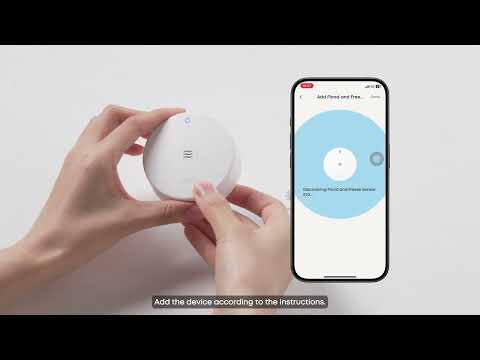
Play videoHow to Set Up and Install Flood and Freeze Sensor E20
How to Set Up and Install Flood and Freeze Sensor E20
Play videoHow to Set Up and Install Motion Sensor E20
How to Set Up and Install Motion Sensor E20
Play videoHow to Set Up and Install Entry Sensor E20
How to Set Up and Install Entry Sensor E20
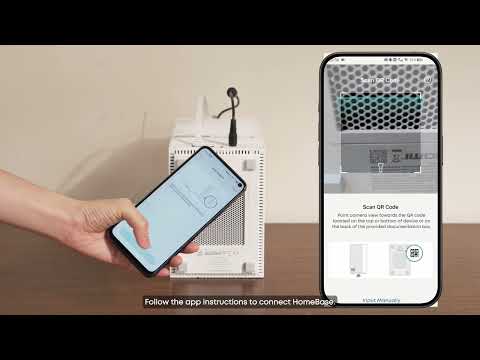
Play videoHow to Set Up and Install HomeBase Professional S1
How to Set Up and Install HomeBase Professional S1
View More
Contact Us
Buy on the eufy Store
Download the App
affirmamazonPayamexapplePaydinnersClubdiscovergooglePaymastercardpaypalshopPayvenmovisa