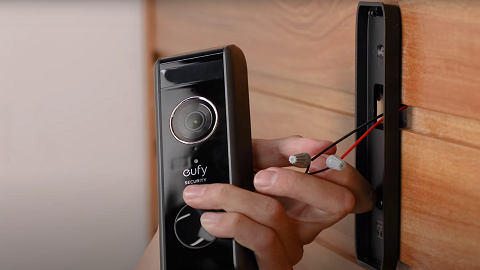
Before starting the troubleshooting steps, please make sure that the video doorbell has already been correctly installed and wired.
1. Existing Chimes not Ringing
1.1 Device Environment Configuration
Power Supply Specifications:
-
General power supply for indoor mechanical doorbell systems: (16-24V , 120V AC step-down required)
-
North America transformer input voltage: (120V)
-
Europe or Australia transformer input voltage: (240V)
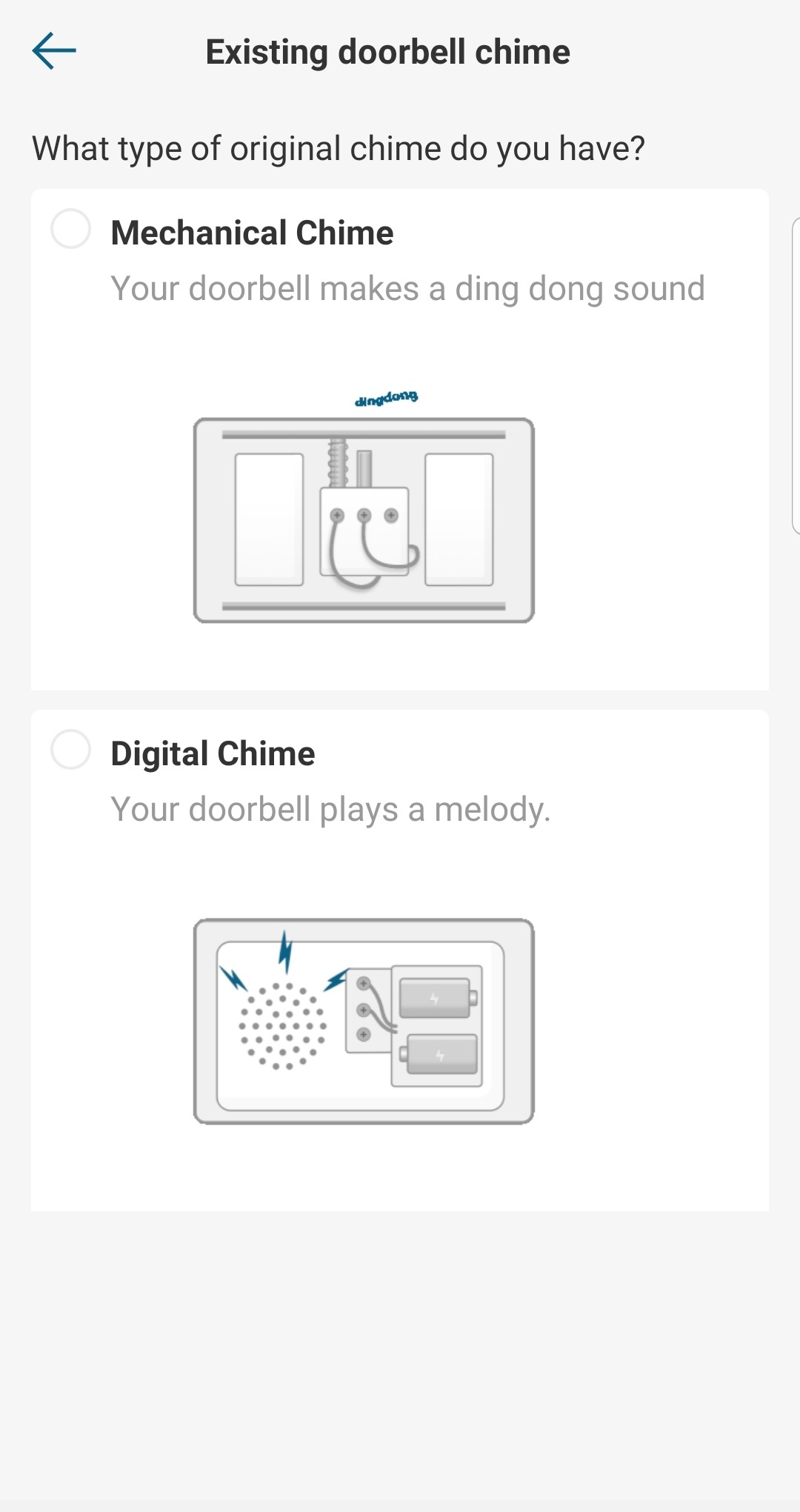
Mechanical and Electronic Doorbell Chimes (Only Compatible with Mechanical Chime.)
If you need to determine the type of your doorbell chime or doorbell ringer, please listen to the sound it makes.
-
Mechanical doorbell chimes use physical bells and hammers. They usually make a traditional clanking sound.
-
Digital doorbell chimes play pre-recorded digital tones though an electronic speaker. They are usually available in a variety of different tones for you to choose from.
If you are not sure which type of doorbell chime or doorbell ringer you have, please remove the front cover of the doorbell chime box and look inside for bells and hammers or an electronic speaker.
1.2 Verify the Chime is Wired Correctly to the Video Doorbell
(Note: The video doorbell must be wired first and switched on in the Anker eufy app setting.)
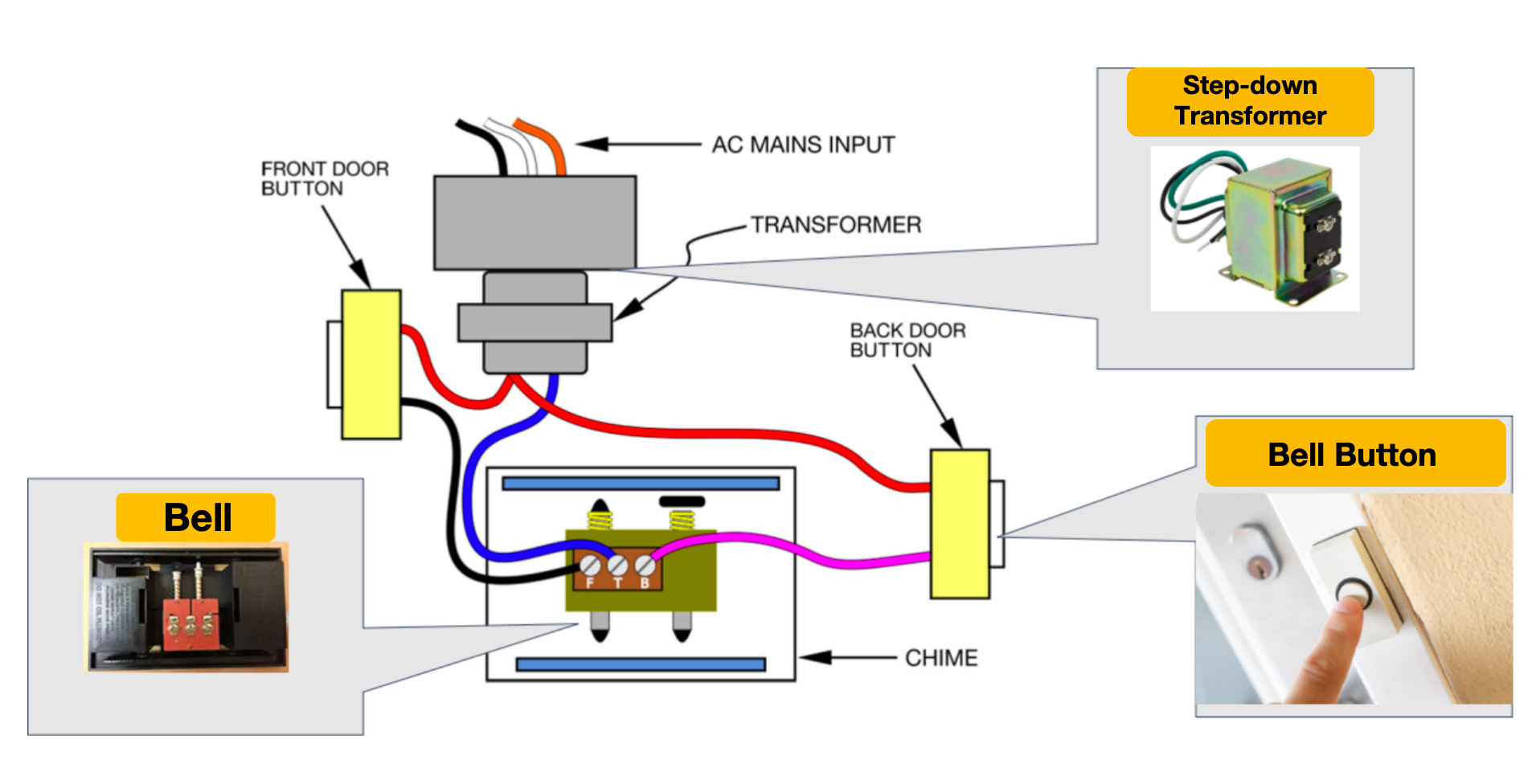
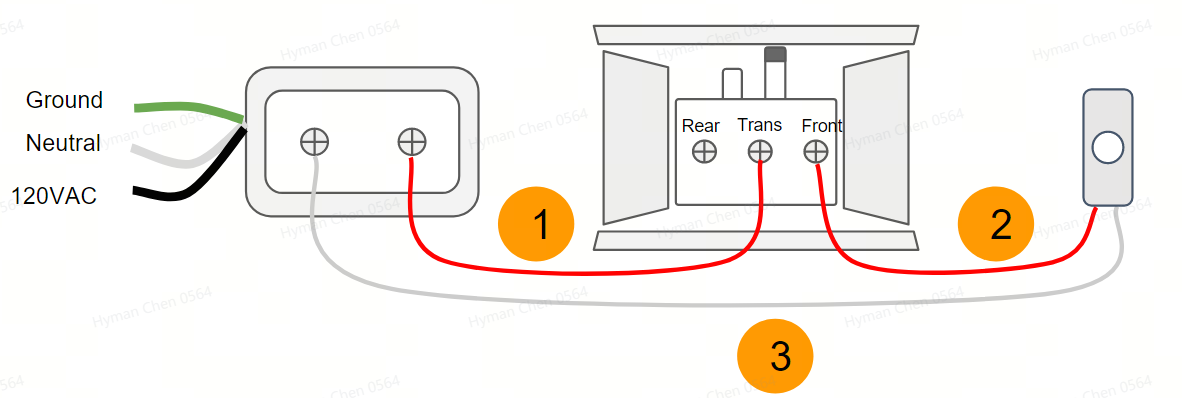
a. The Connection Diagram of the Original Chime
-
The diagram below shows the actual wiring schematic of a common home doorbell system:
-
The diagram below shows the symbolized simple wiring diagram:
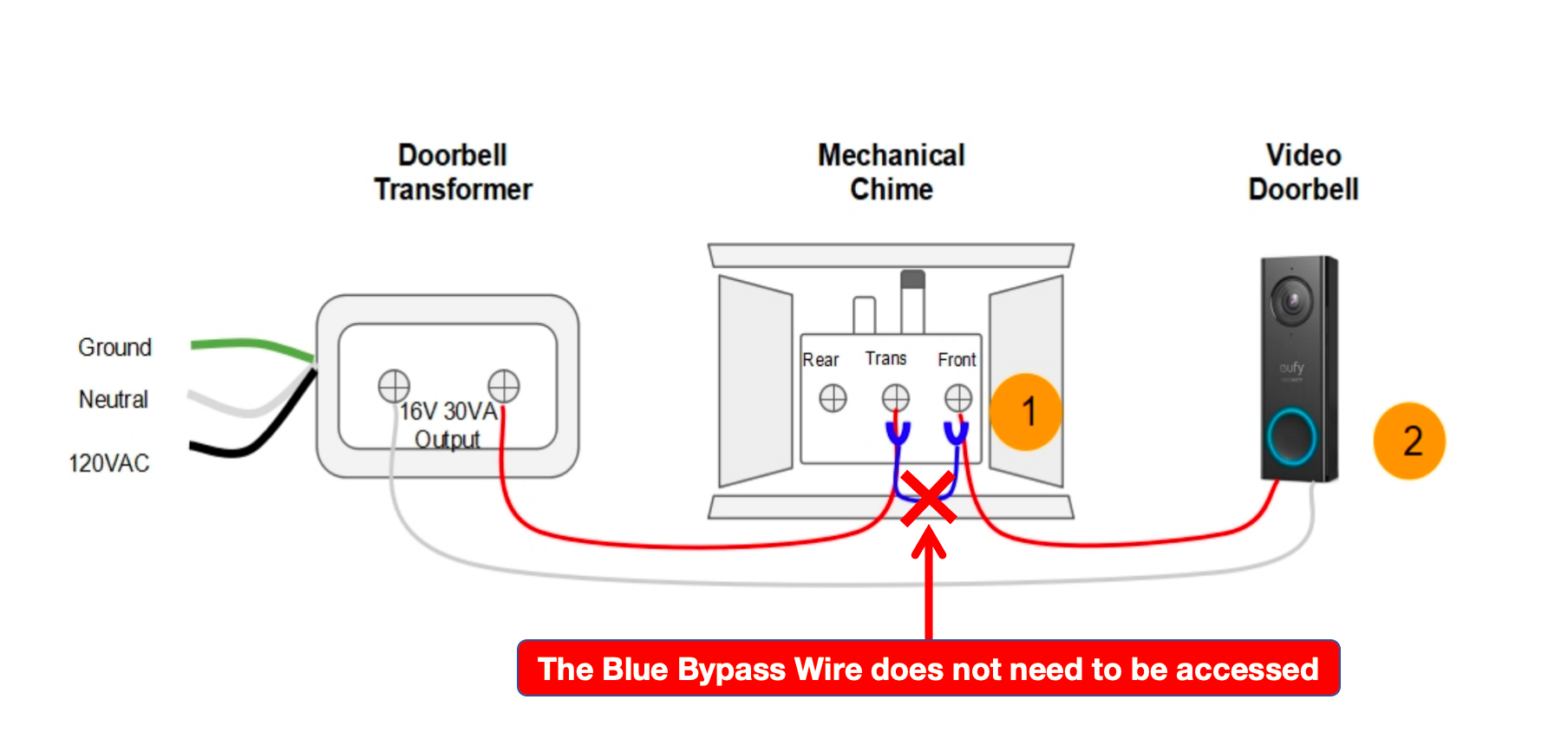
b. The Wiring for Accessing the Video Doorbell on the Original Chime
(Note: The blue bypass wire does not need to be accessed. The chime will not function if the blue bypass is accessed.)
1.3 Check if the Anker eufy app Settings are Correct
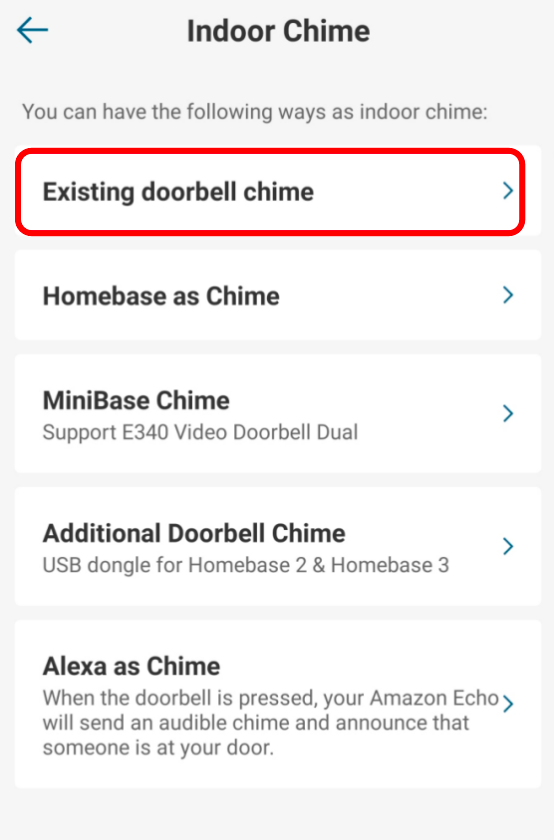
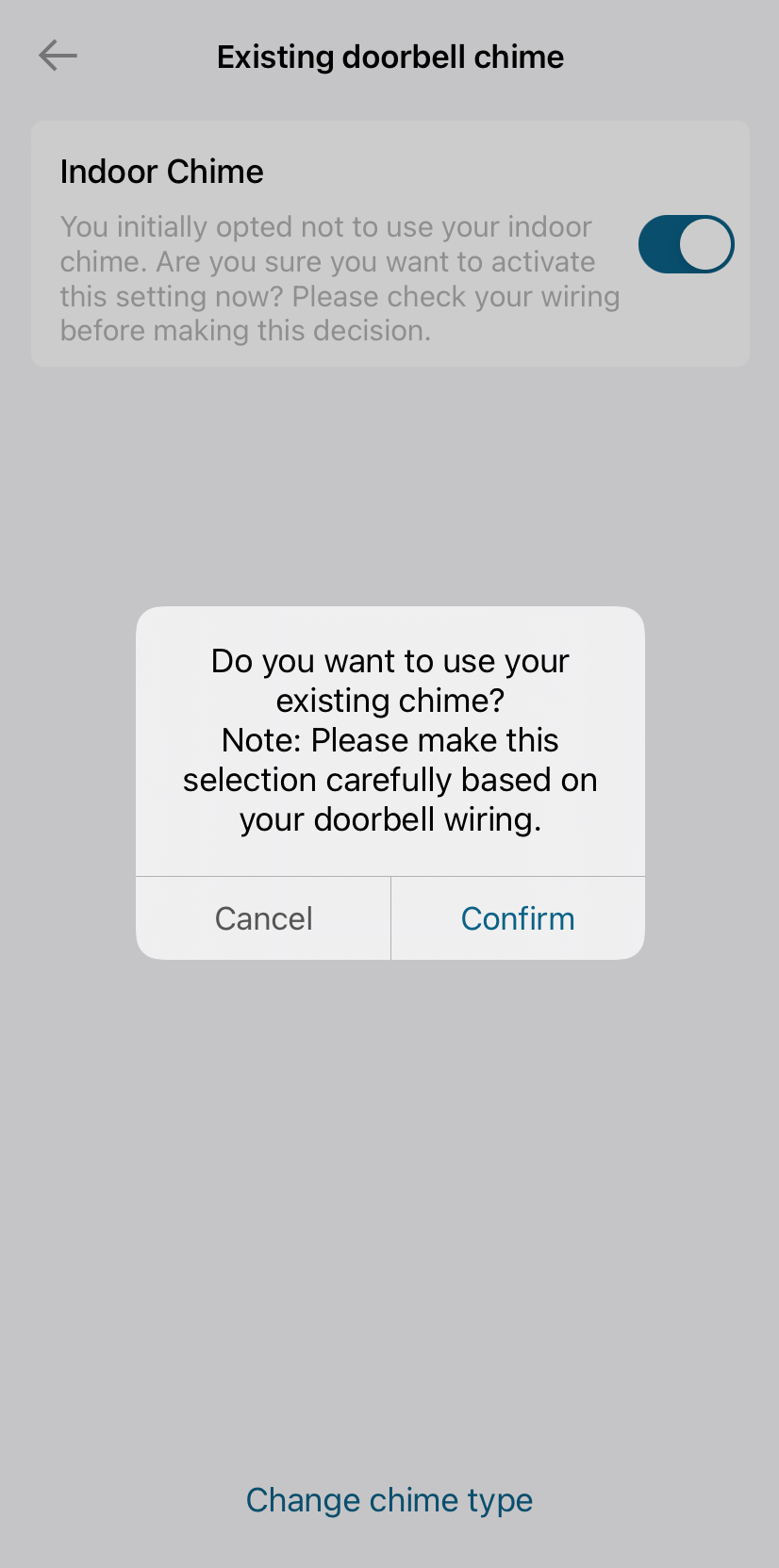
The mechanical chime in the Anker eufy app must be turned on. The function of the chime can be used only after it is enabled.
If you have any other questions, please don't hesitate to reach out to eufy support engineers for further assistance.