What should I do if my RoboVac X8/LR30/L35/LR20 series stops with an Error 18 / Error 19 voice alert?
What Caused Voice Alert: Error 18?
Error 18 could be caused by RoboVac's laser cover getting stuck in a certain place, such as under a sofa, resulting in the RoboVac unable to get itself out.
How Do I Fix Voice Alert: Error 18?
Please remove the dust collector, press the force shutdown button on the RoboVac, then restart X8/LR30/L35 series in a spacious space to see if the error still happens. If this error doesn't disappear, please contact us with a video showing the error and the surroundings so we can better identify the issue for you.
What Caused Voice Alert: Error 19?
Error 19 could be caused by something being stuck in the laser sensor module on the RoboVac.
How Do I Fix Voice Alert: Error 19?
Press the blue dust connector release button to pull the dust collector out first.
For LR30, L35, and LR20 series, press the force shutdown button on the RoboVac.
Turn X8/LR30/L35/LR20 series upside down and shake it to see if there is anything stuck on the radar.
Check whether there is anything stuck in the transmitting and receiving holes of the radar as shown in the picture below. Please gently remove debris or objects if there are any.
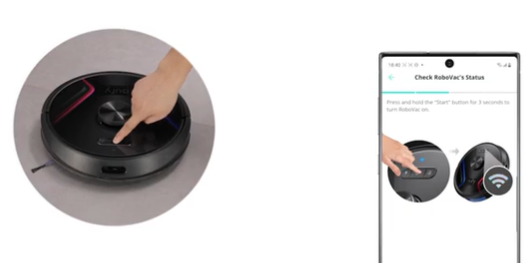
After completing the 4 steps above, please restart X8/LR30/L35/LR20 series and try again (press and hold the start button on the machine for 3 seconds to turn it off, and press and hold the start button for 3 seconds again to turn it on).
Please check whether the radar rotates normally with the eraser end of the pencil or your little finger. Please pay attention to avoid the transmitting and receiving holes of the radar when turning the radar. If the radar cannot rotate, turn X8/LR30/L35/LR20 series upside down, tap the radar cover, and then start the RoboVac. If the radar can rotate normally, press and hold the start button on the machine for 3 seconds to turn it on.
If the problem persists, please contact us with a video showing the error and a photo of the radar hole on the machine for further assistance.