RoboVac’s Voice Alerts When It Encounters an Issue
Some of eufy’s RoboVac models provide users with audible voice alerts when the RoboVac encounters an issue. In order to correctly troubleshoot and resolve specific issues of your RoboVac, please first find out the exact voice alert error triggered by the RoboVac.
What Caused Voice Alert: Error S1?
This error is triggered when RoboVac’s battery is not functioning properly. This could be caused by the current state of the battery since lithium-ion batteries generally have a recommended operating temperature of 0°C to 40°C, or 32°F to 104°F.
How Do I Fix Voice Alert: Error S1?
To troubleshoot and fix this specific issue, please follow the steps listed below:
- Power off the RoboVac.
- Unplug the adapter on both ends, re-connect the adapter to the charging base, then the other end to a different wall outlet. Confirm the power indicator on the charging base lights up.
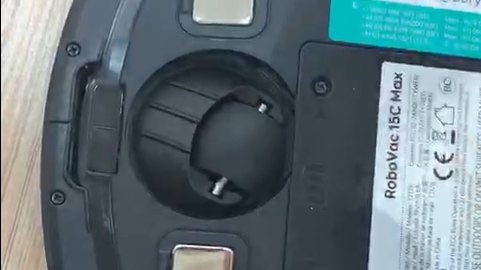
- Clean the pins on the charging base and on the bottom of the vacuum with a dry clean cloth.
- Put the RoboVac right in front of / facing the charging base within 6 feet and press the home button to tell it to return. Let it dock on its own. This is to make sure the charging pins are connected properly.
- Power on and start the RoboVac to verify it is able to successfully navigate and complete a cleaning cycle without issues.
If the issue persists, replacing the battery might fix the issue. You can order the
battery for G10/G20/G30/G40/G+ series , and follow the video below to replace the battery:
How to Replace RoboVac's Battery (for Bounce series and G series)
If your vacuum is L70 Hybrid, please contact us to order the battery.
If you still have questions regarding RoboVac’s voice alerts, please contact us for further assistance.