How to order a bumper for my RoboVac?
Compatible with RoboVac 11S,11S PLUS,11S MAX,12,15C,15C MAX,15T, 25C, 30, 30C ,30C MAX, G10 Hybrid, G20, G20 Hybrid.
Black bumper
White bumper
Refer to the video to see how to replace the bumper .
If need further assistance, please email eufy support.
Black bumper
White bumper
Refer to the video to see how to replace the bumper .
If need further assistance, please email eufy support.


20 undefined
What if my RoboVac stops in the middle of cleaning with Three Beep Error?


What if my RoboVac stops in the middle of cleaning with Four Beep Error?
How to order a water tank for G10/G30 Hybrid?
How to order filter elements for water tank (G10/30 Hybrid)?
How to order a remote control for my RoboVac?
Can RoboVac work with my carpets/floor? (for Bounce Series)
What to do if my RoboVac does not Run with Schedule on Remote Control
What if my RoboVac has a clicking noise in the side brush?
How to mop with G10/G20/G30 Hybrid?

RoboVac 11S Plus_US_Manual
RoboVac 35C/25C_Manual_EN
RoboVac 11S_JP_ Manual
RoboVac 25C Max_EN+ES+TR_Manual
RoboVac 15C Max_JP_Manual
Eufy RoboVac 15C Max (T2128) &25C (T2123) EU DOC
View More


RoboVac 30C Quick Start Video (other WiFi RoboVacs of Bounce series are similar)

How to Replace Bumper of RoboVacs

Troubleshooting if RoboVac Cannot Power On
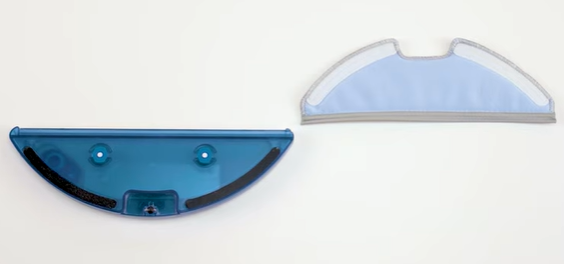
How to Use the Mop Function of G10/G20/G30 Hybrid

RoboVac Battery Replacement and Installation Video (for 11S series)
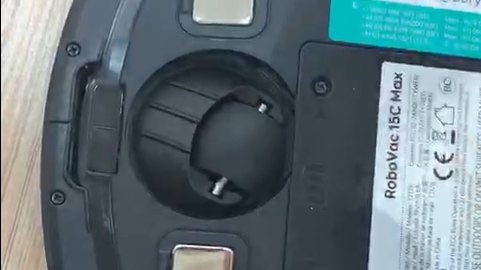
How to Replace the Swivel Wheel for the Max and G series RoboVacs
View More


