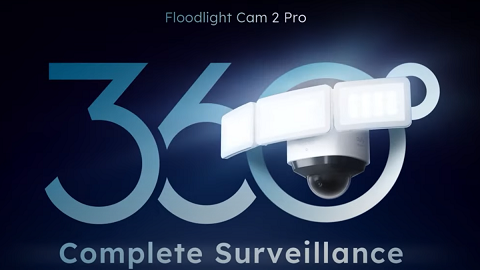
What if There Is a Deviation Between Automatic Homing Position and Preset Position on eufy Floodlight Cam 2 Pro

Due to the camera motor's rotating mechanism, the camera may not always be able to precisely return to its default position. Users whose devices are configured with motion tracking enabled are more likely to encounter this specific issue.


Please note minor deviations of the device homing will not have an obvious impact on the overall monitoring function. If you have encountered this specific issue, please try the following troubleshooting steps:

 
  • If you encounter this problem occasionally, you can manually perform device calibration by clicking the "Calibration" button on the live streaming page.


  • If you encounter this problem quite often, you can turn on the automatic calibration function in the Settings-Calibration settings. The device will automatically calibrate once when the device is idle (working without any triggers) after motion tracking has been completed.


If you still have questions regarding the deviation between automatic homing position and preset position on eufy Floodlight Cam 2 Pro, please contact us for further assistance.
Unresolved icon
208 undefined
S380 HomeBase (HomeBase 3) Compatibility
215139 views37 likes/2024-12-25 14:45:40
How to View eufySecurity Cameras on a Computer
69353 views10 likes/2025-04-07 18:27:47
Compatibility Between eufySecurity Devices
18332 views1 likes/2025-11-17 15:19:54
Share Your eufySecurity Devices With Your Family
46764 views6 likes/2025-04-07 18:27:23
Using NAS Storage Step by Step
43820 views1 likes/2025-04-07 18:04:31
Introducing Cloud Backup
30698 views1 likes/2025-04-15 14:12:20
Two-Step Verification for eufySecurity App
49167 views10 likes/2025-04-07 18:27:11
How to Find Out if You Have 2.4 GHz or 5 GHz WiFi Network
37009 views1 likes/2025-04-07 18:05:46
How to Change the Wi-Fi Details for eufySecurity Devices
32859 views3 likes/2025-04-15 15:48:16
Alexa Setup Guide for eufySecurity Devices
97808 views5 likes/2023-08-16 16:08:07
Download icon
Monitoring_sticker
Download icon
Floodlight_camera_manual_us
Download icon
Floodlight_camera_manual_eu
Download icon
Monitoring_sticker
Download icon
Floodlight_Cam_E_2K_manual_us
Download icon
Floodlight_Cam_E_2K_manual_eu
View More
Play videoHow to Install eufy Security Floodlight Camera
How to Install eufy Security Floodlight Camera
Play videoHow to Use Geofencing on eufySecurity App
How to Use Geofencing on eufySecurity App
Play videoHow Do I Connect My eufy Cameras with Amazon Alexa
How Do I Connect My eufy Cameras with Amazon Alexa
Play videoHow Do I Connect My eufy Cameras to the Google Assistant App
How Do I Connect My eufy Cameras to the Google Assistant App
Play videoHow to Share Account Access of eufySecurity Devices
How to Share Account Access of eufySecurity Devices
Play videoHow to Schedule Your eufySecurity Devices
How to Schedule Your eufySecurity Devices
View More
Contact Us
Buy on the eufy Store
Download the App
affirmamazonPayamexapplePaydinnersClubdiscovergooglePaymastercardpaypalshopPayvenmovisa