What should I do if I don't want to start dust collection sometimes?
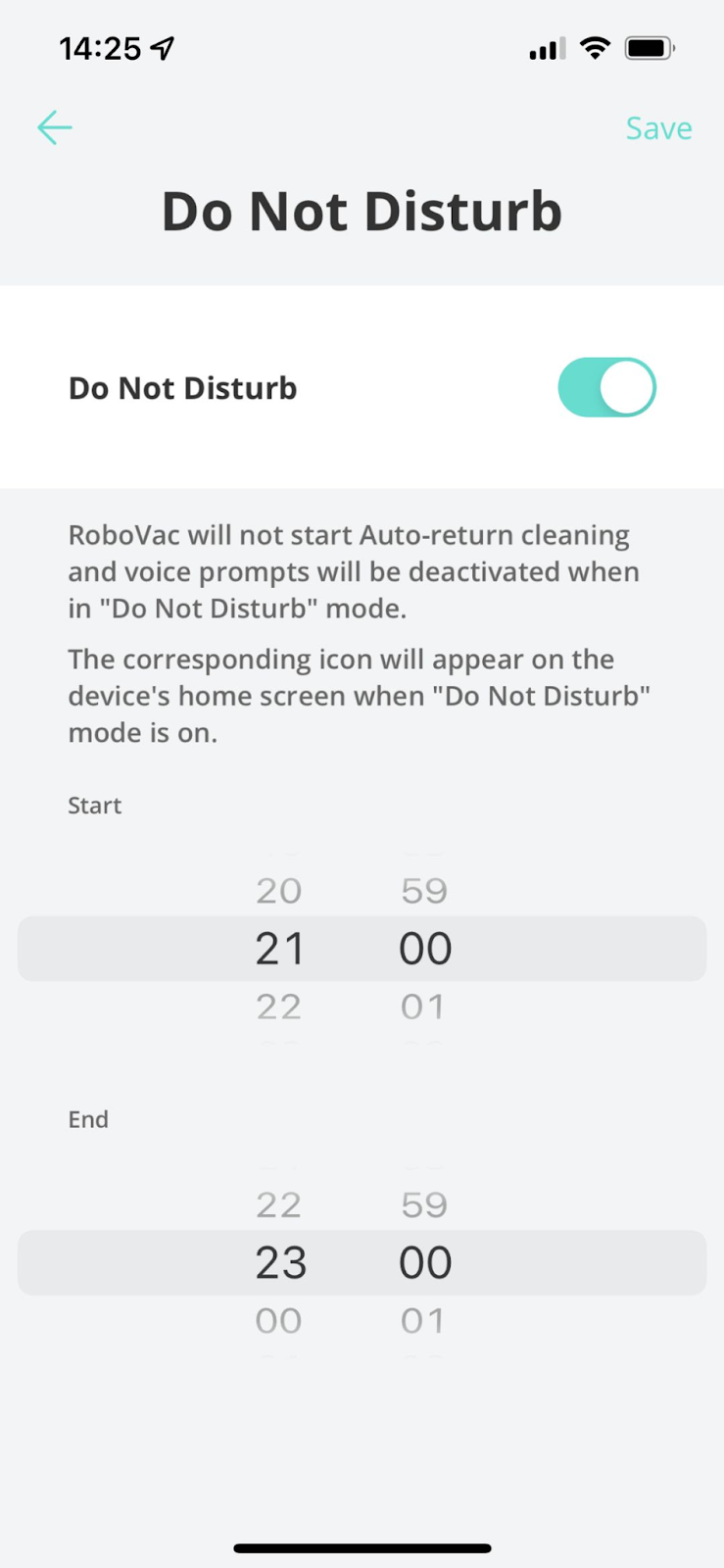
You can set a “Do Not Disturb” time by going to RoboVac’s Settings > Do Not Disturb, and dust collection will not automatically start during the configured time.
Alternatively, you can also disable dust collection entirely by going to the RoboVac’s Settings > Auto Empty Settings to disable it.

If you need further help, please contact us.


20 undefined


How to order washable mopping cloth for my RoboVac?
What if my RoboVac has a rolling brush noise when it’s running?
Differences Between the LR20/LR30/L35 Series Models
Tips to Help L35 Hybrid/LR30 Hybrid Series/LR20 Quickly Build a Map/Multiple Maps
Common charging-related questions about RoboVacs
Can I turn off or adjust the beep sound of my RoboVac?

RoboVac L35 Hybrid+_EN_Manual
RoboVac L35 Hybrid+_CN_Manual
RoboVac L35 Hybrid_EN/ES_Manual
RoboVac L35 Hybrid+_EN_Quick Start Guide
RoboVac LR30/L35 Hybrid_EU_Quick Start Guide
RoboVac LR30/L35 Hybrid_EN&ES_Quick Start Guide
View More


RoboVac L35 Hybrid+ / LR30 Hybrid+: Unboxing and Quick Start Guide Video

RoboVac L35 Hybrid / LR30 Hybrid: Unboxing and Quick Start Guide Video
RoboVac L35/LR30/LR20 Series: How to Replace the Battery
RoboVac L35/LR30/LR20 Series: How to Replace Swivel Wheels
RoboVac L35/LR30/LR20 Series: Accessories Cleaning and Maintenance
RoboVac L35/LR30/LR20 Series: How to Connect iOS Devices
View More


