Have you been wondering where you can purchase accessories for your E25/E28 when it comes time to replace parts on your E25/E28? Look no further than the Accessory Store on your eufy Clean app! The Accessory Store on the app is a one-stop shop to purchase accessories for your E25/E28 at the convenience of your fingertips!
Note: eufy will continue to update the Accessory Store with more parts. Stay tuned for more updates!
How to visit the Accessory Store on the eufy Clean app:
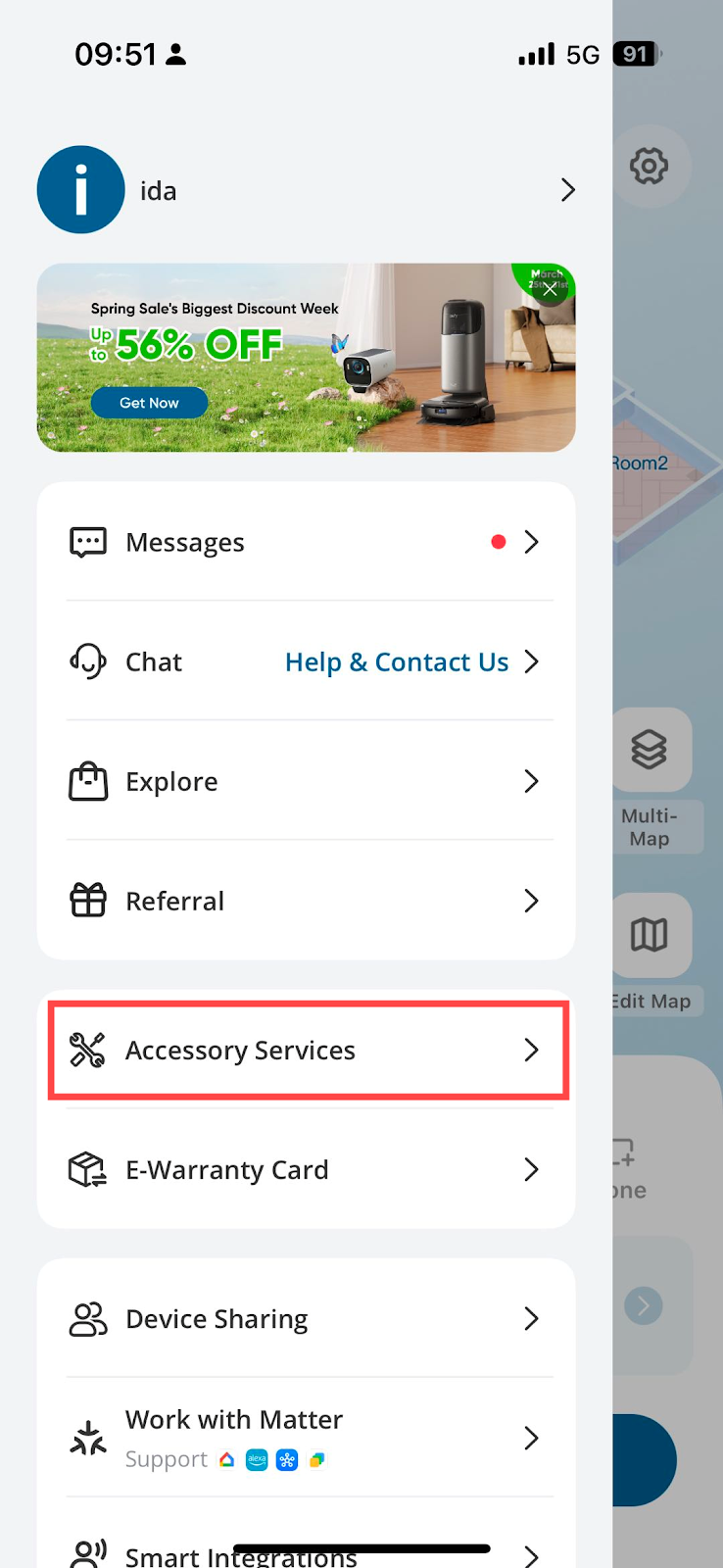
- 👉 Sidebar → Accessory Services → … (Upper Right) → Accessory Store
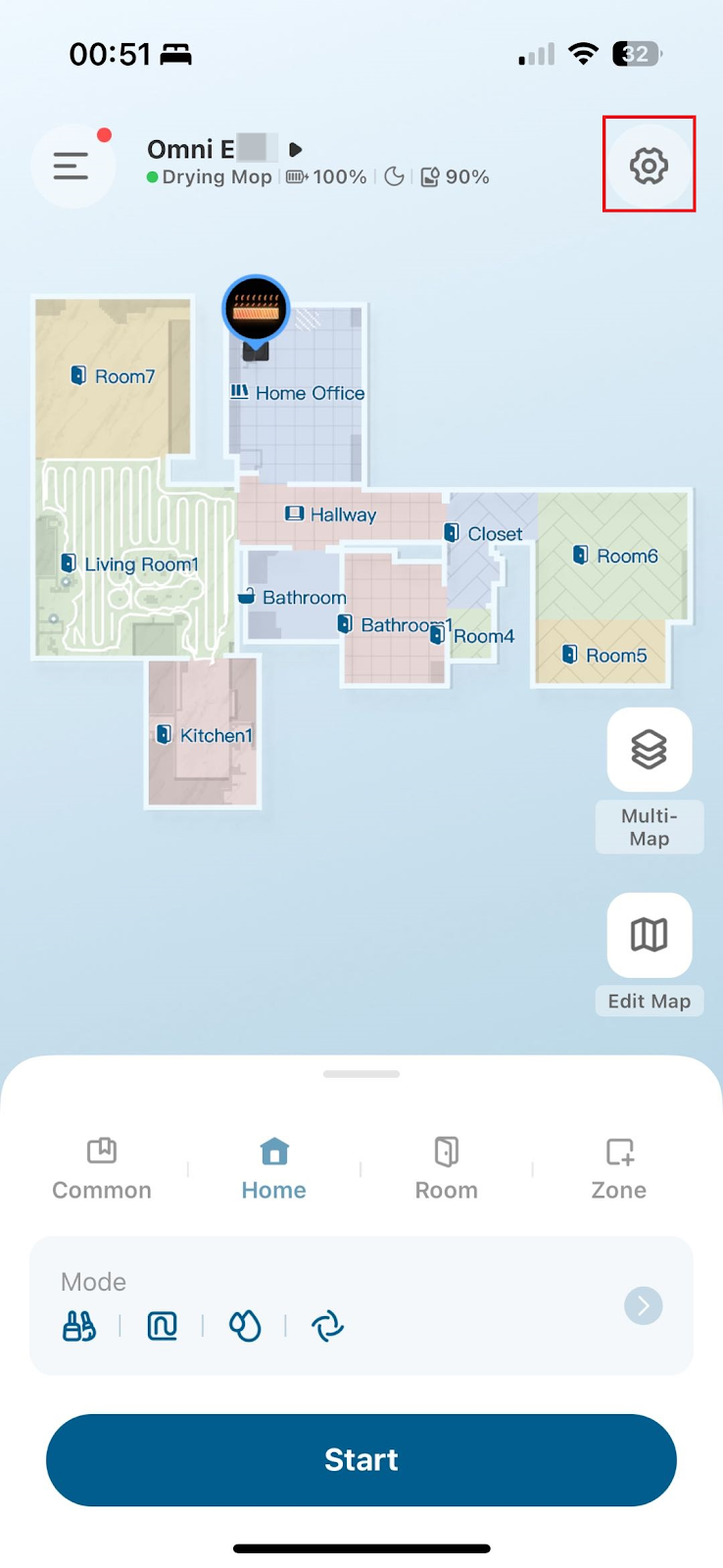
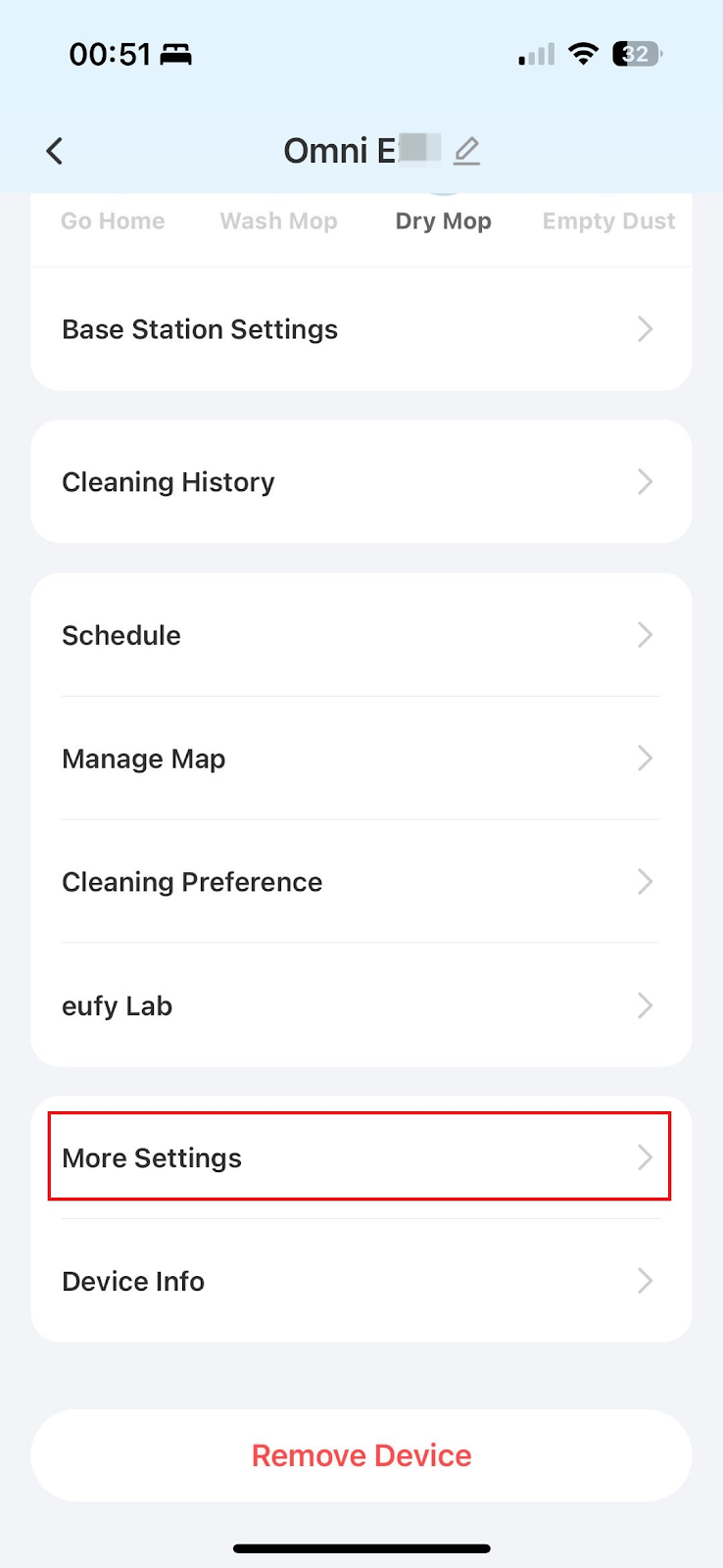
2. 👉 Main Page → Settings (Upper Right) → More Settings → Accessory Service
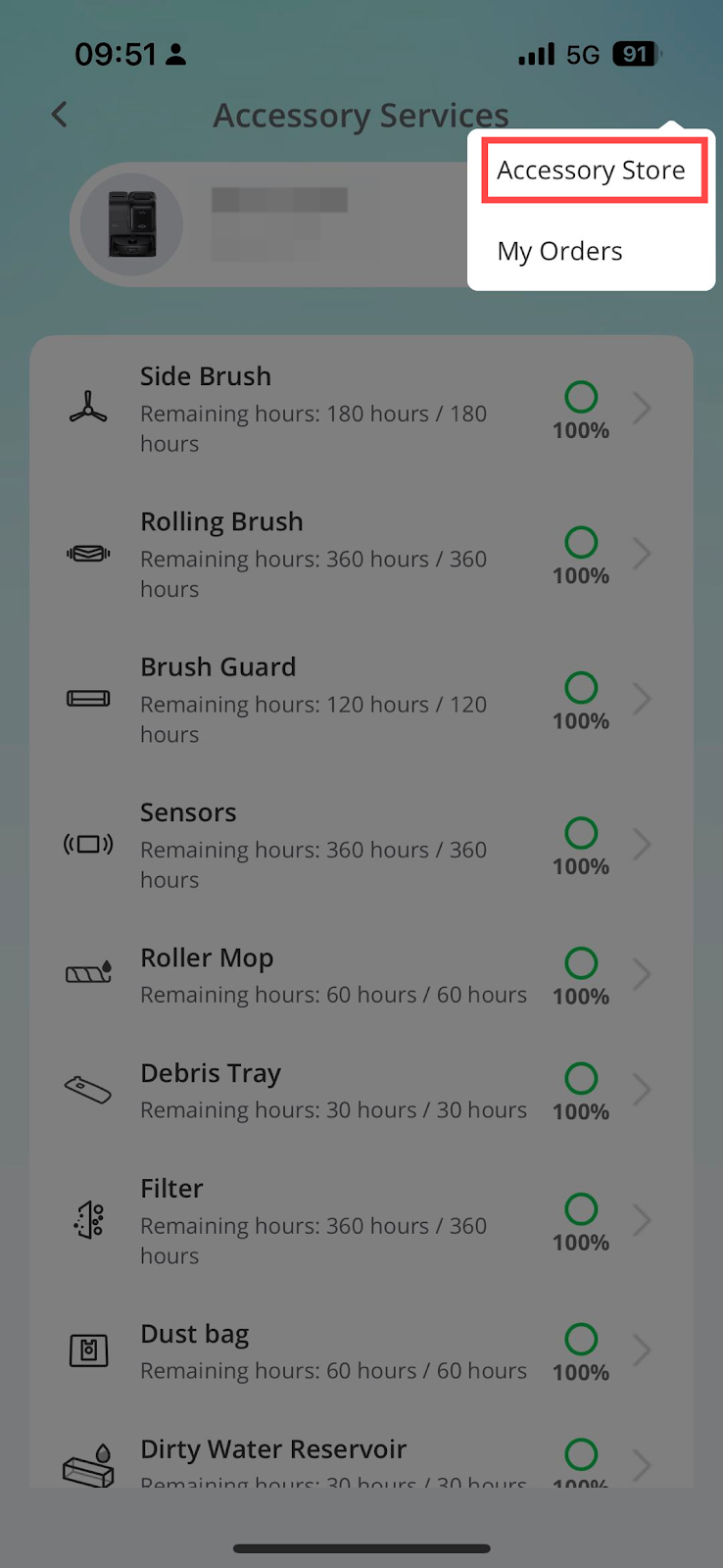
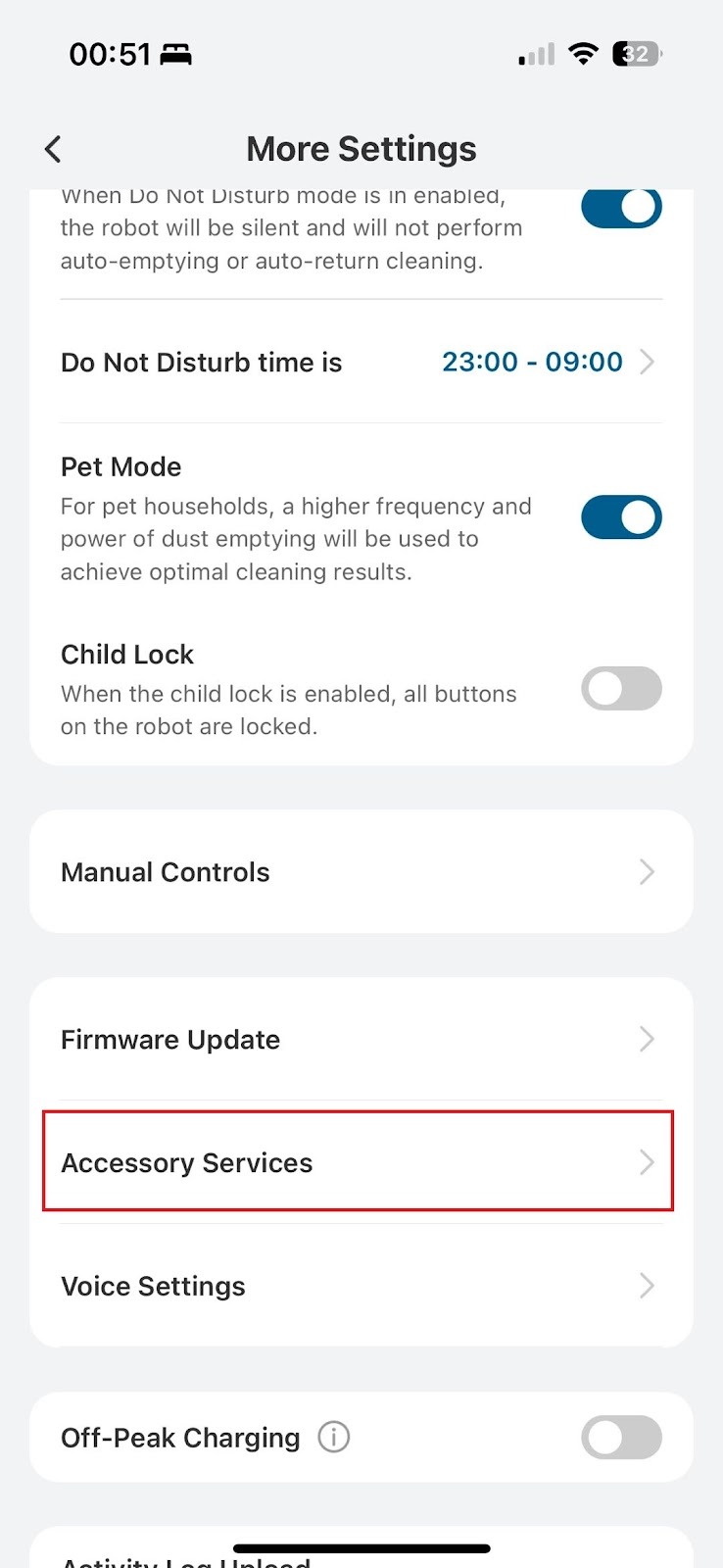
Note: If your eufy Clean app has more than one RoboVac connected, simply slide the model to enter the Accessory Store to review the compatible accessories accordingly.
If you cannot find the accessories that you would like to purchase, please visit the eufy website for more information.
For the maintenance schedule of the RoboVac parts on the eufy Clean app, please refer to the following article:
Parts Maintenance Schedule/Accessory Services on eufy Clean App
We hope you enjoy the Accessory Store as much as we do! If you have any further questions, please contact us for assistance. We are always here to help!


