How to update my password for the eufy Clean app for your E25/E28?
The eufy Clean app supports password changes. You can follow the steps below to update it.
- Open the eufy Clean app and log in with your original password. If you forget the original password, please refer to What to do if I forget my eufy Clean password?
2. View your account profile
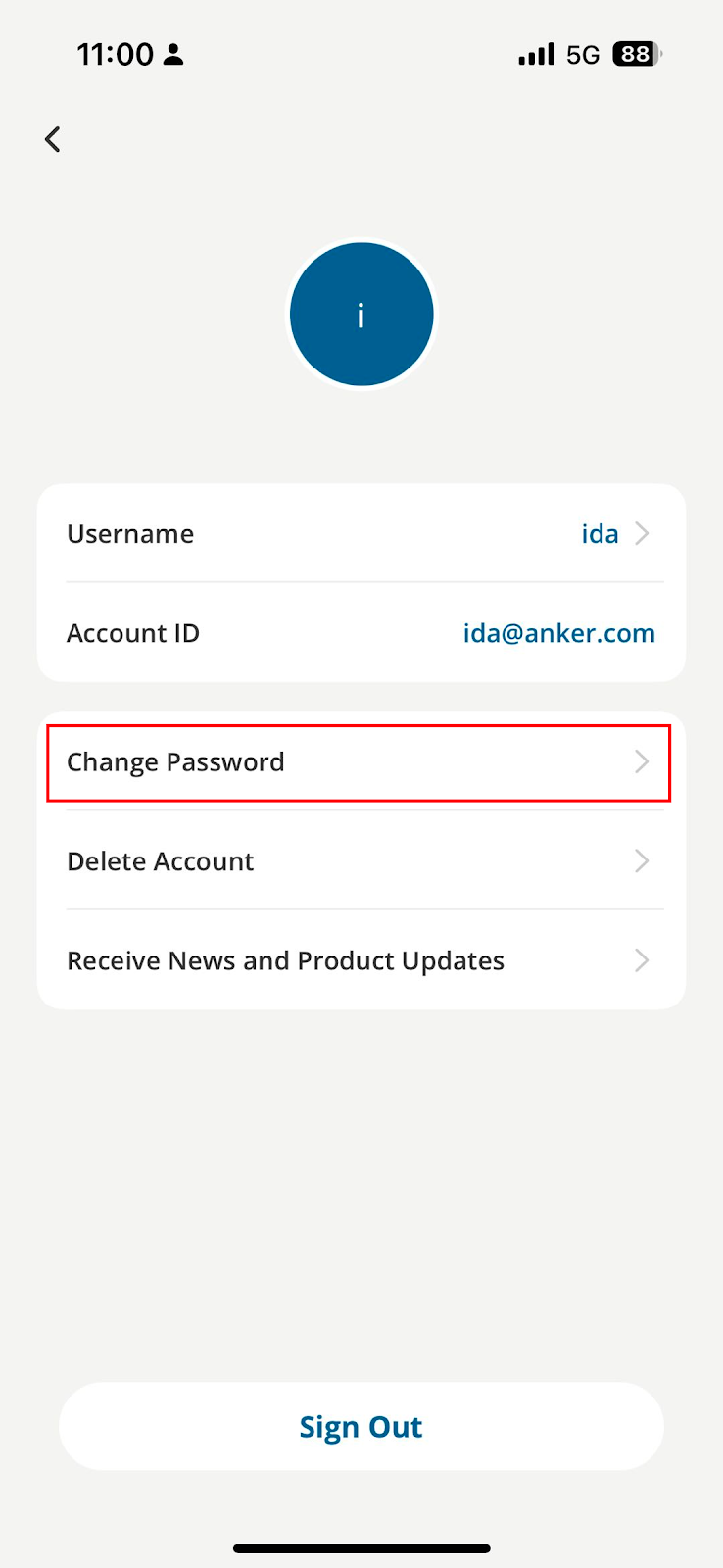
3. Click “Change Password”
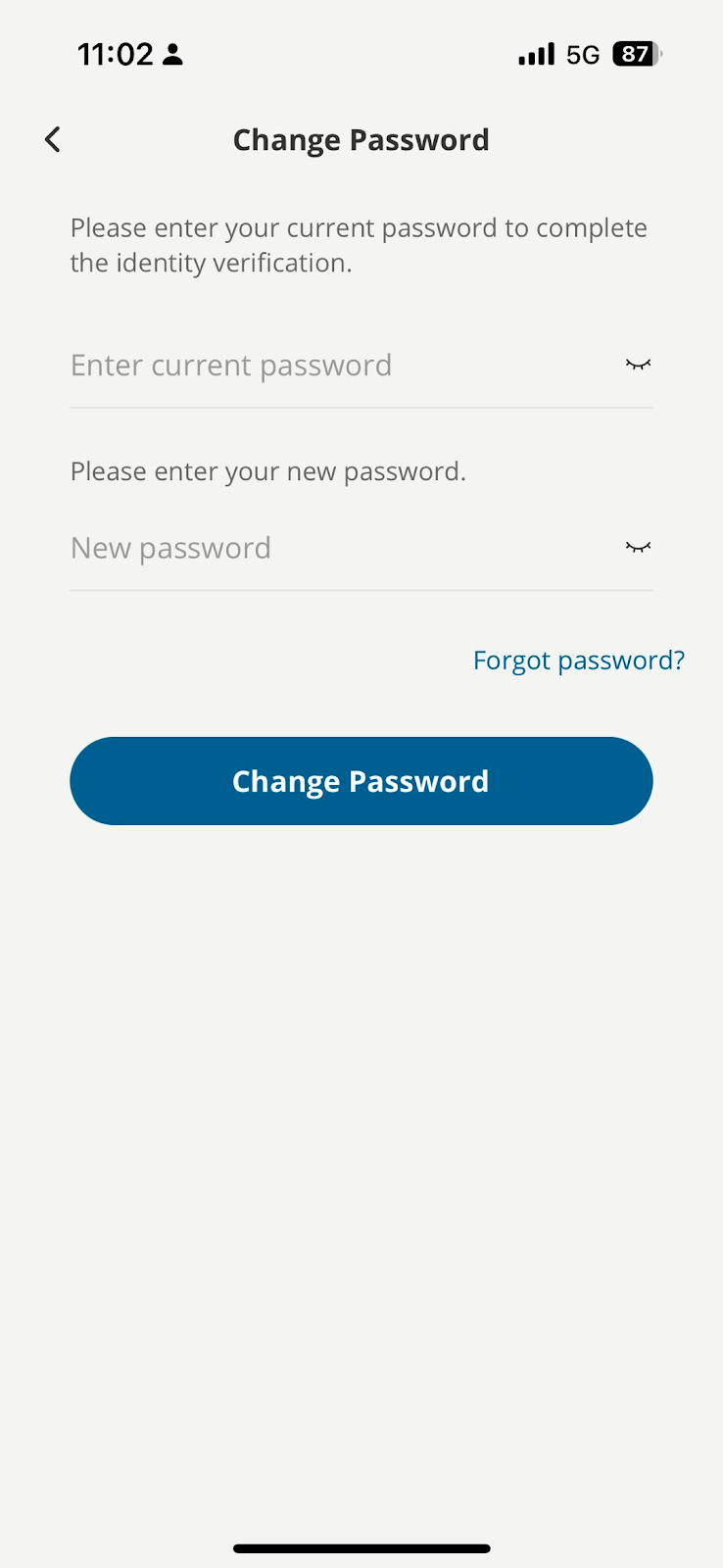
4. Type in your current password and put a new password in to change the password.
If you need any further assistance, please contact us.


20 undefined
eufy E25/E28 Robot Vacuum's Matter Integration FAQ


🤝How Your eufy Warranty Service Works
What should I do if my RoboVac does not start cleaning at the scheduled time in the app or start cleaning during normal time?
eufy App - Account Region Migration FAQ
How Do I Delete a Scheduled Cleaning for your E25/E28?
How to share E25/E28 RoboVac access with my family?
How to delete your eufy Clean account for your E25/E28?
How to purchase E25/E28 accessories on the eufy Clean app store?
How do I update my E25/E28's firmware?

eufy Robot Vacuum Omni E25 User Guide (T2353)
eufy Robot Vacuum Omni E28 User Guide (T2352)
eufy Robot Vacuum Omni E25 取扱説明書 (T2353)
eufy Robot Vacuum Omni E25 用戶指南 (T2353)
eufy Robot Vacuum Omni E28 Benutzerhandbuch (T2352)
eufy Robot Vacuum Omni E28 מדריך למשתמש (T2352)
View More


eufy Omni E28/Omni E25 How to Connect to Wi-Fi (iOS/Android)

eufy Omni E28/Omni E25 Mopping Troubleshooting Guide

eufy Omni E28/E25 How to Control Your Device via the App

eufy Omni E28 Portable Deep Cleaner Intro and Maintenance

eufy Omni E28/E25 Self-Empty Function and Troubleshooting

eufy Omni E28/Omni E25 How to Replace the Battery
View More


