Can I charge the battery via the Micro USB port on eufy smart lock touch & wifi?
No, you can’t.
The Micro USB port is only for powering the lock for emergency use to unlock the door. You can power it with a power bank and then unlock the door by entering the passcode or using fingerprints. It will not charge the battery inside.
The Micro USB port is only for powering the lock for emergency use to unlock the door. You can power it with a power bank and then unlock the door by entering the passcode or using fingerprints. It will not charge the battery inside.


20 undefined
How long does the battery on eufy Smart Lock Touch & Wi-Fi last for?


Can eufy Smart Lock Touch & Wi-Fi connect to HomeBase?
Is there a default passcode on smart lock before setting up?
How long will the access information be kept in the smart lock when the battery dies?
Are eufy smart locks safe?
Do eufy smart locks have cameras?
What happens if the eufy smart lock battery dies?
How many passcodes and fingerprints can the eufy smart lock store?
Where is the keyhole on eufy smart locks?
How to lock and unlock the door using passcode for eufy smart locks?

eufy S231 Smart Lock User Manual
Smart_Lock_Touch&Wi-Fi_manual_us
T8520S_EU Declaration of Conformity

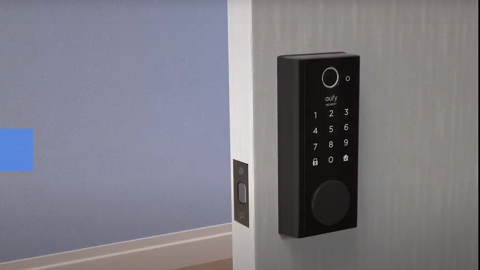
How to set up eufy Security Smart Lock Touch & Wi-Fi

eufy App Functions

Introducing eufy Smart Lock Touch & Wi-Fi


