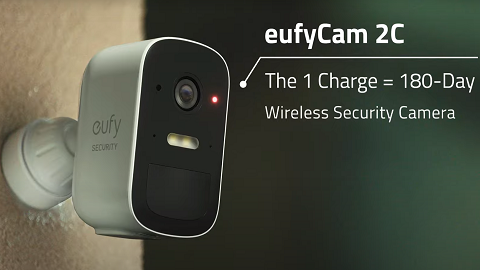
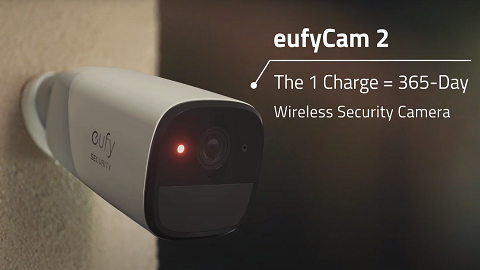
Does cold weather impact eufy Battery-Powered eufyCam?

Please note extreme cold weather may cause eufy battery-powered eufyCam to temporarily stop functioning since its operating temperature range is -4°F to 122°F / -20°C to 50°C due to the built-in lithium-ion battery. However, eufy battery-powered eufyCam will automatically resume working normally once temperature becomes warmer and falls within the device’s operating temperature range.


Note: The operating temperature of eufy HomeBase is 32°F to 122°F / 0°C to 50°C, which has a higher temperature range since eufy HomeBase is designed to be used indoors unlike eufyCam. Additionally, due to the working mechanism of Passive Infrared (PIR) sensor, eufy battery-powered eufyCam may not be functioning as sensitive when detecting motion in cold weather conditions. Therefore, it is highly recommended to increase eufy battery-powered eufyCam’s motion detection sensitivity level in the wintertime even if the current motion detection sensitivity setting works without issues in the summertime.


If you have further questions regarding how cold weather impacts eufy battery-powered eufyCam, please contact us for assistance.

Unresolved icon
272 undefined
FAQ
Security
S380 HomeBase (HomeBase 3) Compatibility
279 views1 likes/2026-07-08 11:59:23
HomeKit on eufy Devices
145 views1 likes/2026-08-13 18:40:15
How to View eufySecurity Cameras on a Computer
82293 views13 likes/2025-04-07 18:27:47
Compatibility Between eufy Devices
878 views1 likes/2026-06-24 17:12:13
What type of microSD card does eufy device use?
335 views1 likes/2026-06-24 16:34:06
Share Your eufy Devices With Your Family
221 views1 likes/2026-08-13 18:45:09
Using NAS Storage Step by Step
534 views1 likes/2026-07-13 11:19:21
Introducing Cloud Backup
505 views1 likes/2026-07-13 14:55:14
Which eufy cameras work with HomeKit?
224248 views44 likes/2023-01-06 11:49:40
Two-Step Verification for eufy App
767 views1 likes/2026-06-24 17:55:48
Download icon
eufyCam C35 사용자 가이드 (T8110)
Download icon
eufyCam C35 Uživatelská Příručka (T8110)
Download icon
eufyCam C35 Ghidul utilizatorului (T8110)
Download icon
eufyCam C35 Használati útmutató (T8110)
Download icon
eufyCam C35 Používateľská príručka (T8110)
Download icon
eufyCam C35 Navodila uporabnika (T8110)
View More
Play videoHow to Install the Mutli-Functional Mount Bracket for eufyCam C35
How to Install the Mutli-Functional Mount Bracket for eufyCam C35
Play videoHow to Mount Your eufyCam
How to Mount Your eufyCam
Play videoHow to Set the Automation Function
How to Set the Automation Function
Play videoHow Do I Connect My eufy Cameras with Amazon Alexa
How Do I Connect My eufy Cameras with Amazon Alexa
Play videoHow Do I Connect My eufy Cameras to the Google Assistant App
How Do I Connect My eufy Cameras to the Google Assistant App
Play videoHow to Share Account Access of eufySecurity Devices
How to Share Account Access of eufySecurity Devices
View More
Contact Us
Buy on the eufy Store
Download the App
affirmamazonPayamexapplePaydinnersClubdiscovergooglePaymastercardpaypalshopPayvenmovisa