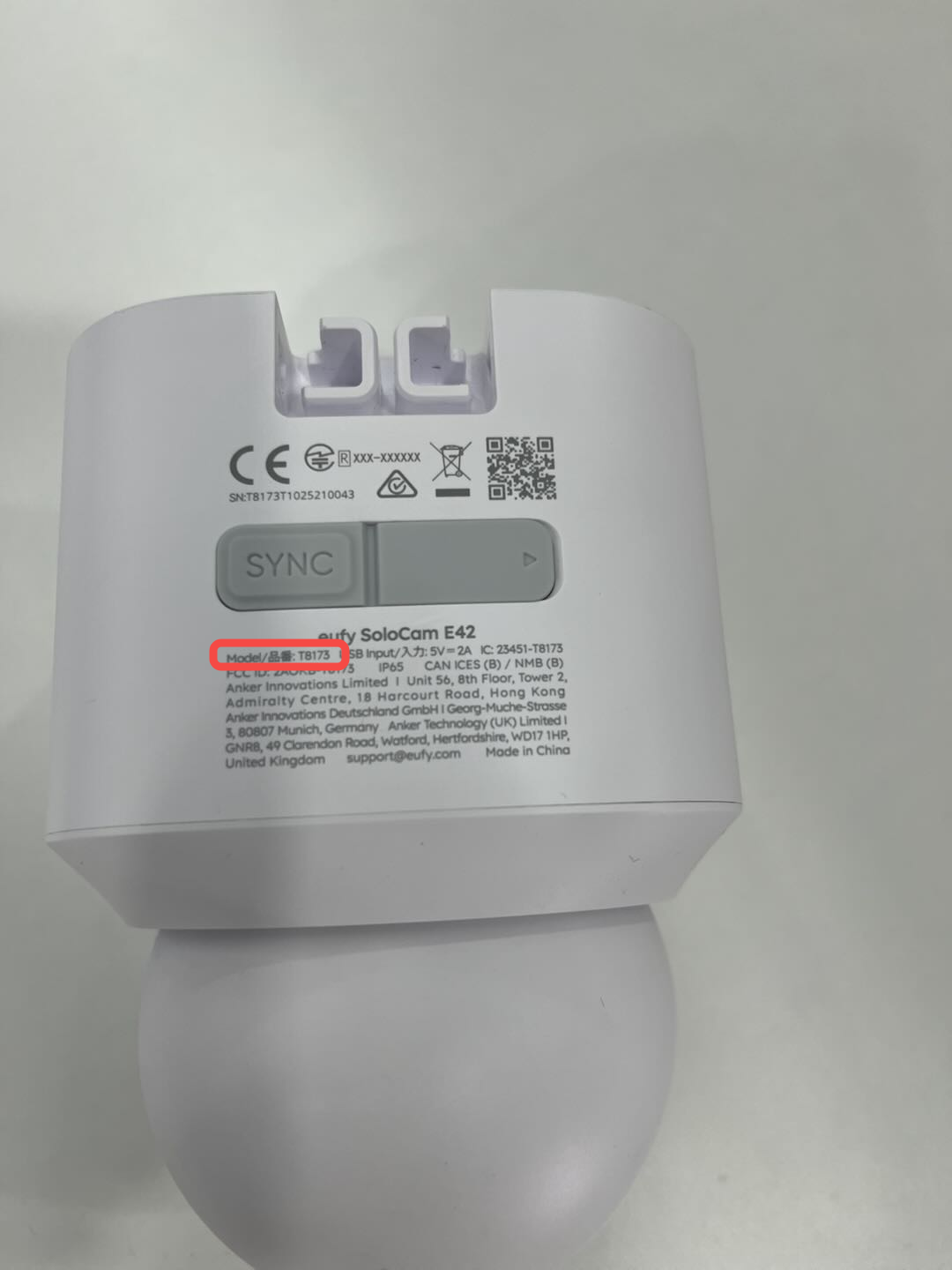
This article explains where to find the Serial Number (SN) and Product Number (PN) on eufy devices.
Knowing your product’s SN and PN helps us provide accurate customer support, warranty service, and repair options.
You can find this information on the device itself or, for supported models, in the eufy app.
Where to Find the Serial Number (SN)
For eufy RoboVac devices:
1. On the device
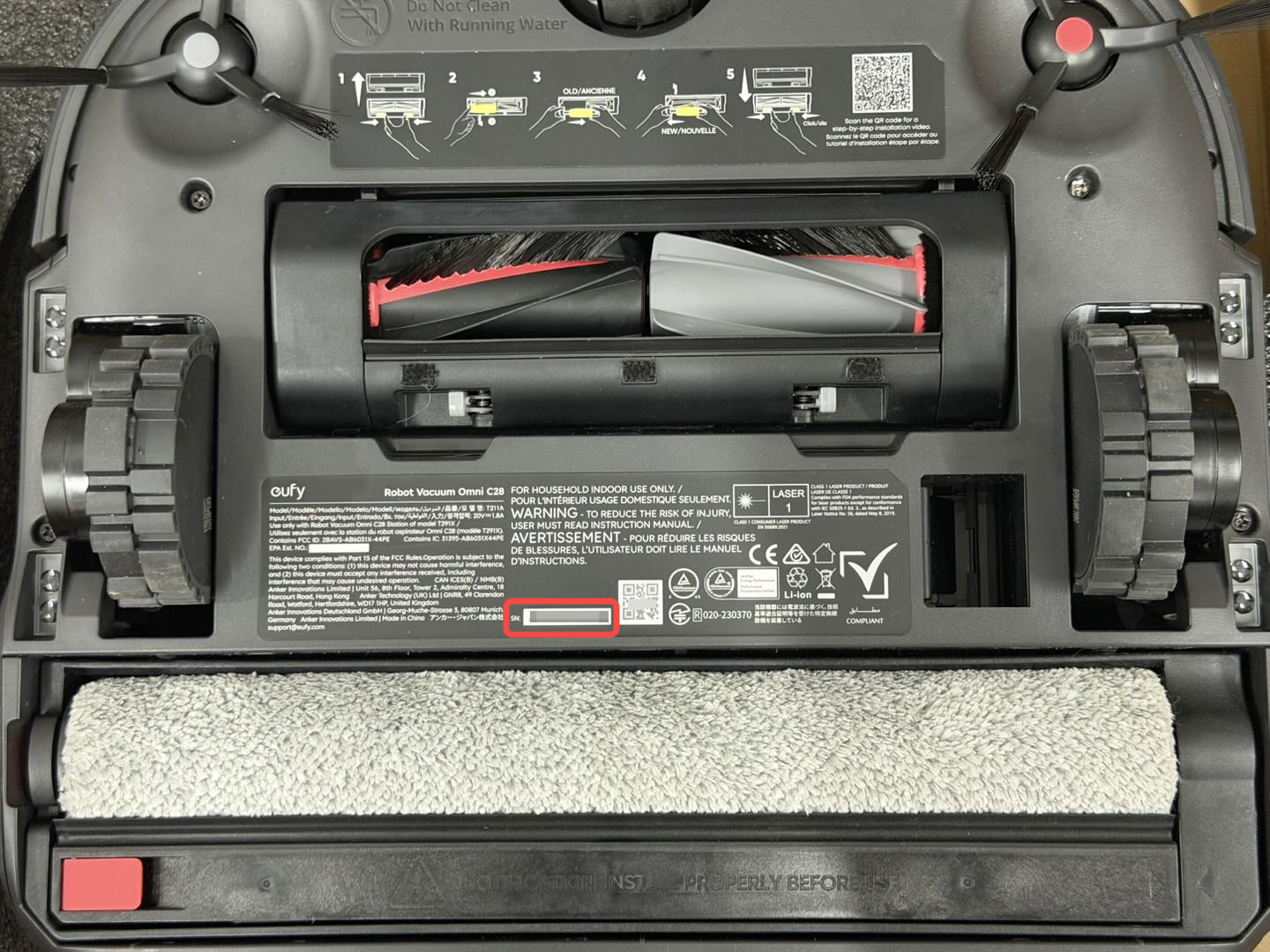
Most Devices
Location: on the bottom of the robot, or on the back of the base station
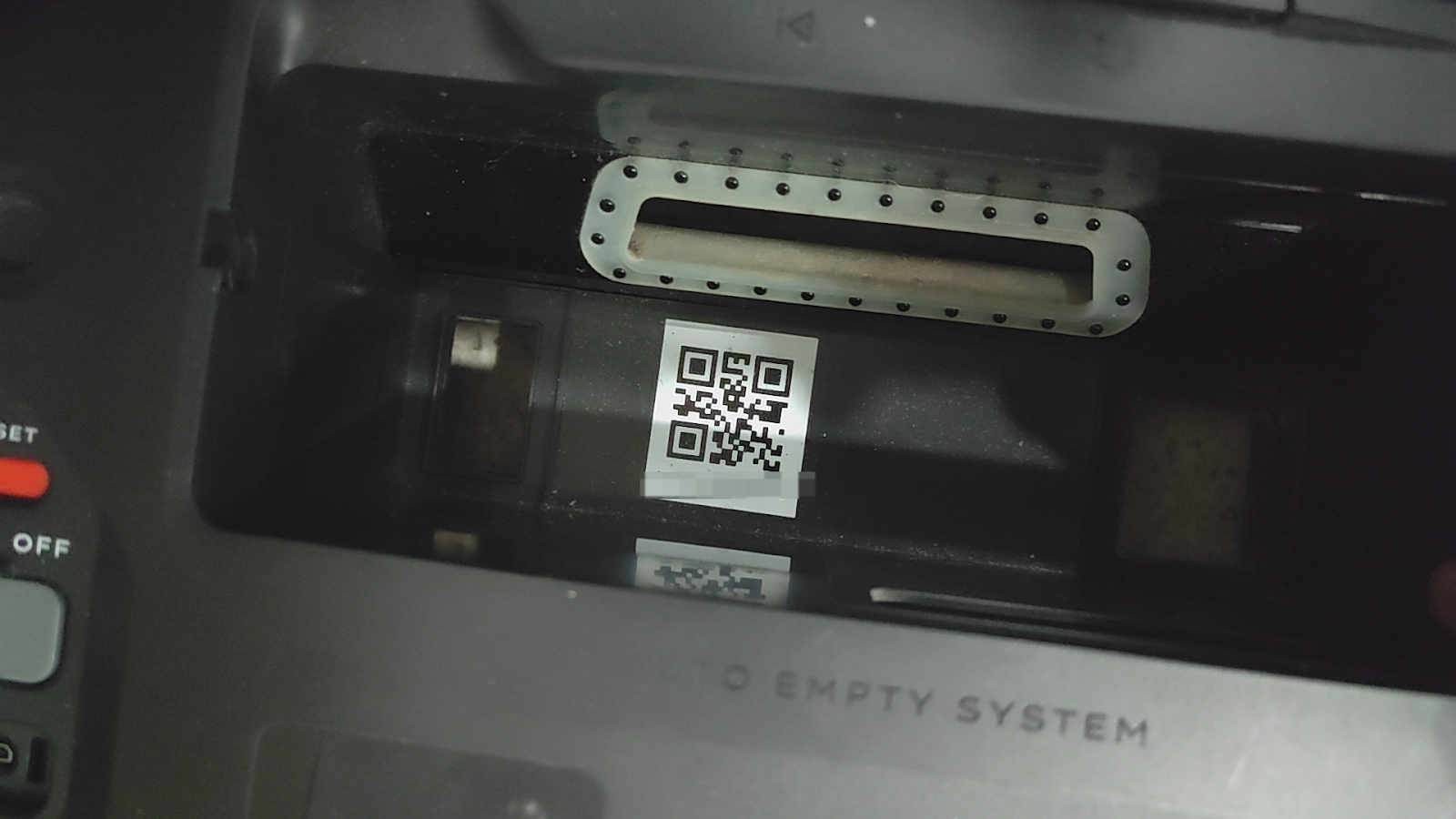
S1 Pro (PN: T2080)
Location: The SN is located under the dustbin.
-
Open the magnetic top cover, remove the dustbin, and you will see the SN inside (below the QR code).
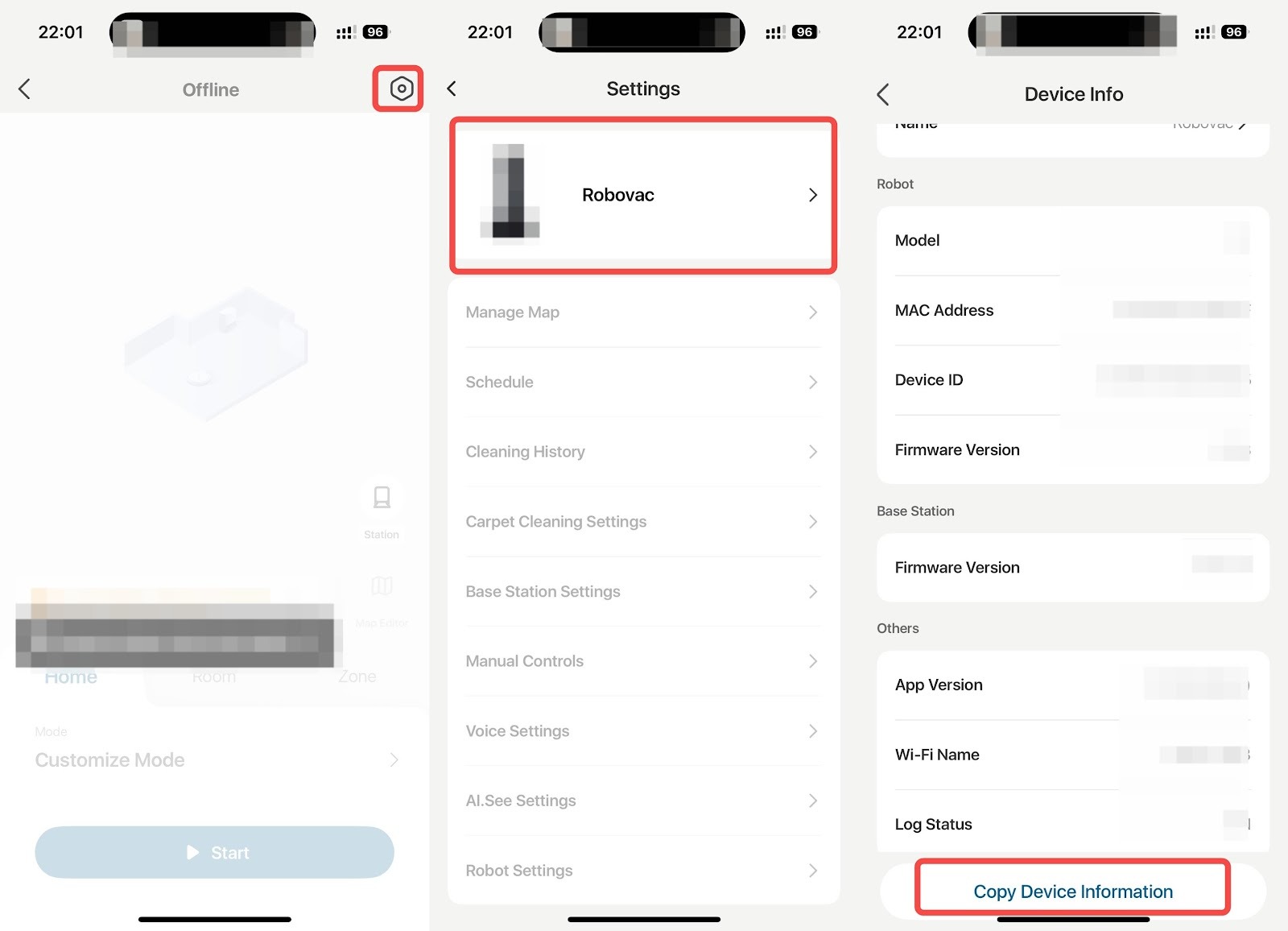
2. In the App (Wi-Fi–Enabled Models Only)
If your device supports Wi-Fi and can connect to the app, you can view the SN directly in the app.
-
App → Settings → Device Information (Device ID)
Note
-
Only Wi-Fi–enabled models display a Device ID in the app.
-
Older models (such as RoboVac 11S) do not support app connections and do not have a Device ID.
Important:
-
Only Wi-Fi–enabled models display a Device ID in the app.
-
Some older or non–Wi-Fi models (such as RoboVac 11S) do not support app connection, so it is normal that no Device ID is available.
For eufy devices:
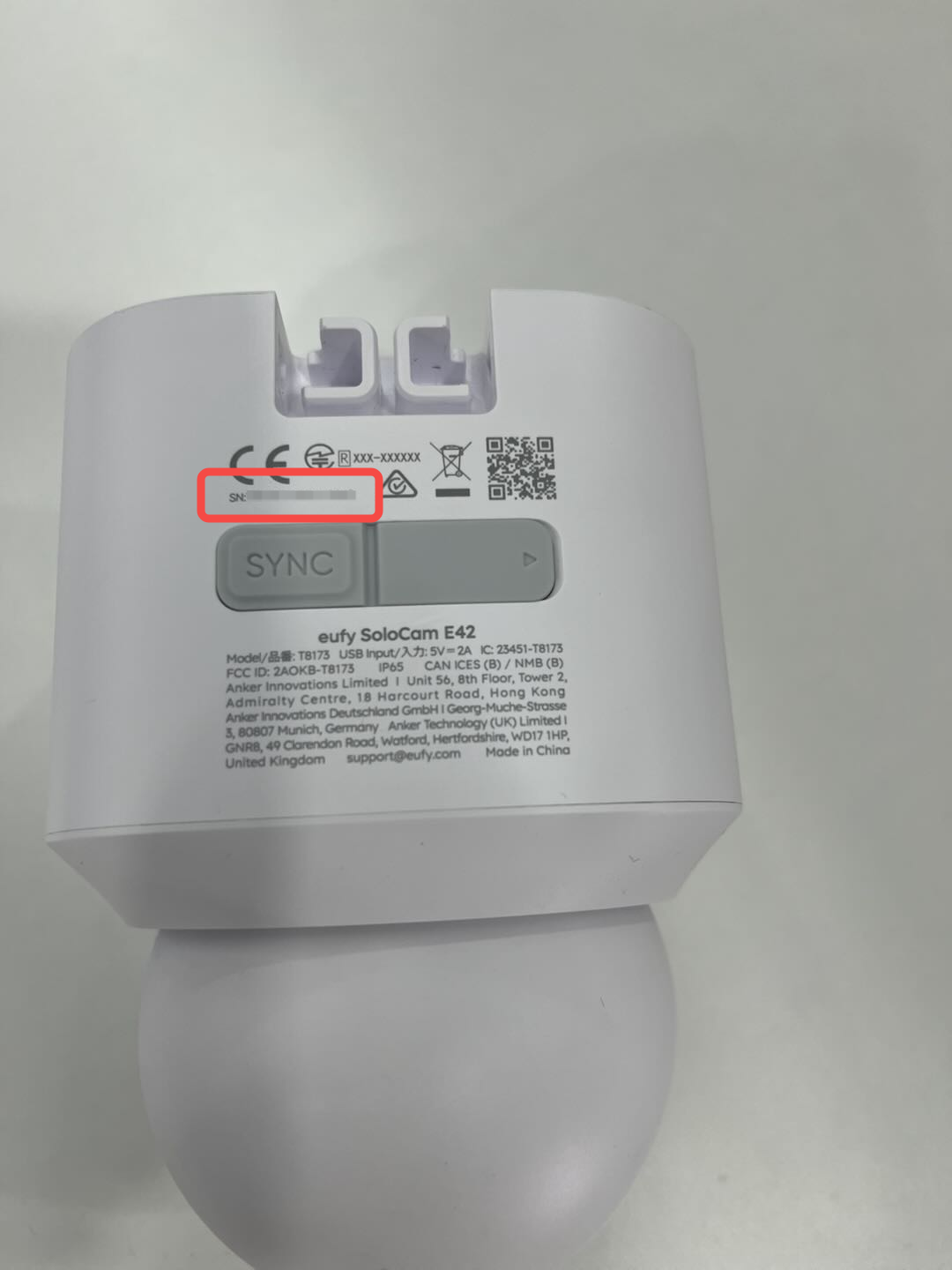
1. On the device
The serial number (SN) can be found printed on the back of the camera.
2. In the App
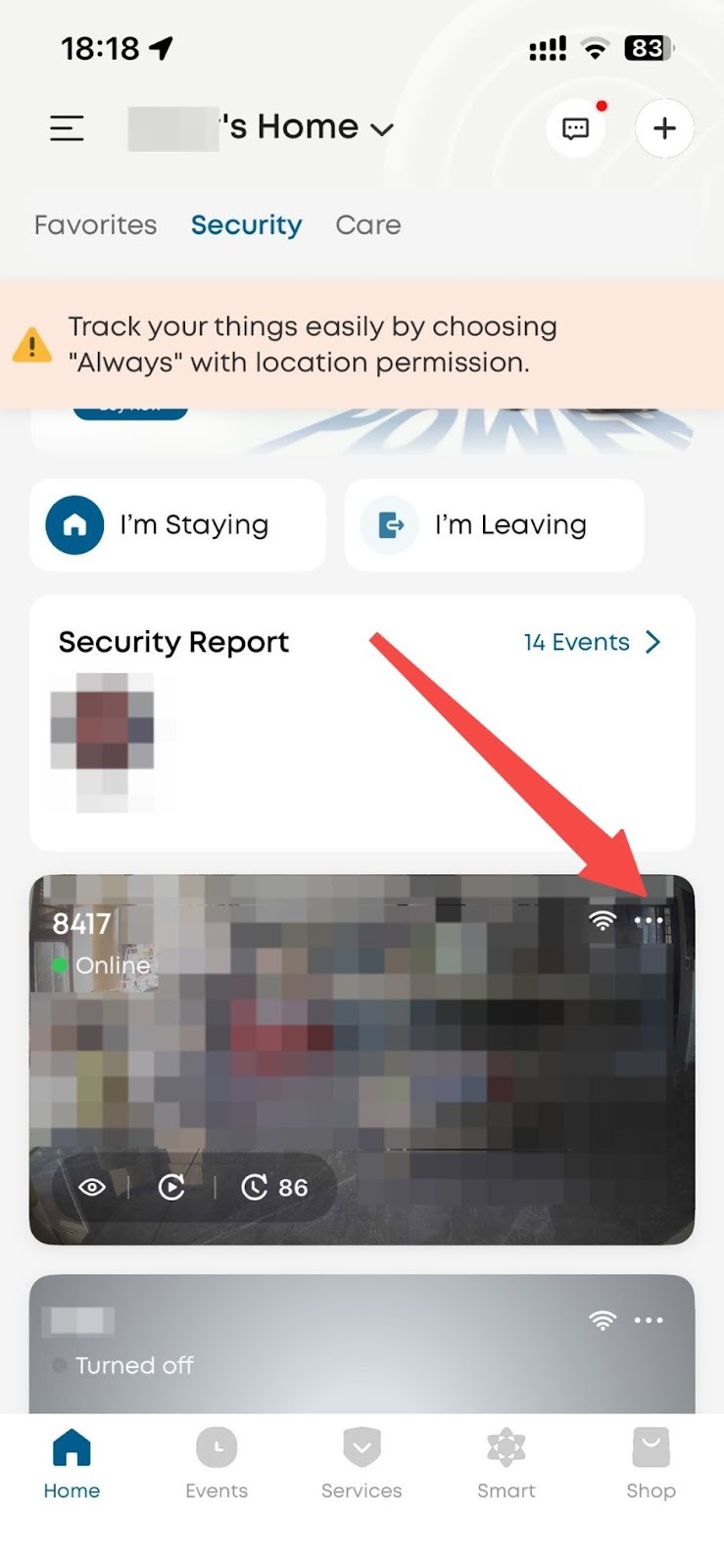
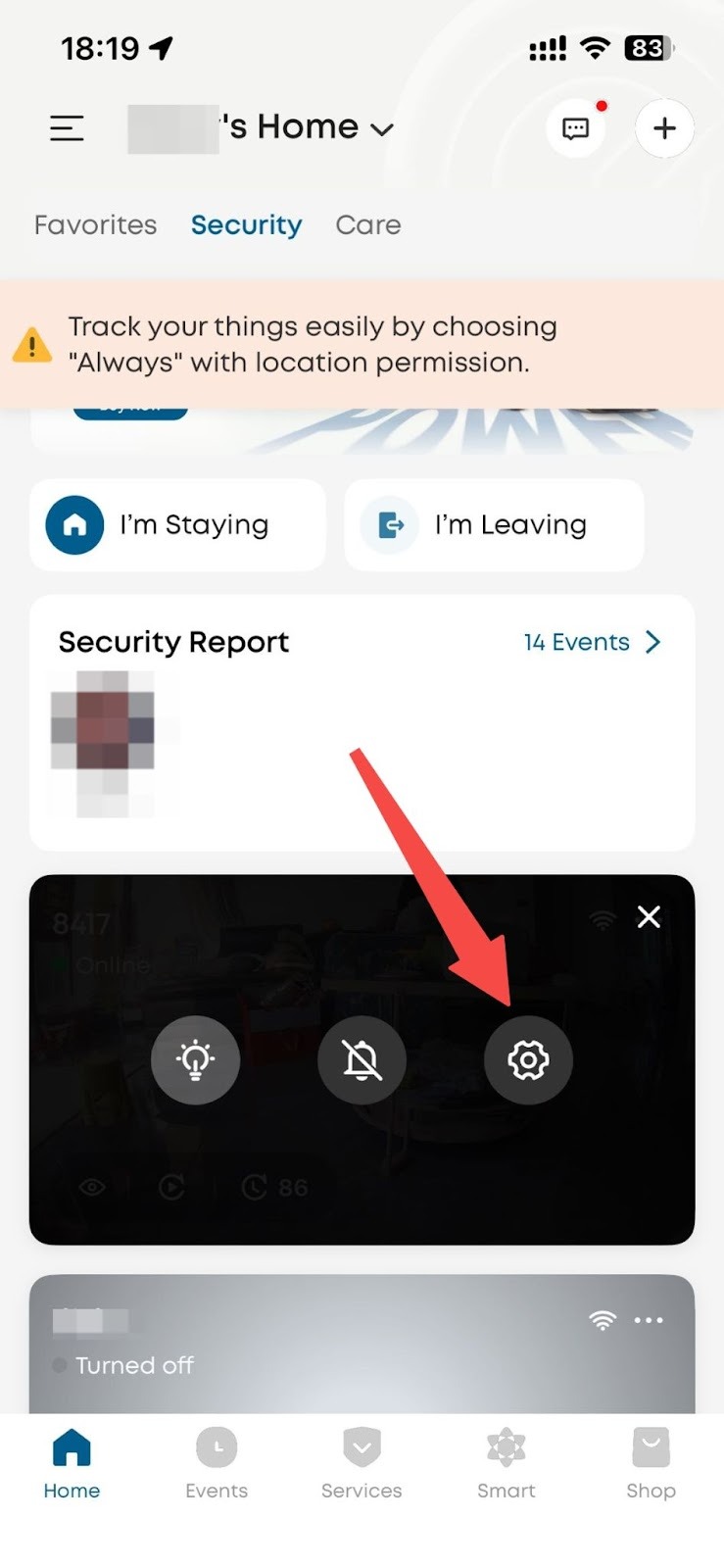
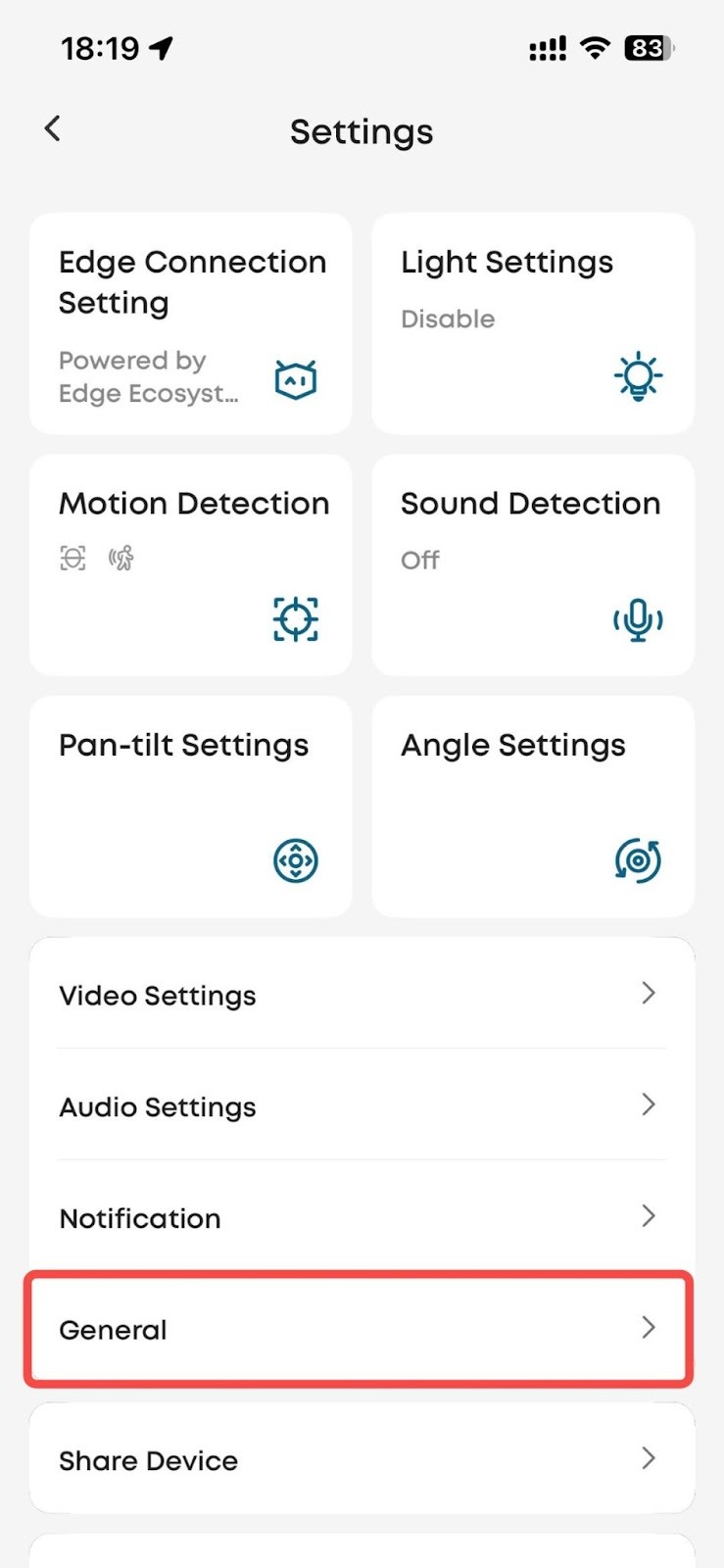
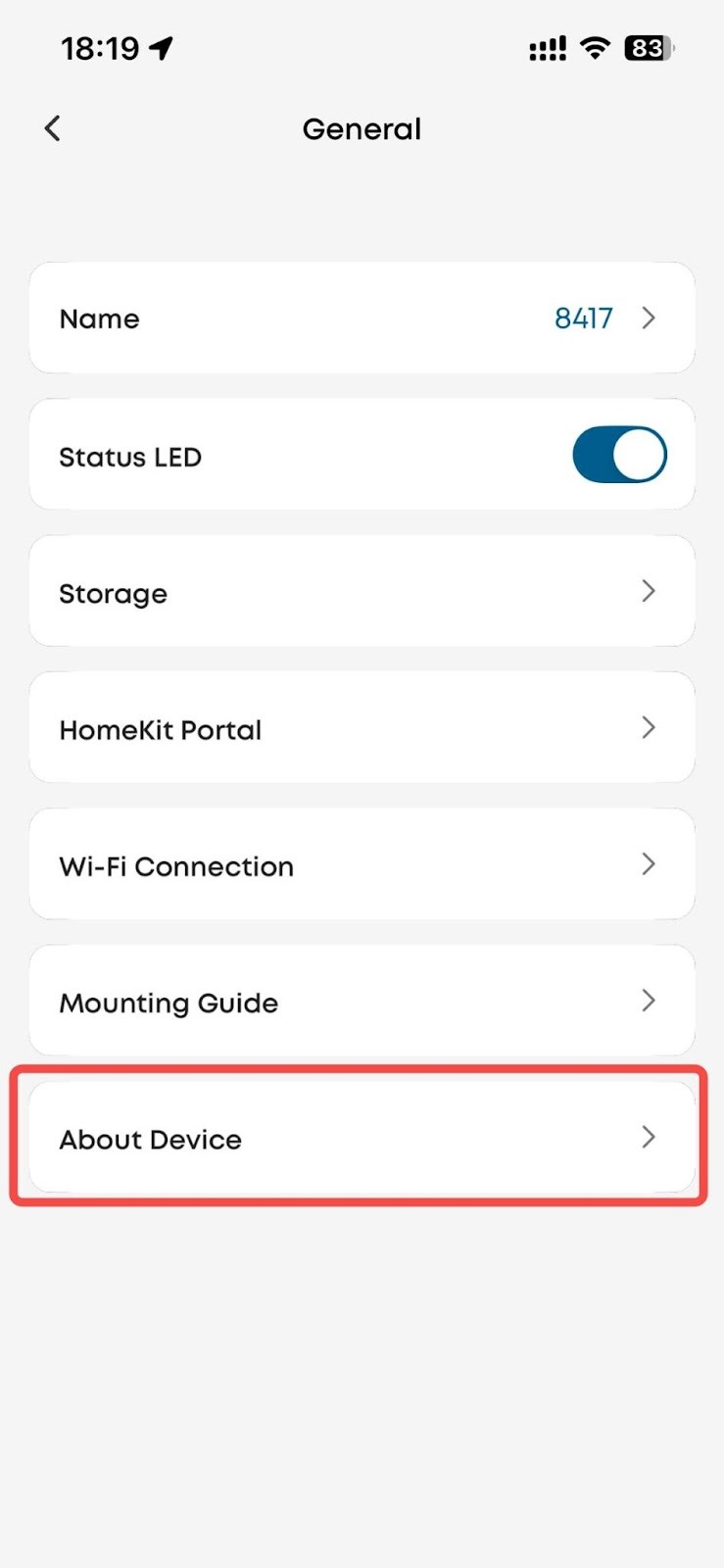
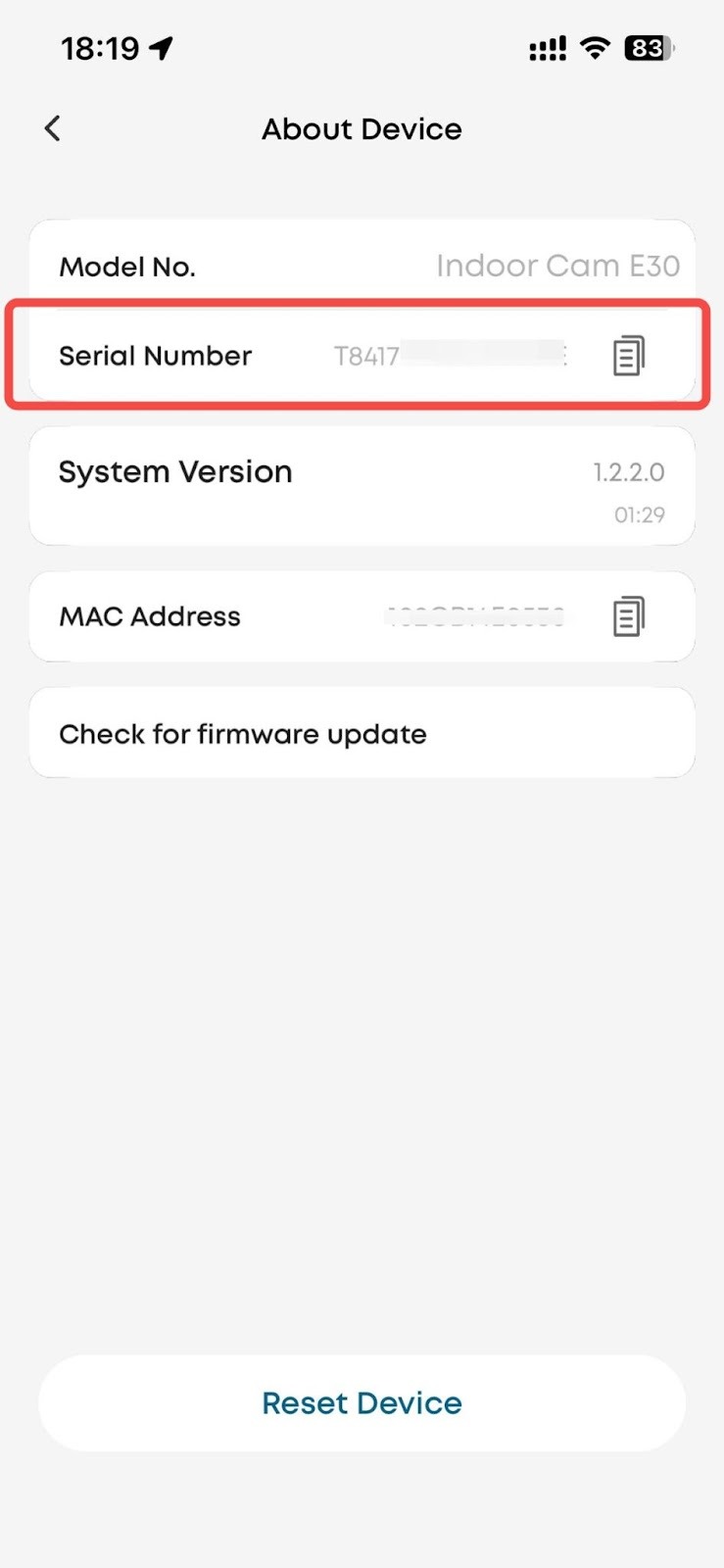
You can find the SN in the app by navigating to:
Device Settings > General > About Device> Serial Number
Where to Find the Product Number (PN)/model
For eufy RoboVac devices:
Location: The PN is usually printed on a paper label attached to the main body of the robot.
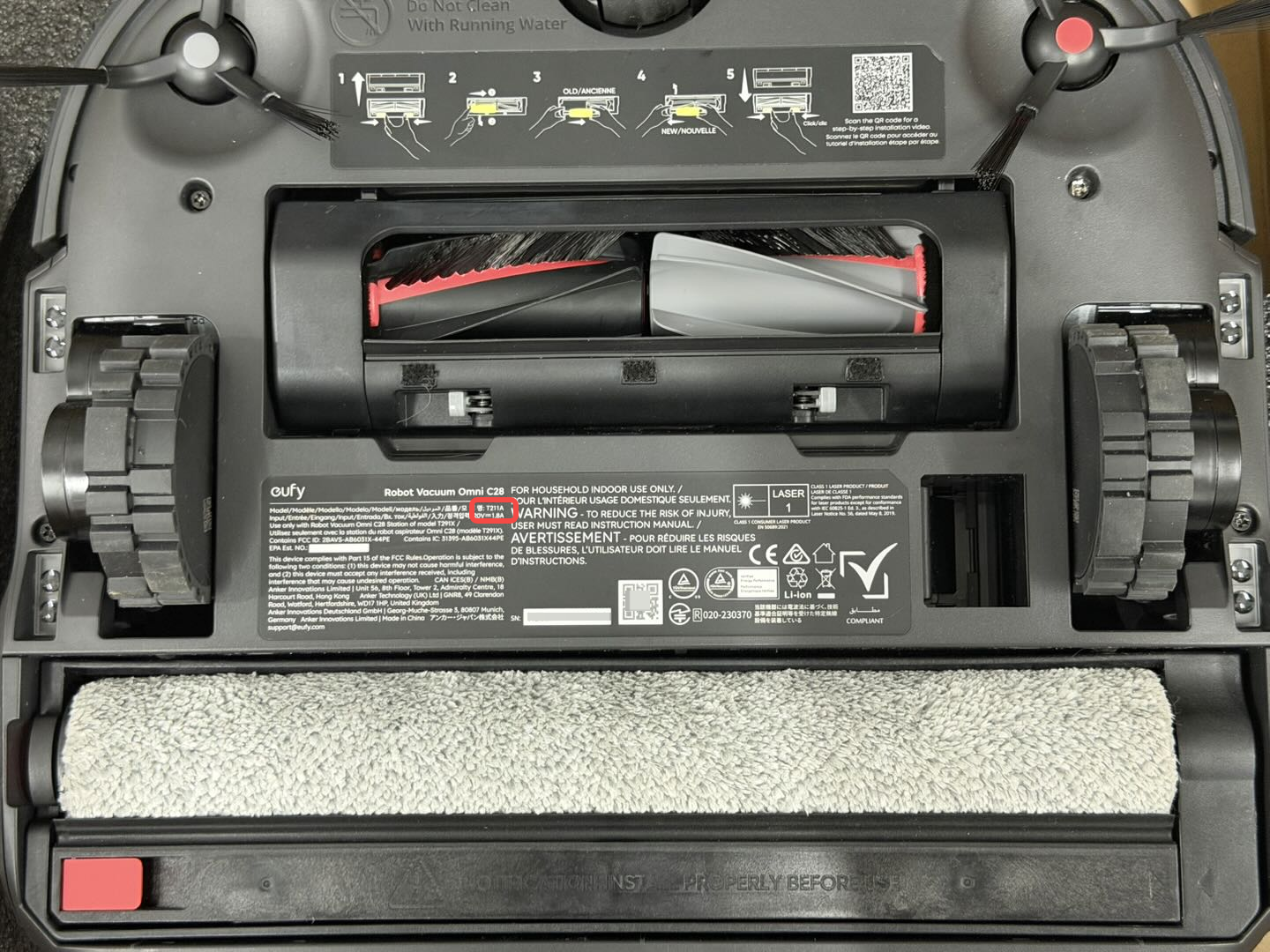
Format: The PN typically consists of one letter followed by four digits, for example: T2080, T2108
Tip:The PN is often located near the SN label or on the device’s rating label.
For eufy devices:
Location: The PN (model number) is printed on the back of the device.