How to Reset the HomeKit-enabled System

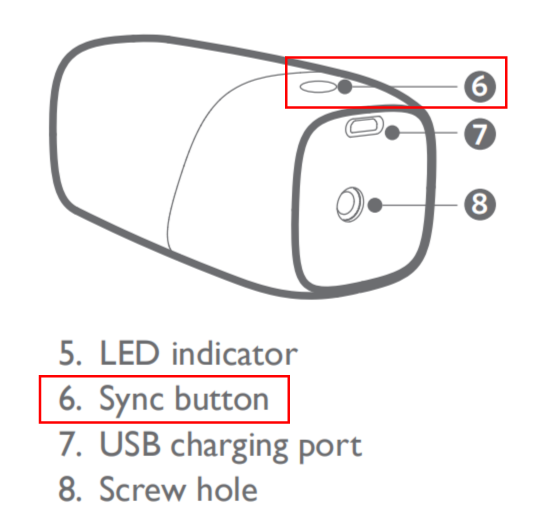
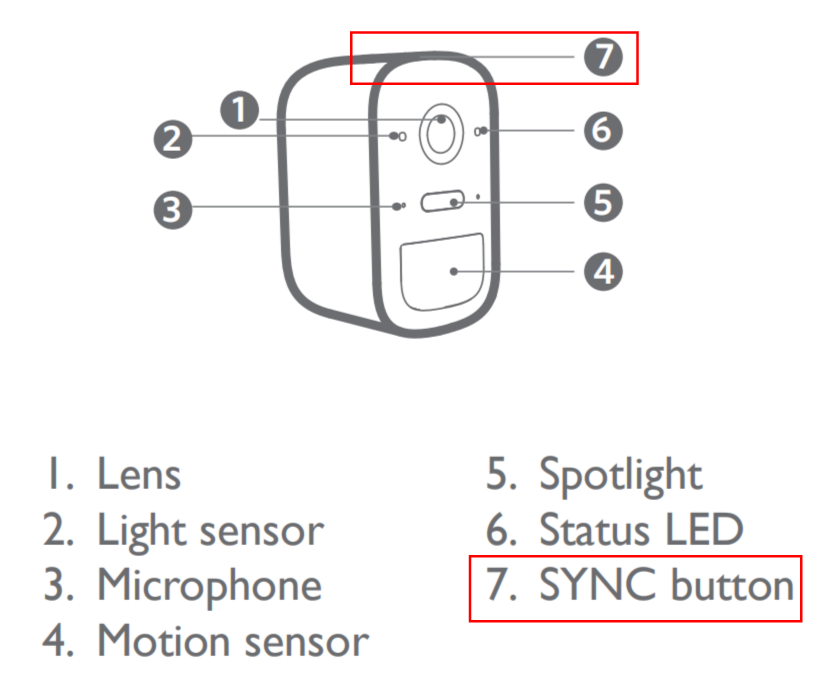
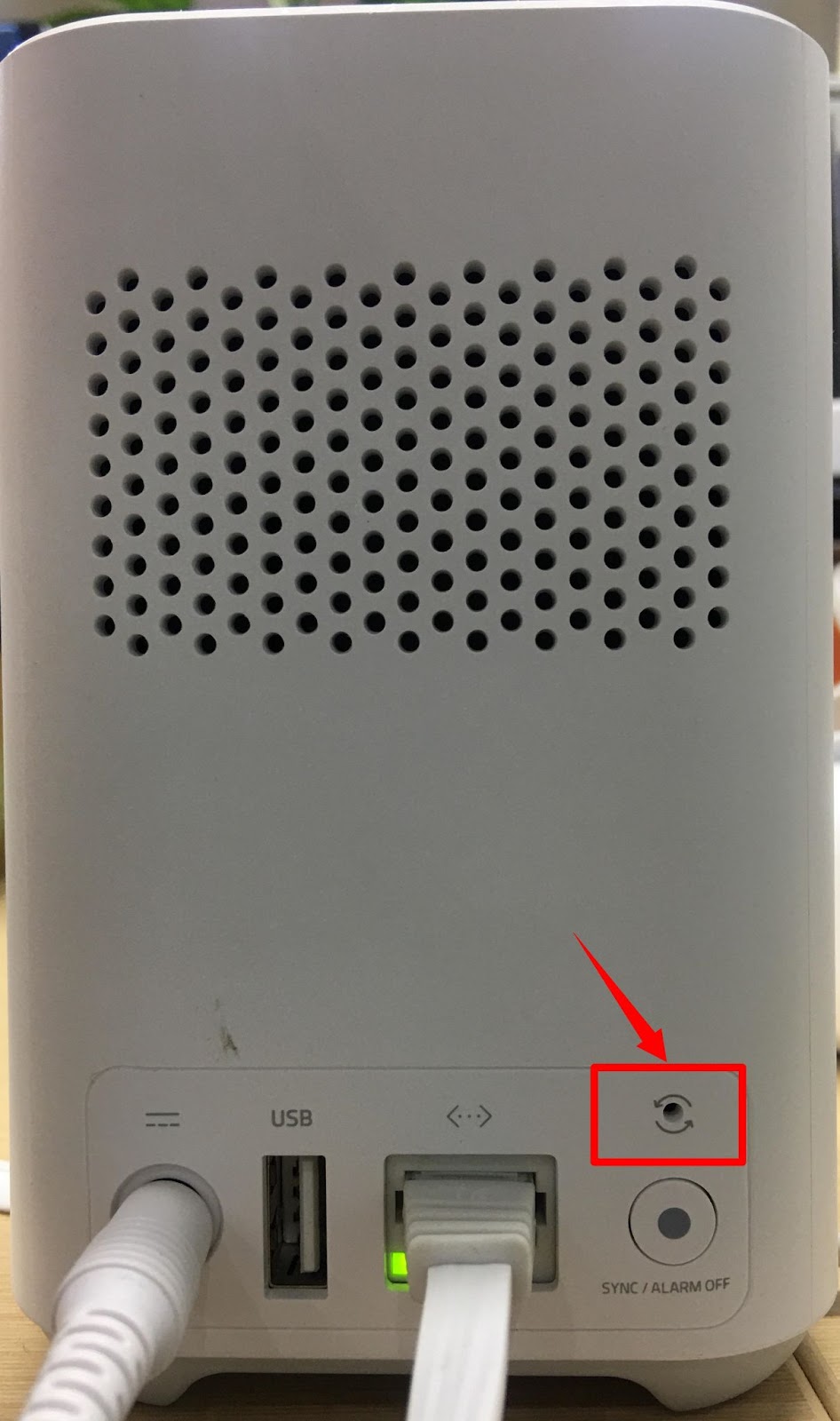
 For eufyCam 2 Series, the eufyCam add-on camera can be reset by pressing and holding the SYNC button for 10 seconds. The SYNC button is usually located at the top side of the eufyCam. The HomeBase 2 can be factory reset by pressing the “CYCLE” hole (Above the SYNC/ALARM OFF button) at the back of HomeBase 2 until you hear "HomeBase is resetting".


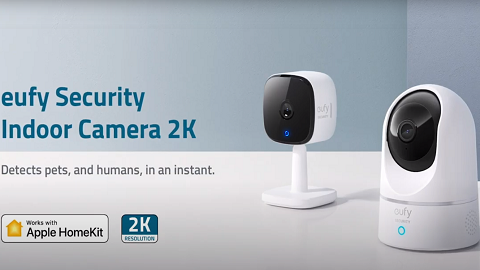
For Indoor Cam Series, press and hold the SYNC button for 10 seconds until two beeps are heard. The SYNC button is usually located at the back of the device.

image.png


If you have any questions, please contact us for further assistance.
 
Unresolved icon
300 undefined
Download icon
Indoor_Cam_2K_Pan&Tilt_manual_eu
Download icon
Indoor_Cam_2K_Pan&Tilt_manual_us
Download icon
V01_T8410C_QSG
Download icon
T8410_Indoor Cam 2K Pan & Tilt_INT_QSG
Download icon
Indoor_Cam_1080p_Pan&Tilt_manual_us
Download icon
Indoor_Cam_1080p_Pan&Tilt_manual_eu
View More
Play videoHow to Use NAS to Control eufy Security Products
How to Use NAS to Control eufy Security Products
Play videoHow to Use Geofencing on eufySecurity App
How to Use Geofencing on eufySecurity App
Play videoIntroducing eufy Security Indoor Cam 2K Pan & Tilt
Introducing eufy Security Indoor Cam 2K Pan & Tilt
Play videoHow Do I Connect My eufy Cameras with Amazon Alexa
How Do I Connect My eufy Cameras with Amazon Alexa
Play videoHow Do I Connect My eufy Cameras to the Google Assistant App
How Do I Connect My eufy Cameras to the Google Assistant App
Play videoHow to Share Account Access of eufySecurity Devices
How to Share Account Access of eufySecurity Devices
View More
Contact Us
Buy on the eufy Store
Download the App
affirmamazonPayamexapplePaydinnersClubdiscovergooglePaymastercardpaypalshopPayvenmovisa